

UniFi now offers a new feature: spending limits on your checking accounts. This handy tool allows you to manage your spending more effectively. You can set limits for individual transactions, daily, weekly, or monthly spending. You can also block transactions based on merchant categories, like fast food or alcohol outlets.
Limits are versatile – use them on your personal accounts to curb your spending or on shared accounts to ensure responsible use, such as keeping a check on your teenager’s spending habits or restricting purchases at age-inappropriate merchants.
How to Set Spending Limits on Your UniFi Account
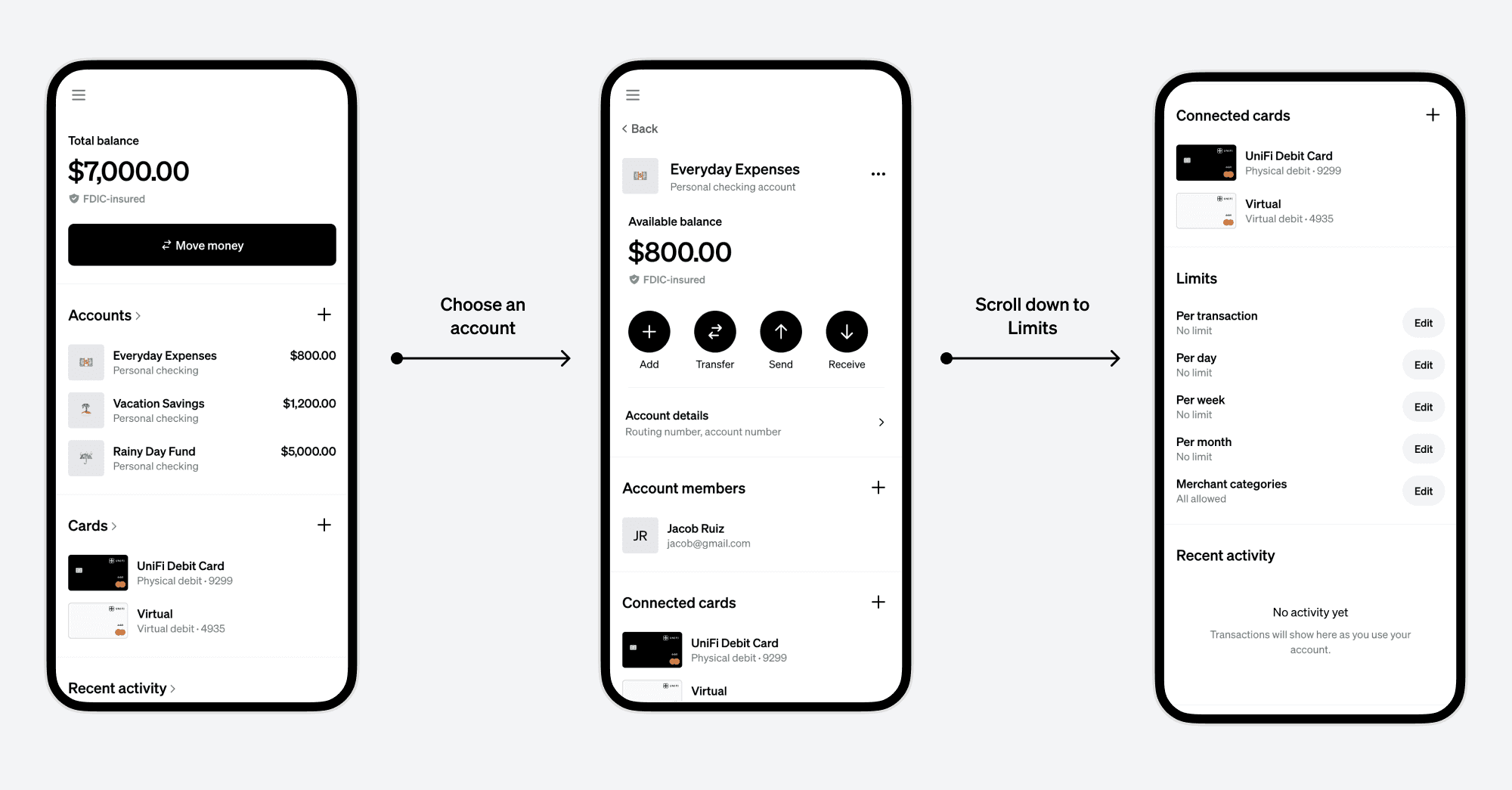
Navigating to Limits
From your UniFi dashboard, select the account you want to set limits on. Go to the Account Detail screen and scroll to “Limits”. Here, you'll find options to set limits per transaction, day, week, month, or by merchant category.
Adding or Editing a Limit
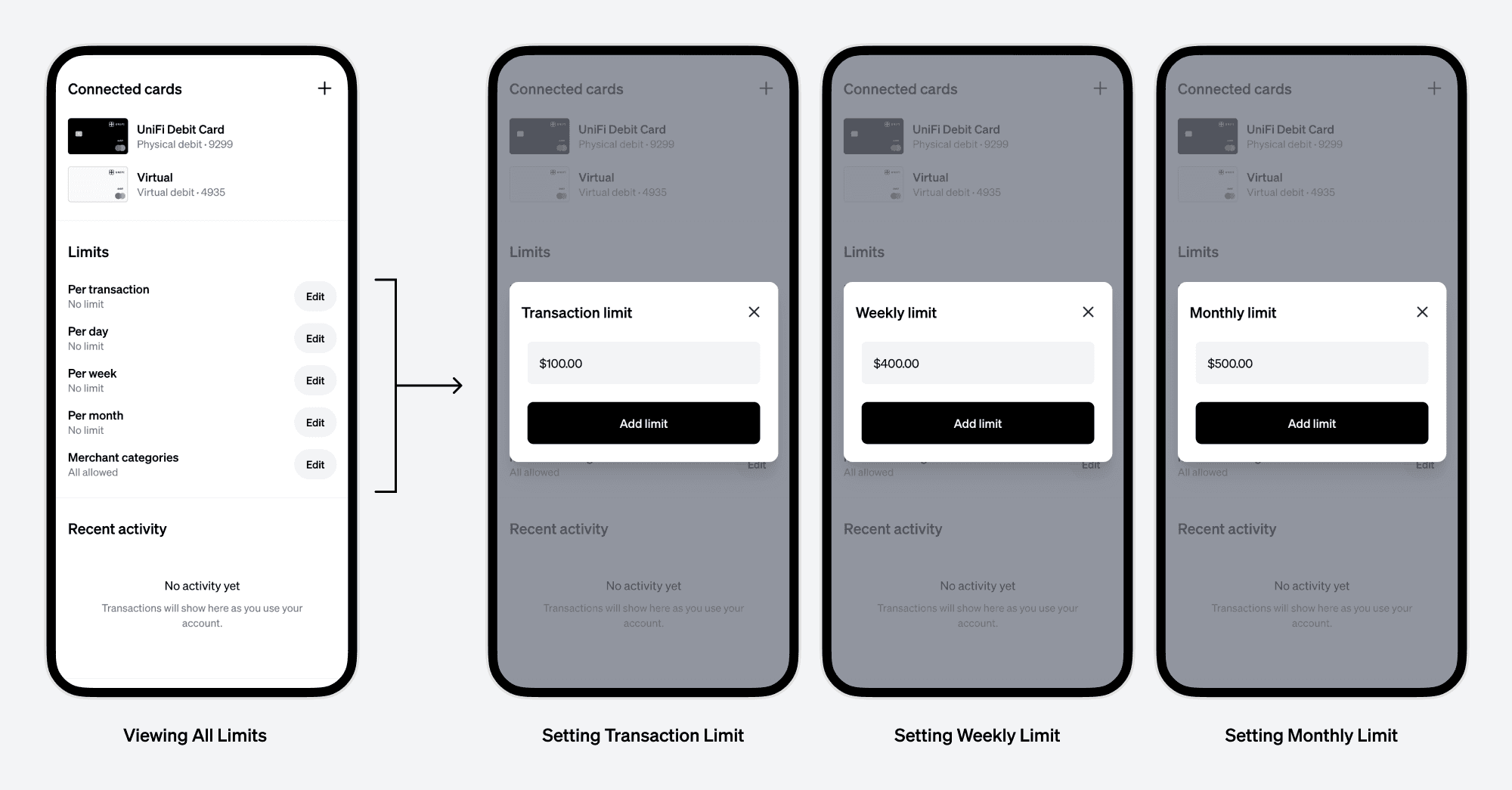
To set a limit, tap or click “Edit” next to the desired limit type. For example, to limit each transaction, tap “Edit” under “Per transaction” and enter your desired limit amount. Transactions exceeding this amount will be automatically declined. You can change or remove these limits at any time.
Managing Merchant Categories
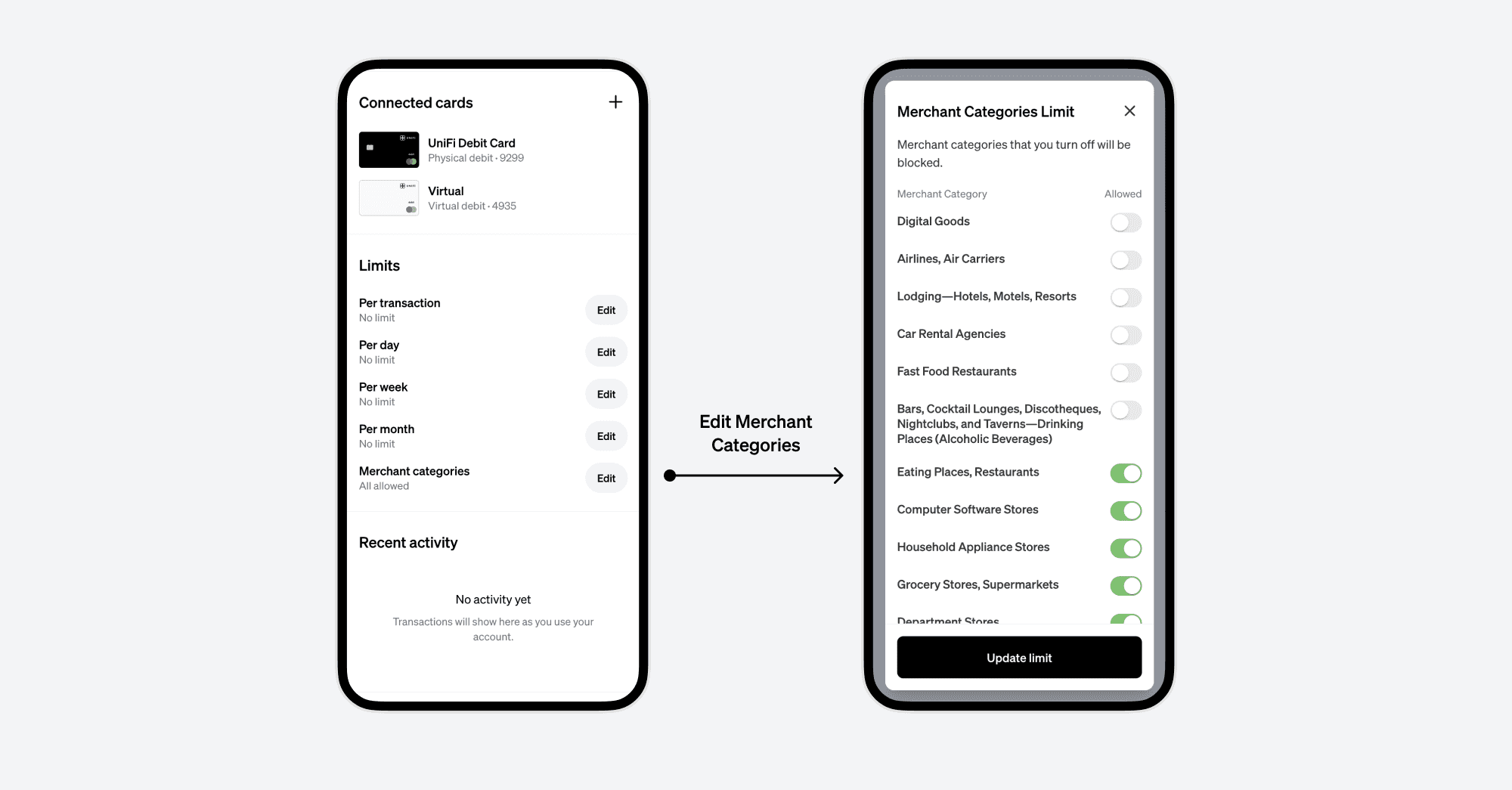
By clicking “Edit” under Merchant categories, you’ll see a list of merchant types. Select the categories you wish to allow or block. For instance, if you’re trying to eat healthier, you might block fast food restaurants on your personal account. For your kids’ account, you could restrict purchases at bars and liquor stores.
Reviewing Your Active Limits
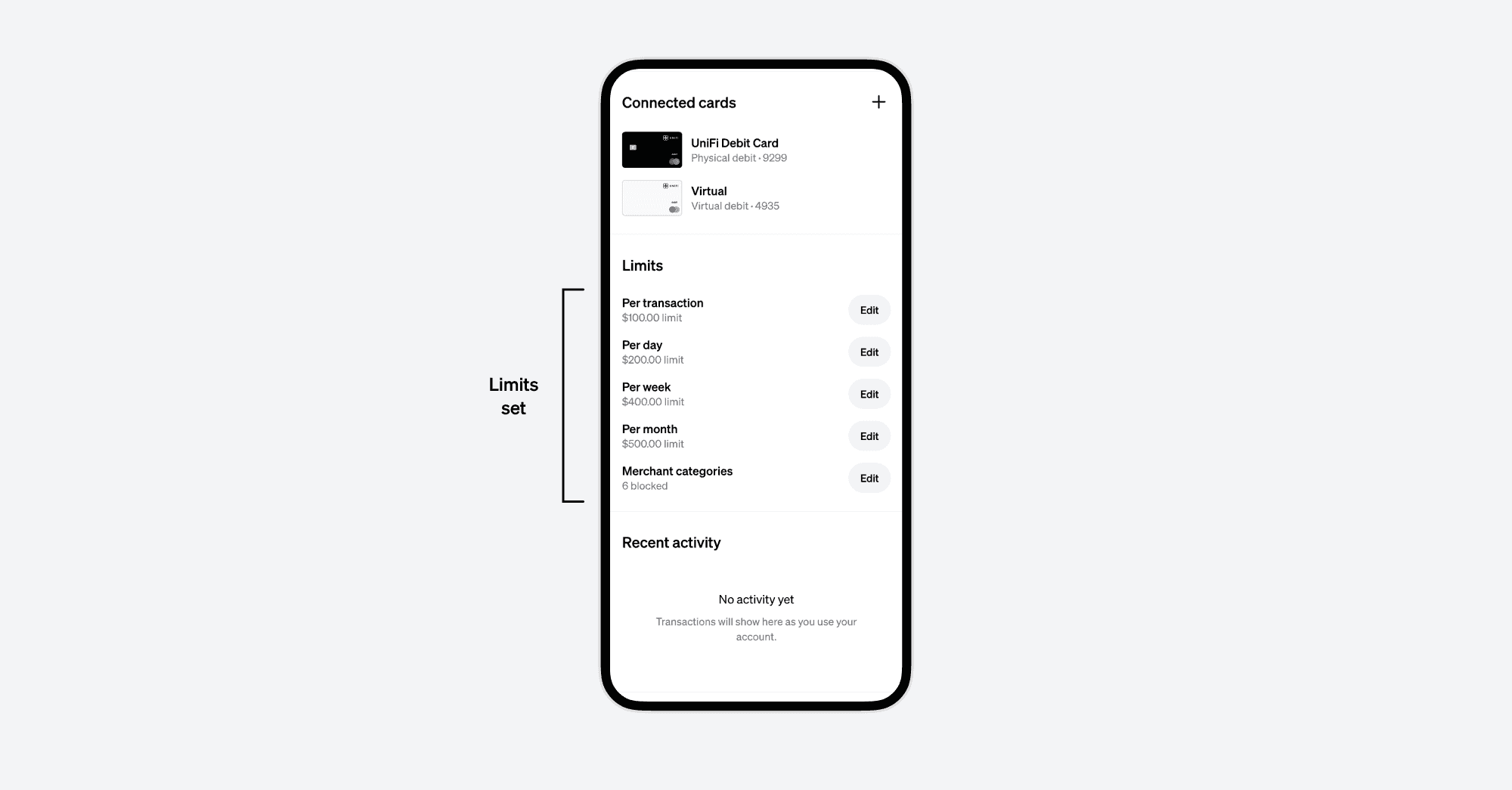
You can always revisit the Limits section on the Account Detail screen to review your active limits. They can be edited or removed as needed.
Smart Ways to Use Limits
For Personal Accounts
- Staying on Budget: Set a transaction limit or a monthly cap matching your budget.
- Lifestyle Choices: Set limits to reinforce healthier habits. Block categories that don’t align with your values or goals, helping your future self to make better choices.
For Shared Accounts
- Teaching Kids Financial Responsibility: UniFi’s shared accounts combined with Limits offer a great way to provide allowances while teaching financial responsibility. Use Limits to ensure sensible spending and to keep them away from inappropriate merchant categories.
- Budgeting for Couples: Shared accounts help couples manage joint finances. Setting weekly or monthly limits ensures you both stay on track with your financial goals.
Limits on UniFi are more than just controls – they're a proactive approach to managing your finances, aligning your spending with your goals and values. Whether for personal discipline or shared account management, these tools empower you to take charge of your financial journey.