

Earning money as a Dasher on DoorDash often means using the DasherDirect pre-paid debit card. It's a common way for Dashers to access and spend their earnings.
However, relying solely on a pre-paid debit card comes with its downsides: your money isn't as secure, budgeting can be more challenging, and you miss out on the full suite of features offered by modern banking accounts, such as sending money to friends and family, scheduling transfers, and more.
UniFi offers a solution, allowing you to instantly and securely transfer your Dasher earnings from your DasherDirect card into a checking account. This account comes packed with convenient banking features designed to streamline your financial management.
Transfers from DasherDirect to UniFi are instant, free, and simple. Here's how to get started:
1. Sign up for UniFi
If you're new to UniFi, signing up is your first step. It's free, and you gain access to:
- Multiple checking accounts.
- Debit cards accepted worldwide.
- Seamless transfers between your UniFi accounts and to other banks.
- Zero extra fees or minimum balance requirements.
Click here to sign up for free.
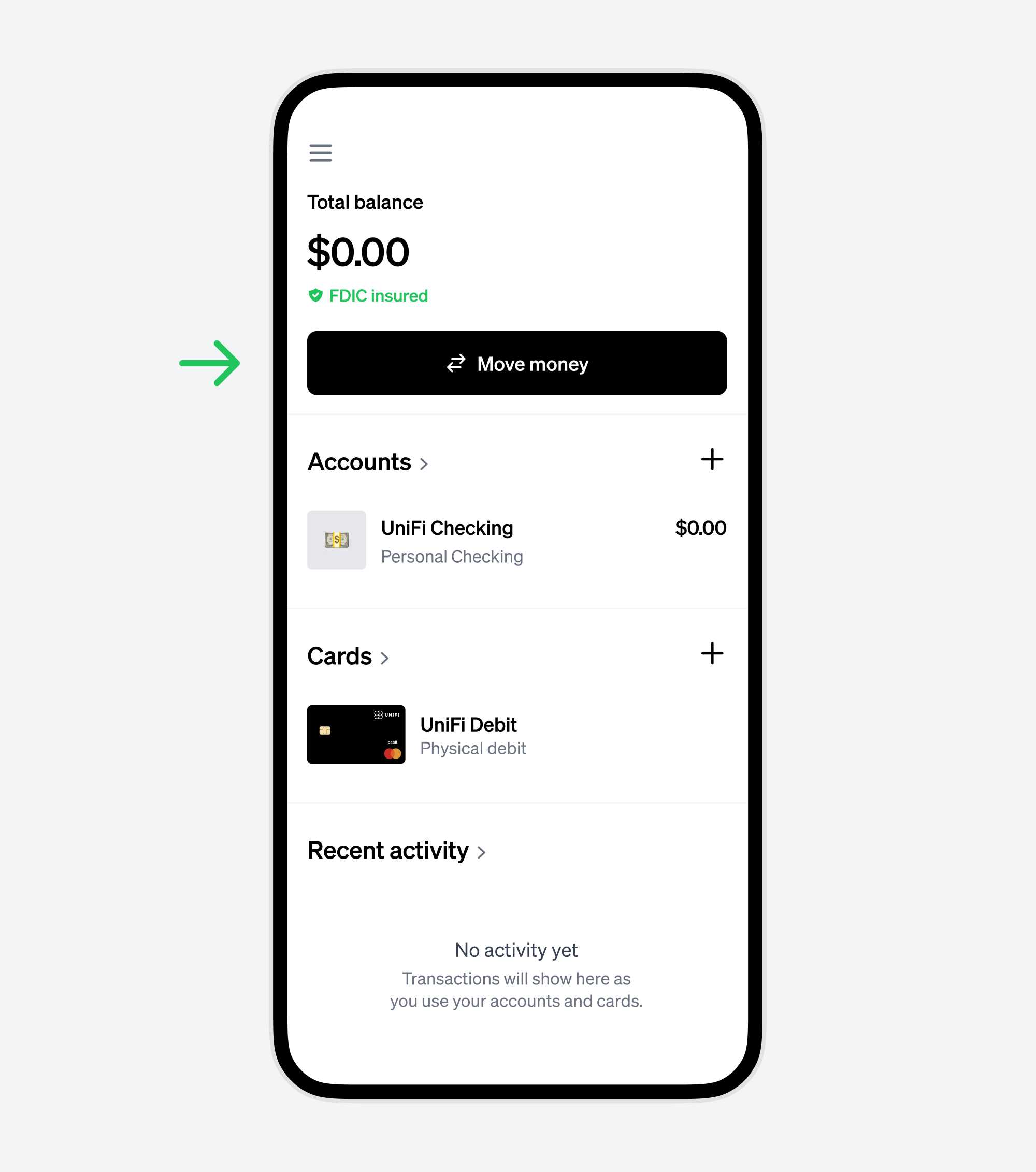
2. From the dashboard, click the "Move money" button
This button lets you handle all money-related tasks. We'll link your DasherDirect card on the next step.
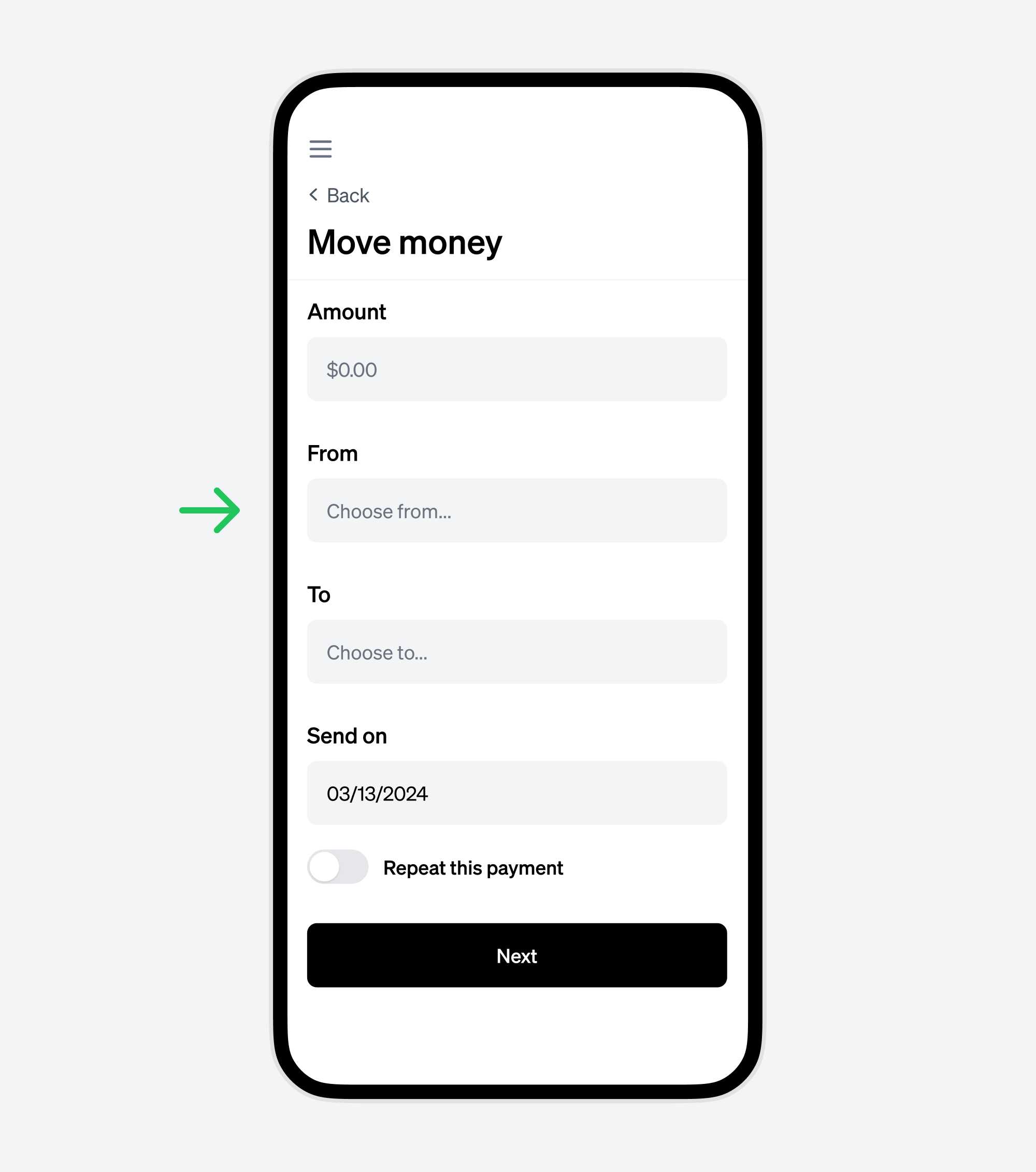
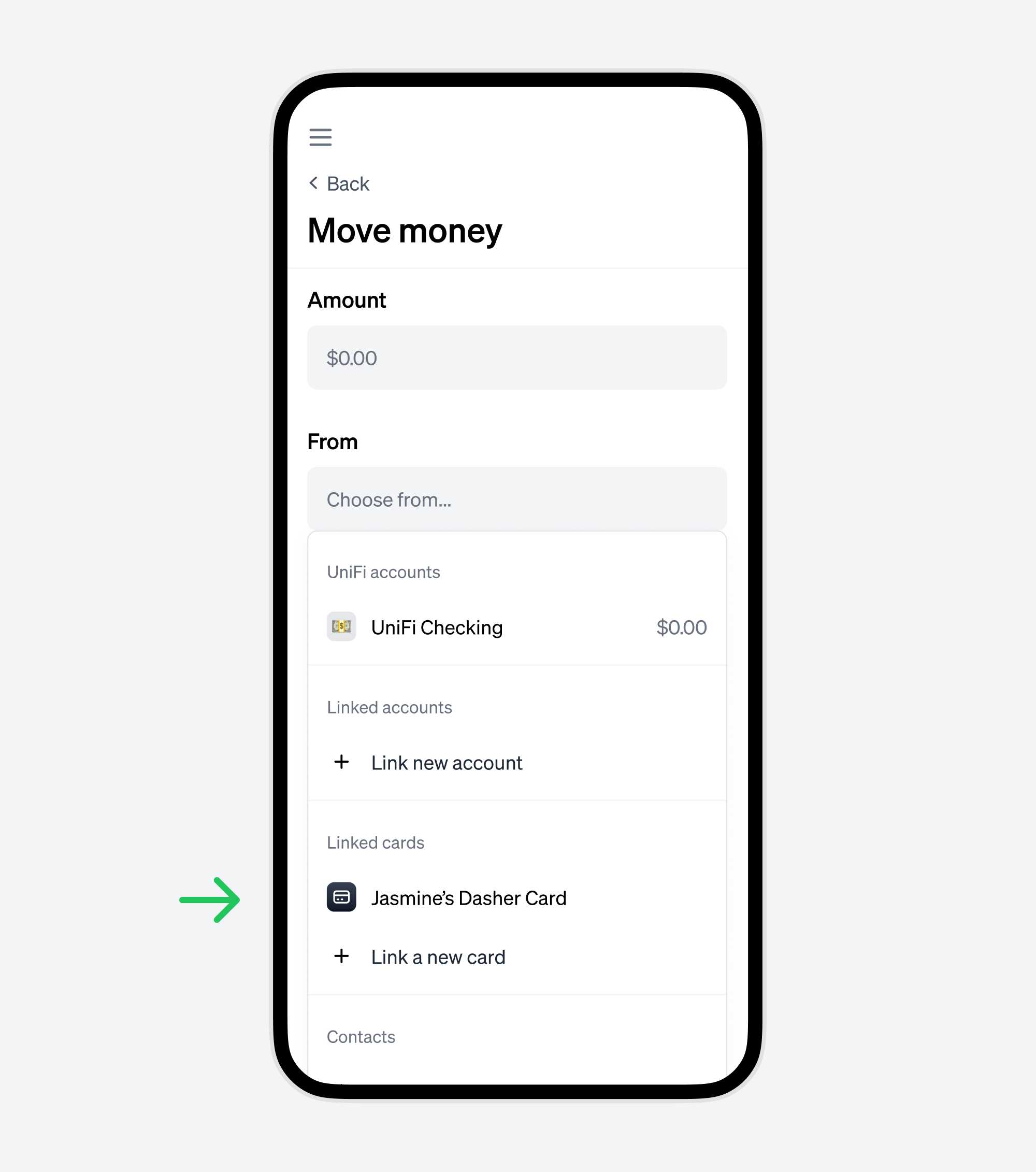
3. Click the "From" option to start adding your DasherDirect card.
This will show a dropdown where you'll be able to link your DasherDirect card.
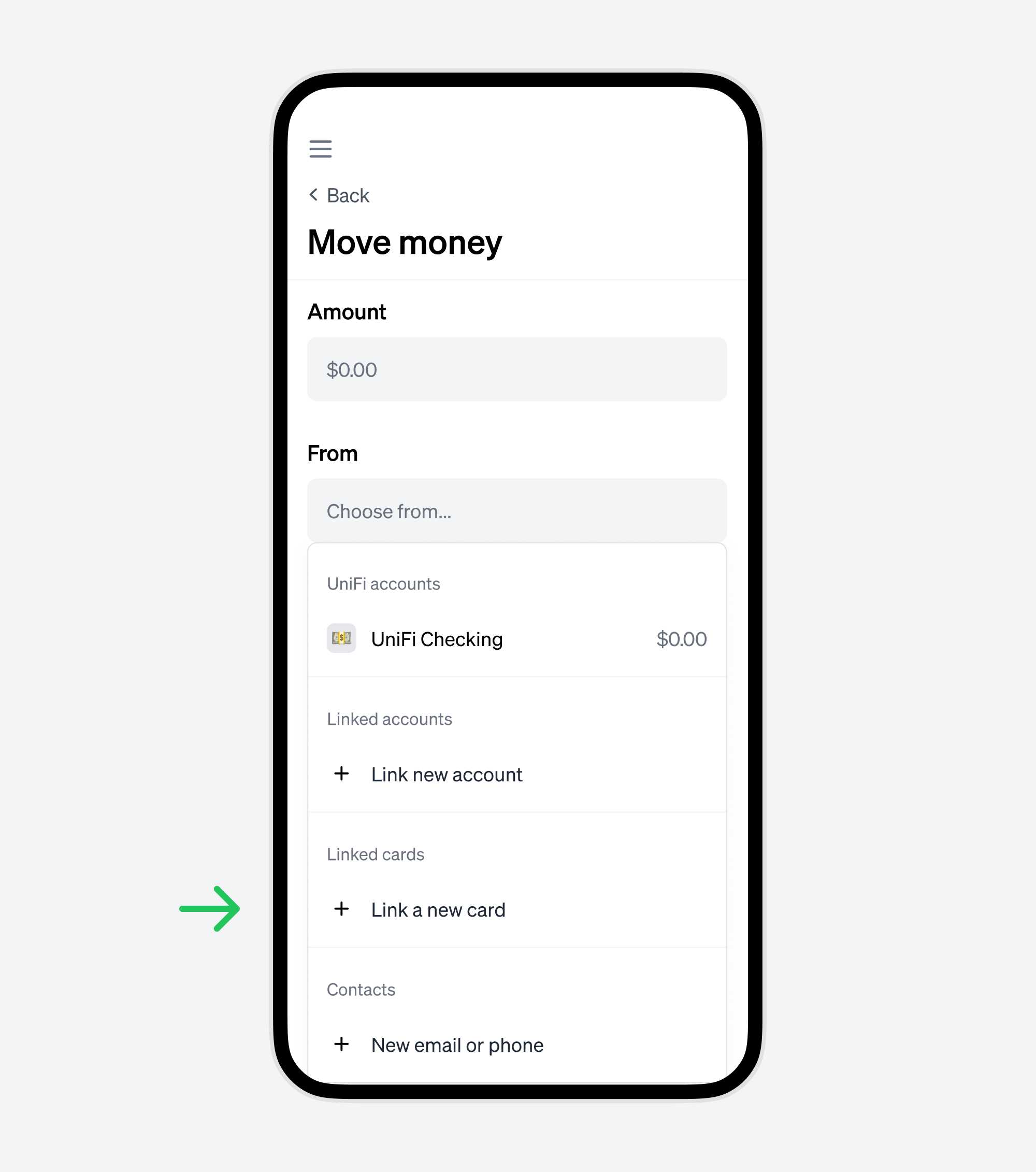
4. From the dropdown, click "Link a new card"
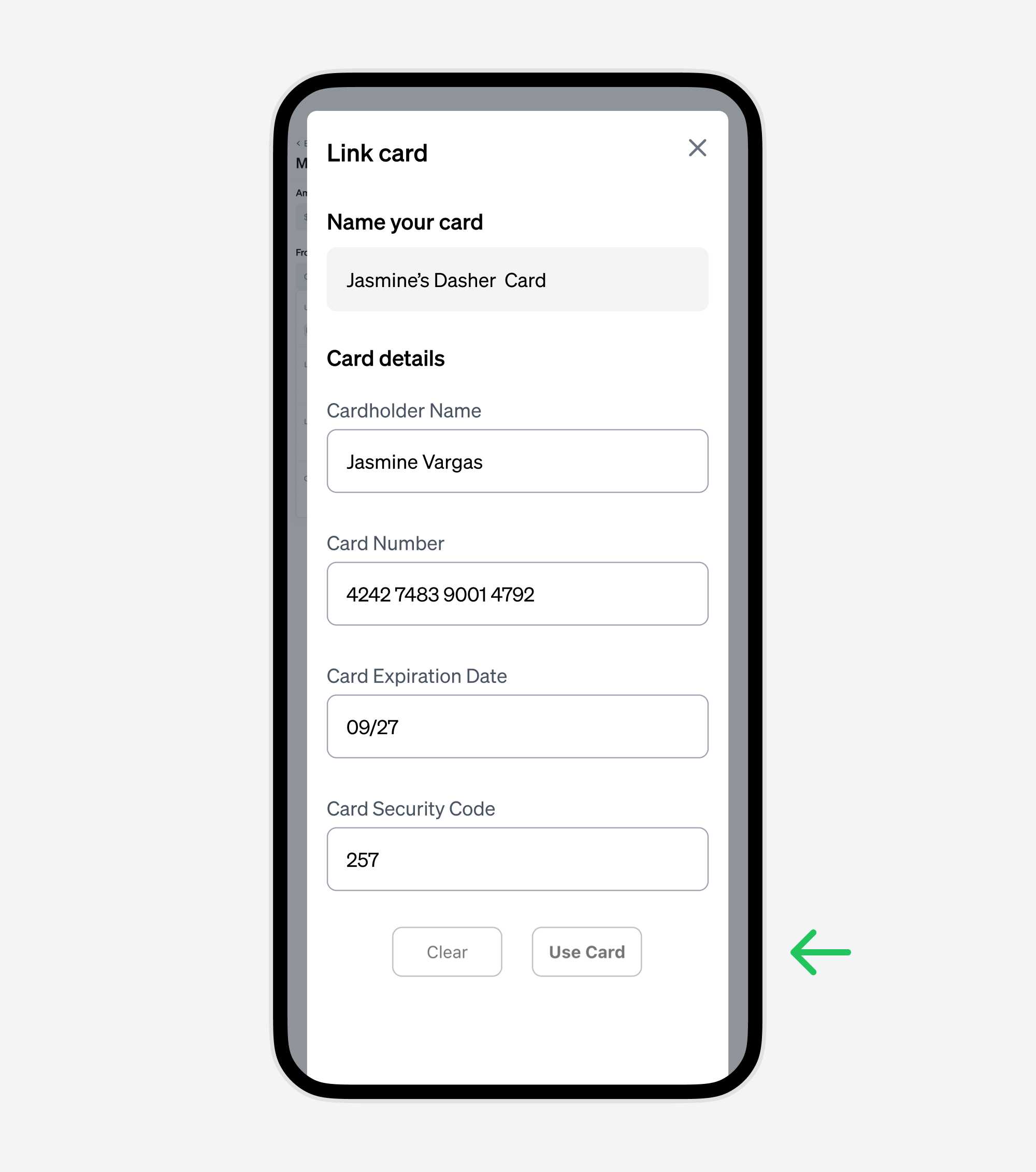
This will show a modal where you can input your DasherDirect card details to enable instant transfers.
5. Name the card, and enter your DasherDirect card details.
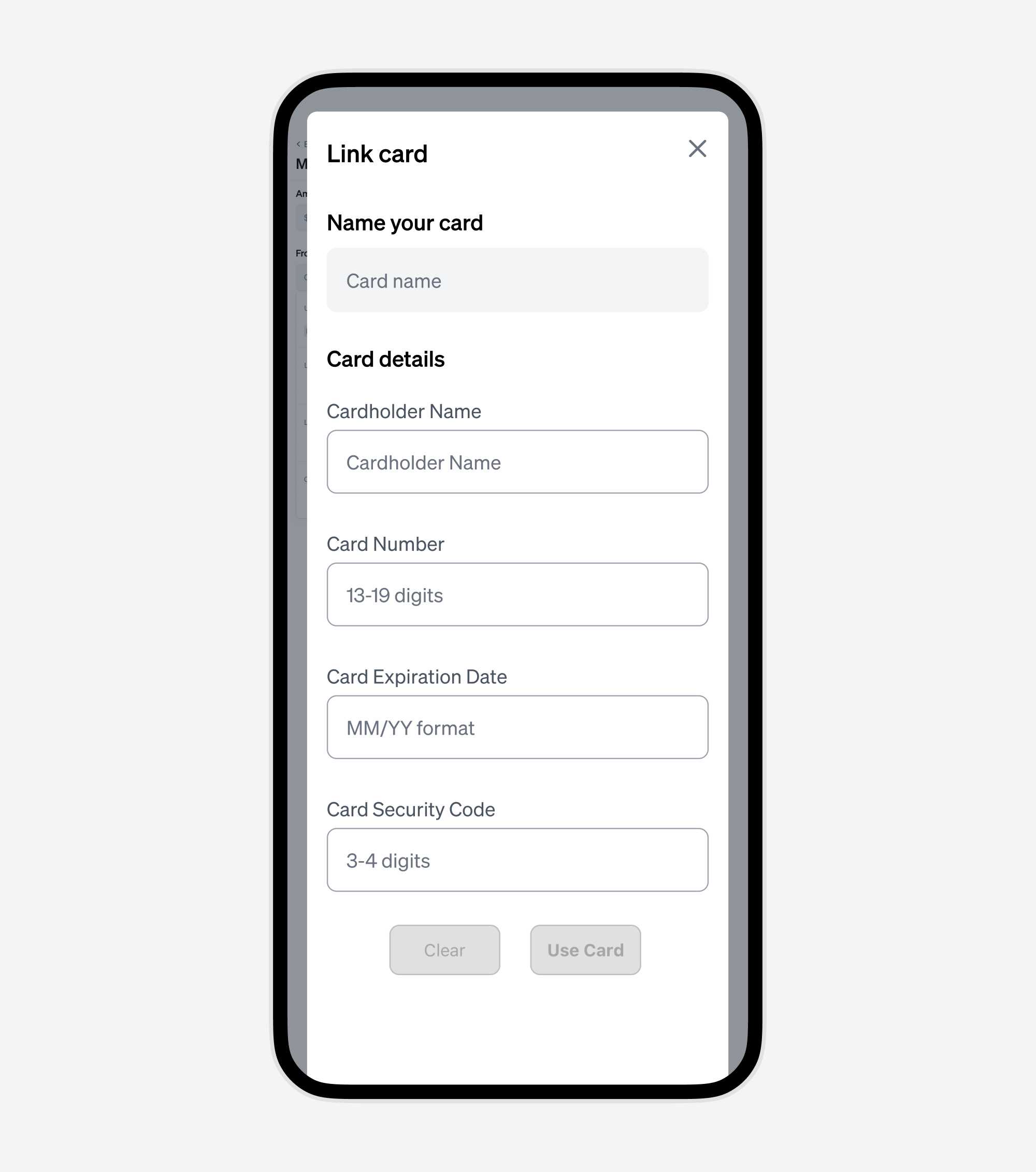
6. Click the "Use Card" button to finish linking your DasherDirect card.
The form should look something like this once you have filled in your DasherDirect card details. Click "Use Card" to continue.
7. Choose your newly added DasherDirect card from the dropdown
This will set it as the source where the funds will come from.
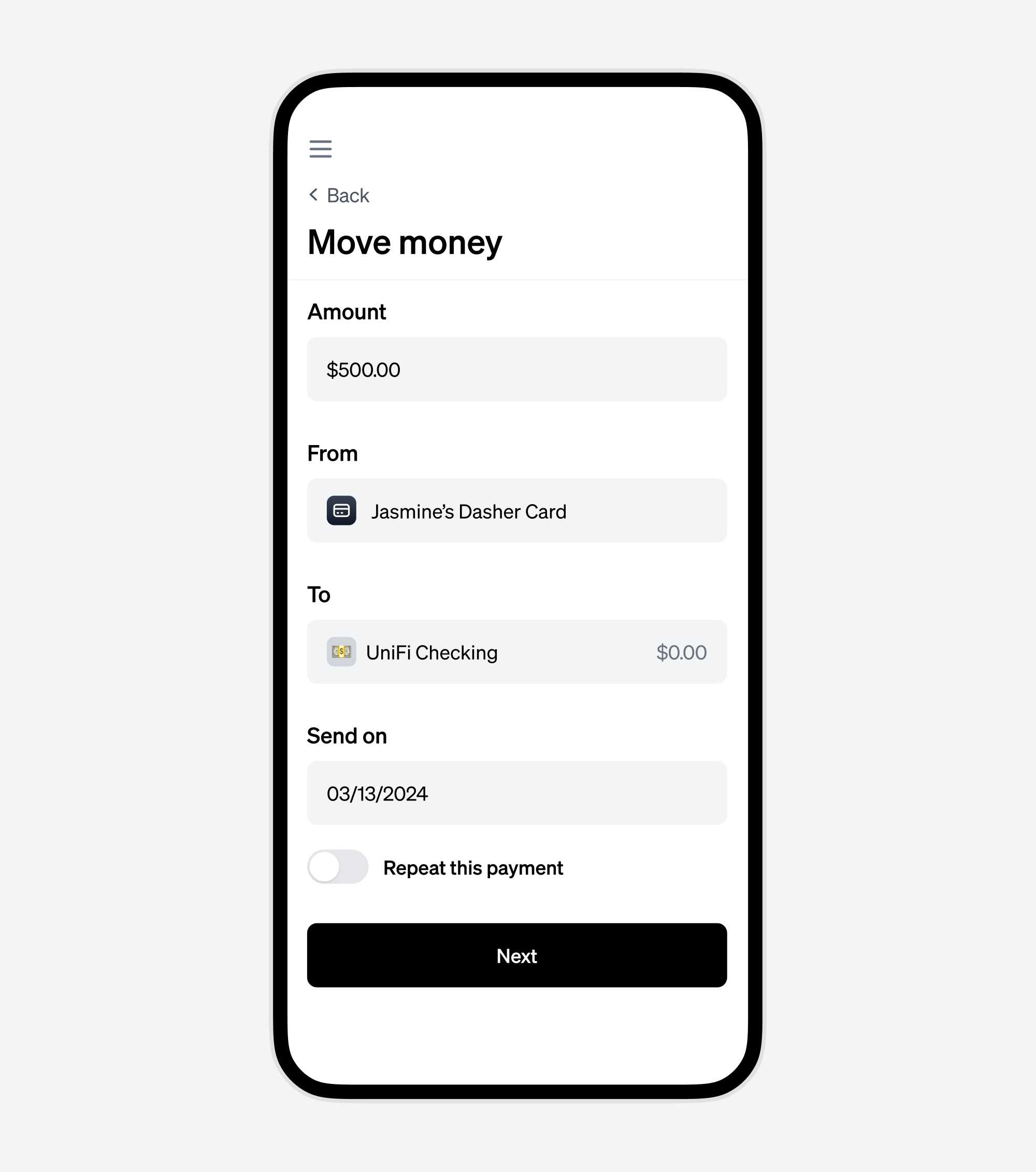
8. Fill in the rest of the money movement details
Choose the amount you want to transfer from your DasherDirect card, the account where you want the funds to be transferred to, and optionally set the transfer date.
Click Next when you're ready to continue.
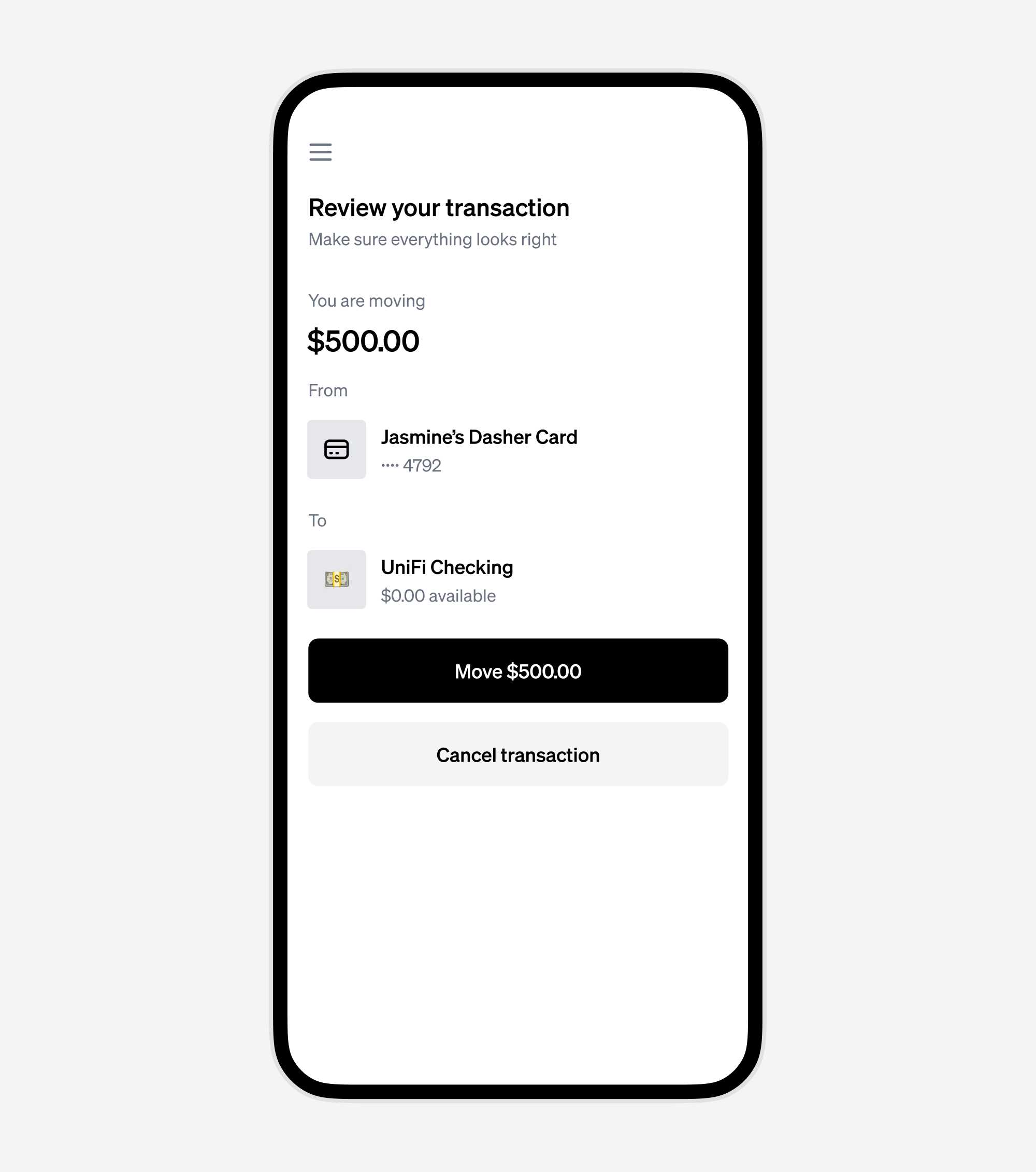
9. Review and confirm the transaction
Ensure the details are correct before finalizing. Transferring from your DasherDirect card to UniFi is fee-free, and the funds will be available instantly.
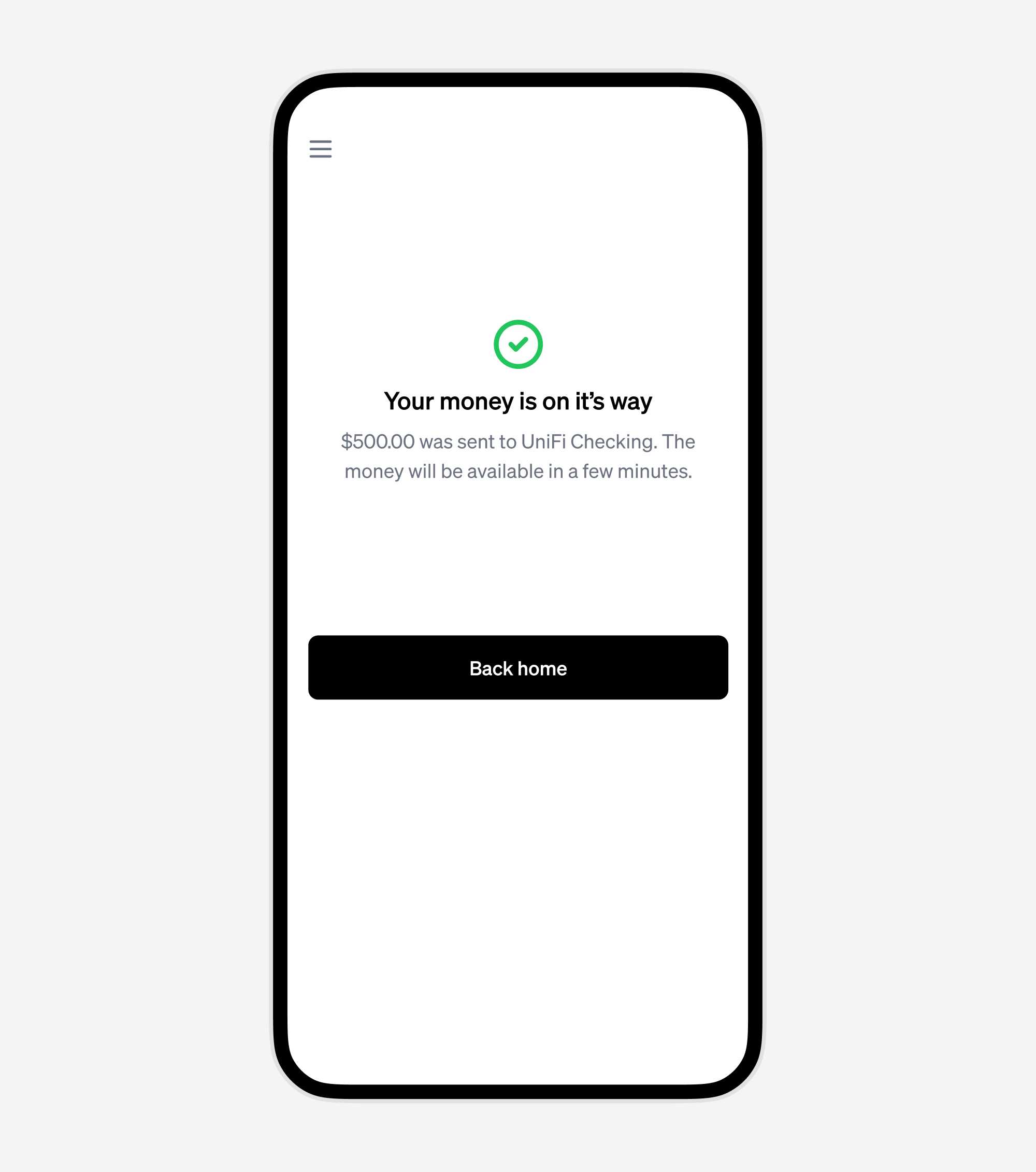
10. Your money has been transferred!
Your funds are available to use instantly on UniFi. You can spend the funds using your physical or virtual UniFi cards, or keep them safely in your UniFi account.
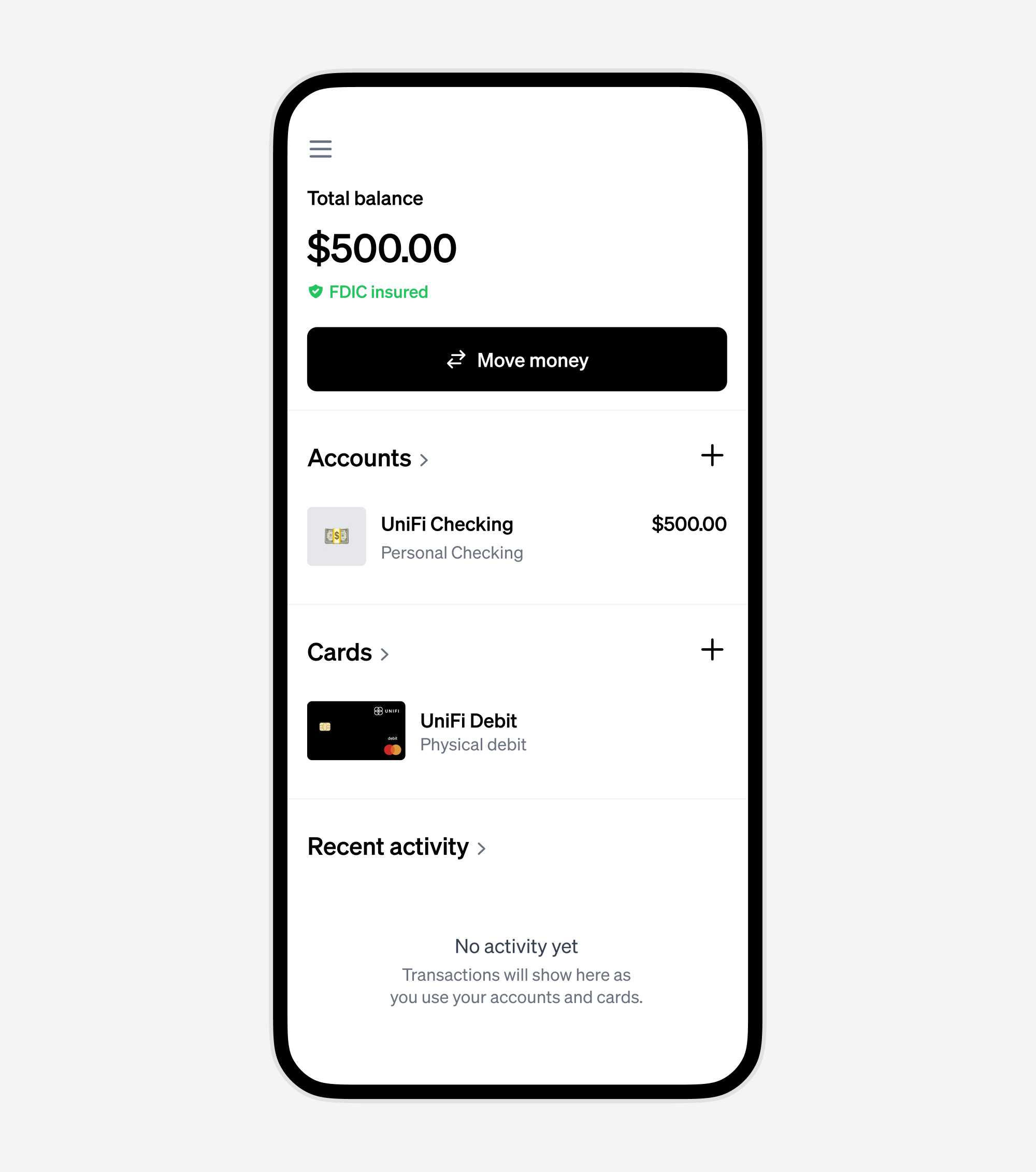
11. Check your balance on the UniFi dashboard
Your UniFi Home dashboard is always available for you to check your updated balance.
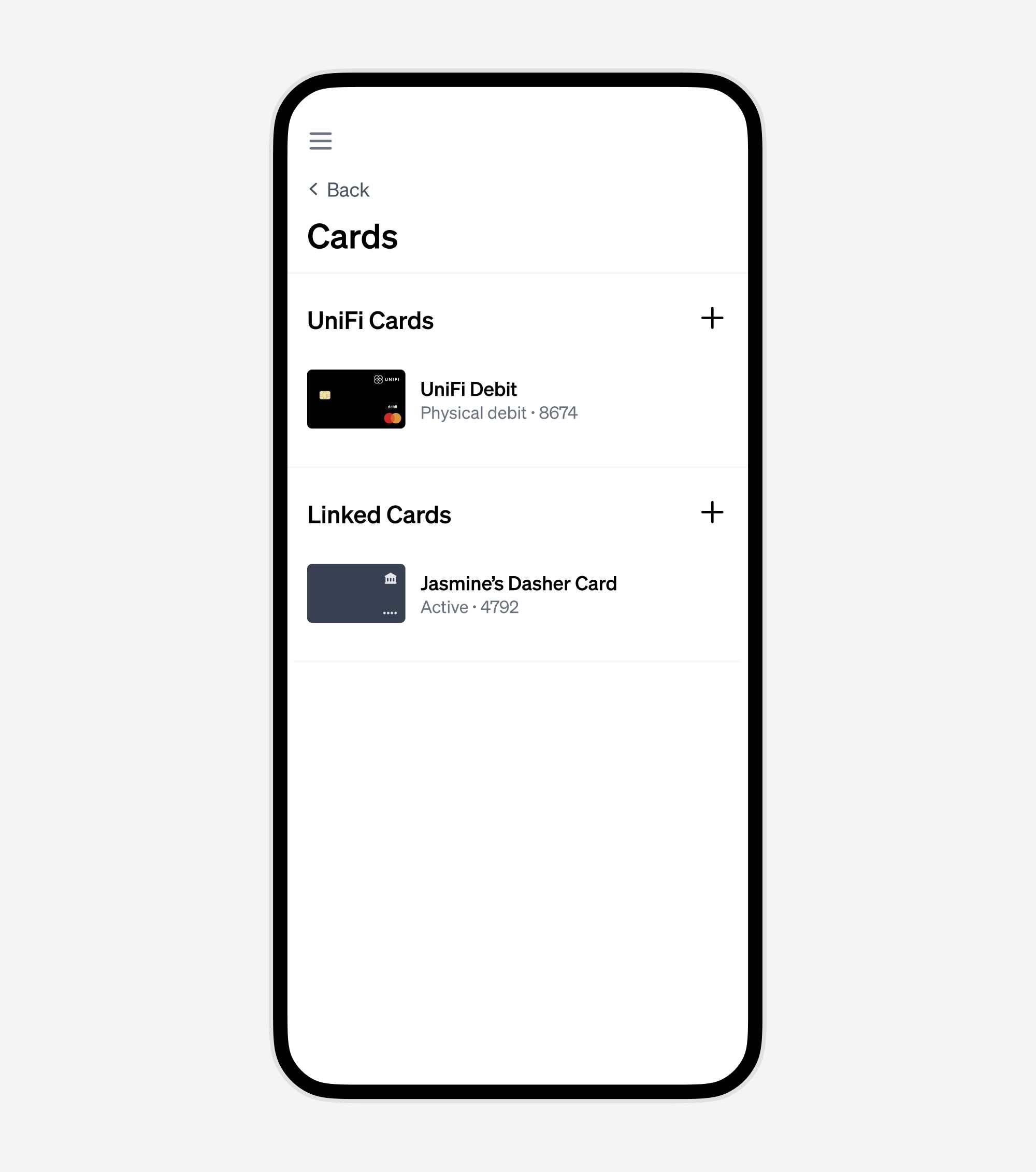
You can manage your linked cards from the Cards tab
The Cards tab allows you to view and manage linked cards, including your DasherDirect card, giving you the flexibility to unlink them whenever you choose.
In conclusion
Transferring your earnings from DasherDirect to UniFi not only secures your funds but also equips you with a comprehensive suite of banking tools. With UniFi, managing your Dasher earnings is effortless, secure, and instant.