

UniFi offers the easiest way to create an allowance account for your teenage kids. All you need is their email address, and they'll get a fully functional checking account with their own debit card. It just takes a few minutes to set up – so your teenager gets all the functionality and security of a bank account without the lengthy setup process that other banks require.
Let's take a look at how to set up an allowance account for your child (must be 13 years or older).
Part 1: Steps for the Parent
1. Sign up for UniFi if you haven't already
UniFi is free to use. Signing up is easy, and you'll get access to a range of features:
- Up to 10 U.S. checking accounts.
- Physical and virtual debit cards.
- Compatibility with Apple Pay and Google Pay.
- No maintenance fees or account balance minimums.
- Seamless integration with existing bank accounts for easy and free transfers.
Sign up by clicking here.
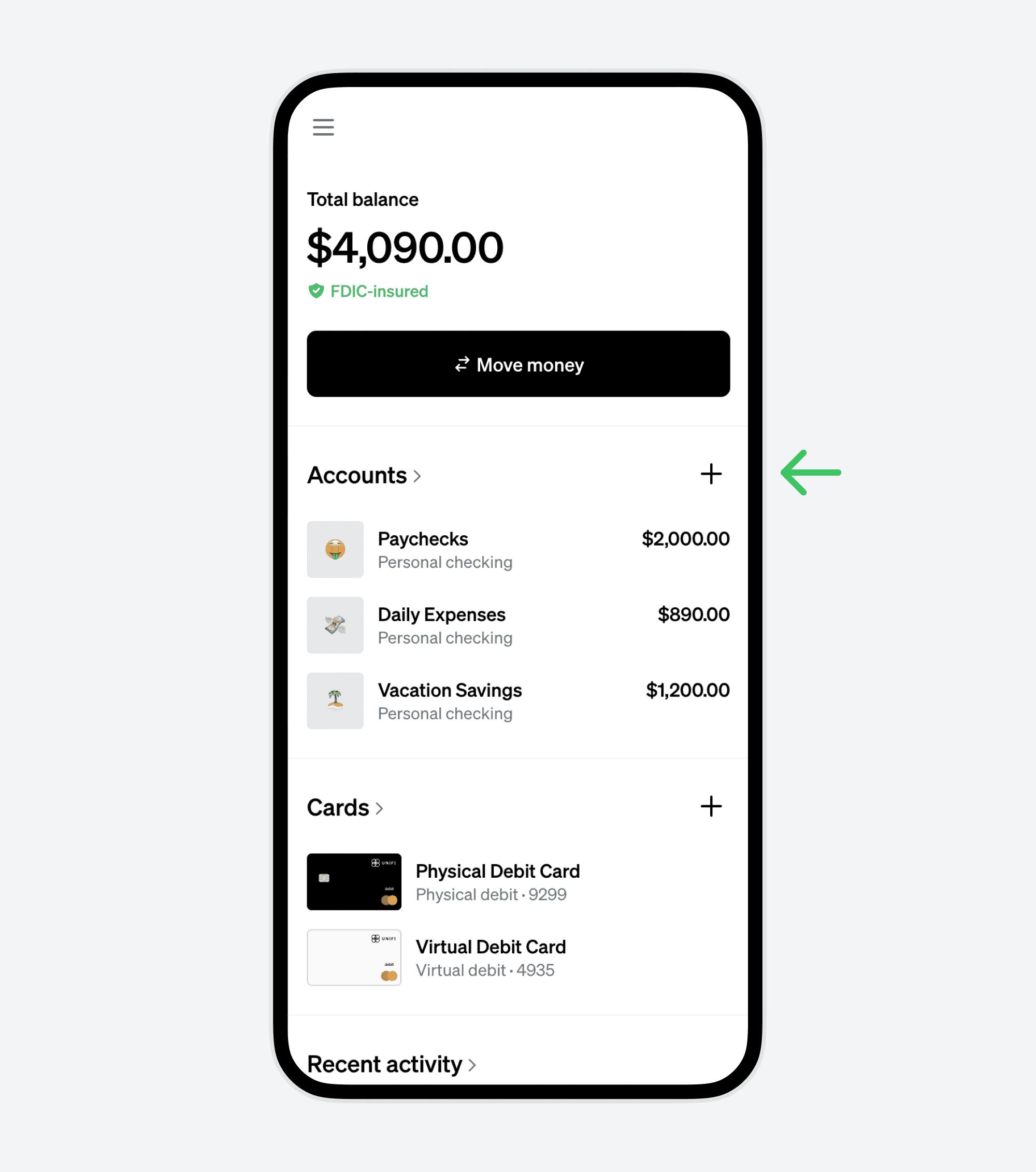
2. Create a New Account from Your UniFi Dashboard
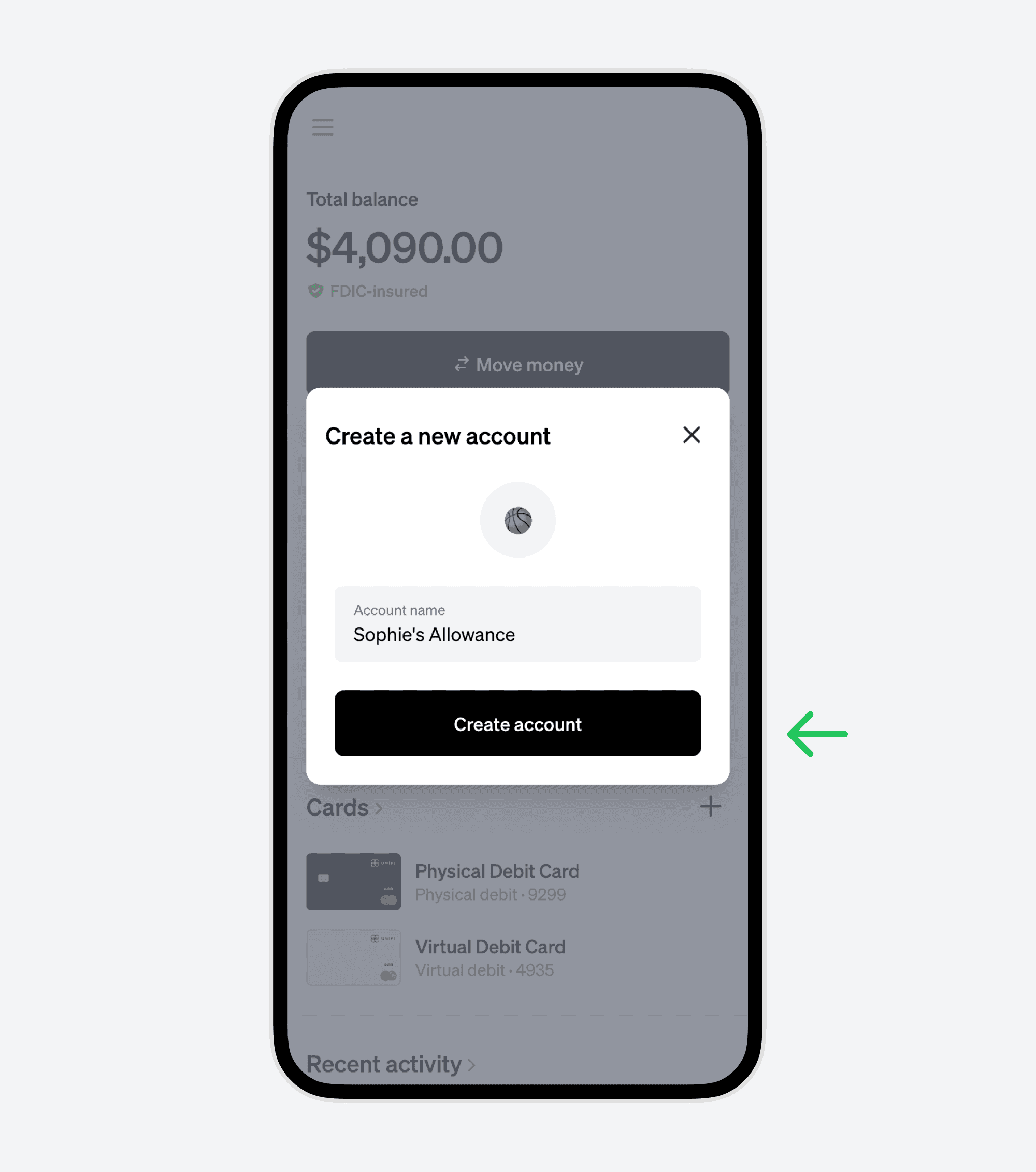
3. Name the Account and Choose a Custom Emoji
Personalize the account with a unique name and an emoji that represents its purpose.
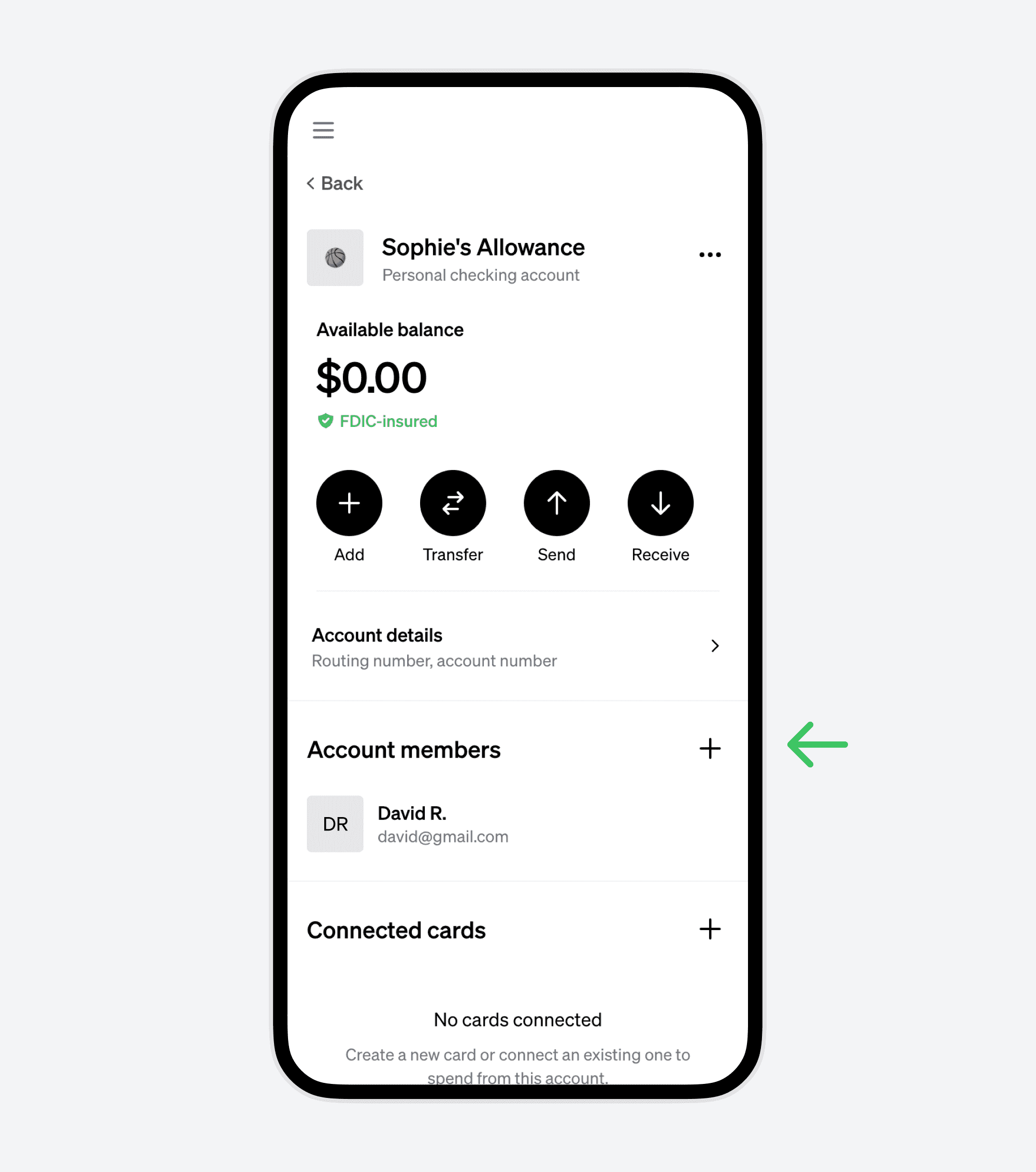
4. Add a New Account Member
On the account detail page, add your teen as a new member.
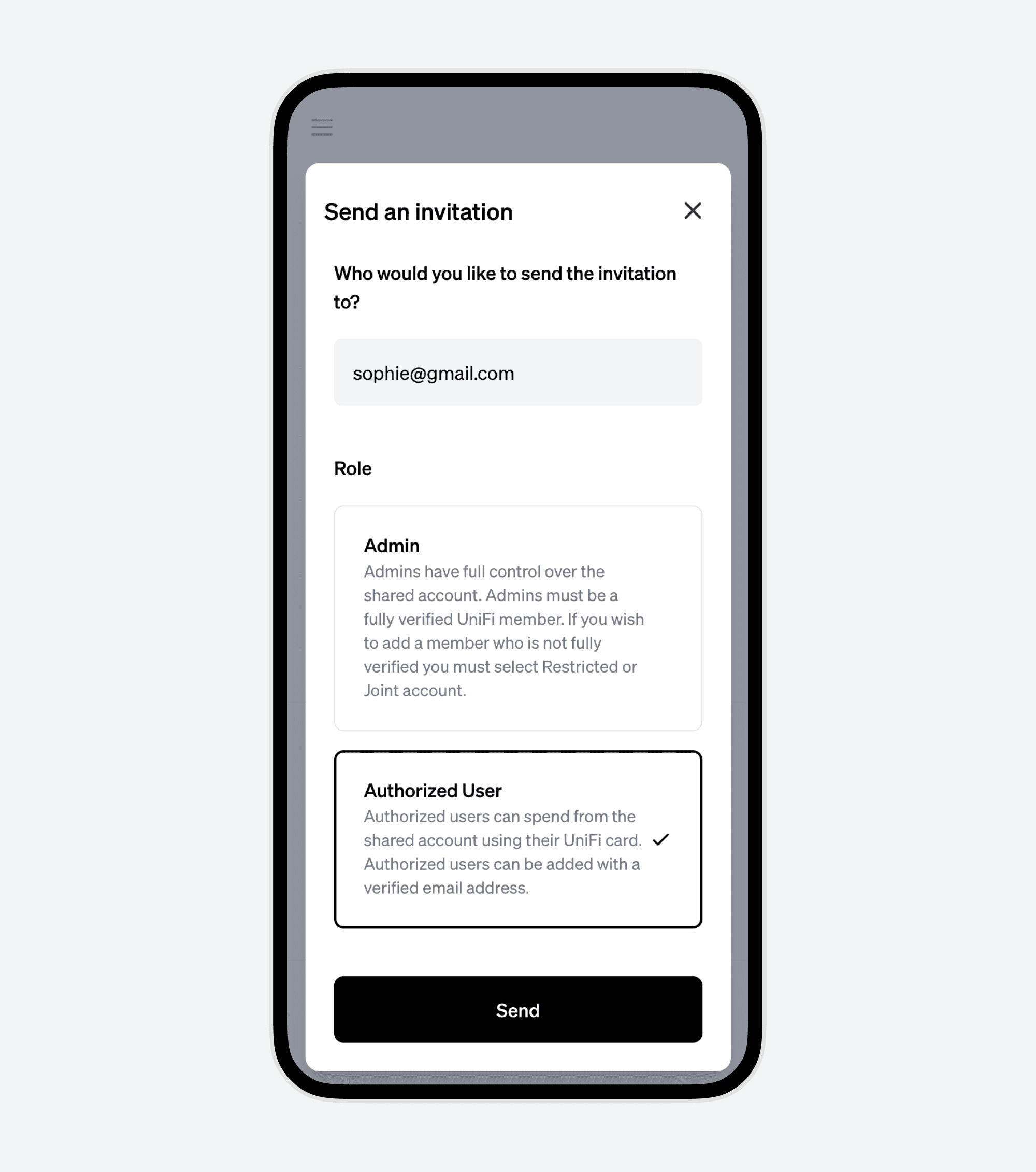
5. Invite Your Teen Using Their Email Address
Choose whether to give them full Admin permissions or add them as an Authorized User. You can also add optional spending limits by transaction, daily, weekly, or monthly amount, as well as by merchant category. Learn more about Limits here.
Part 2: Steps for the Teenager
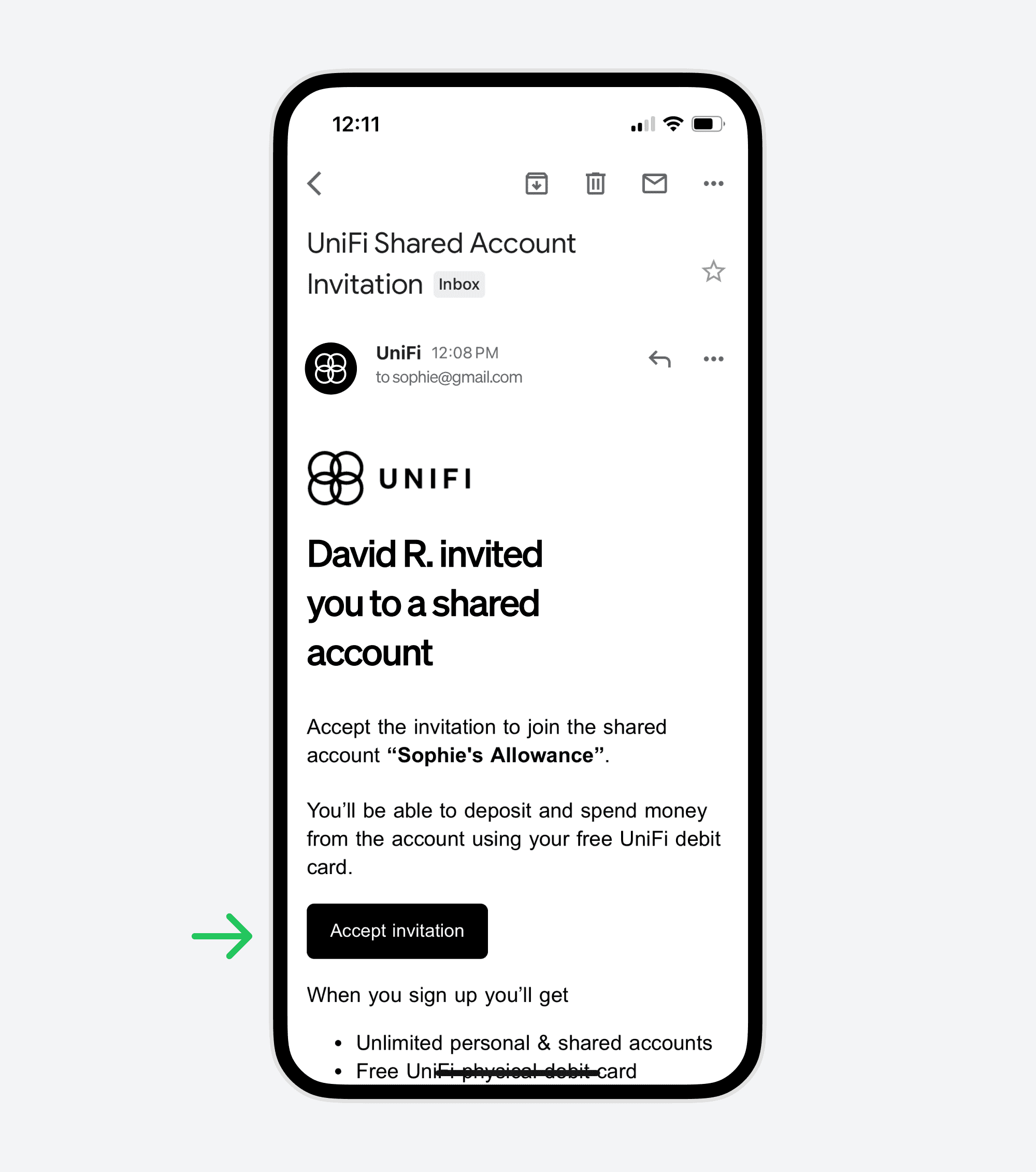
1. Accept the Invitation via Email
Locate the email invitation and click "Accept invitation".
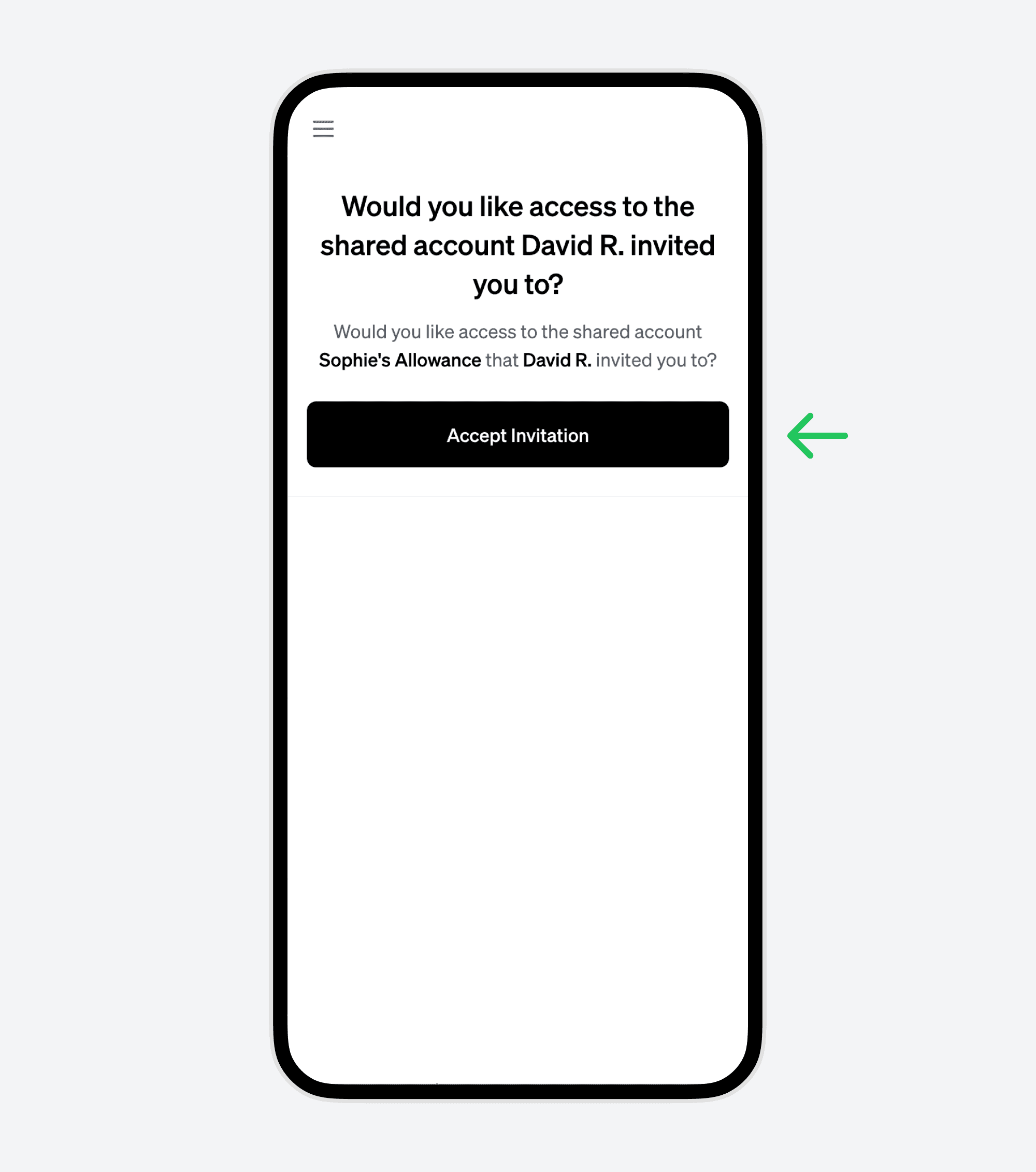
2. Confirm Your Participation
After clicking the link, confirm that you want to join the account.
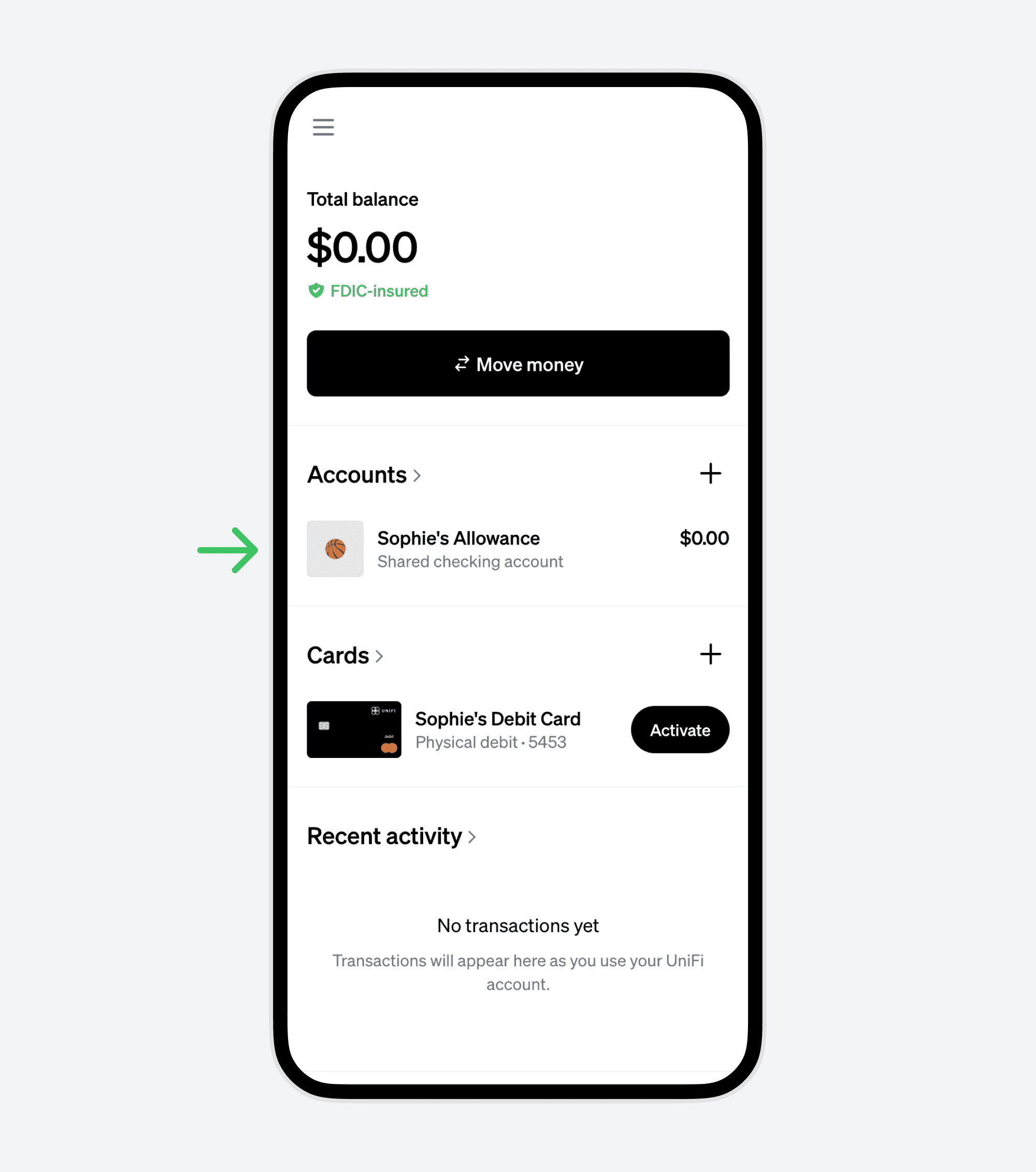
3. Access Your New Allowance Account and Debit Card
Your new account and debit card are now accessible from your dashboard.
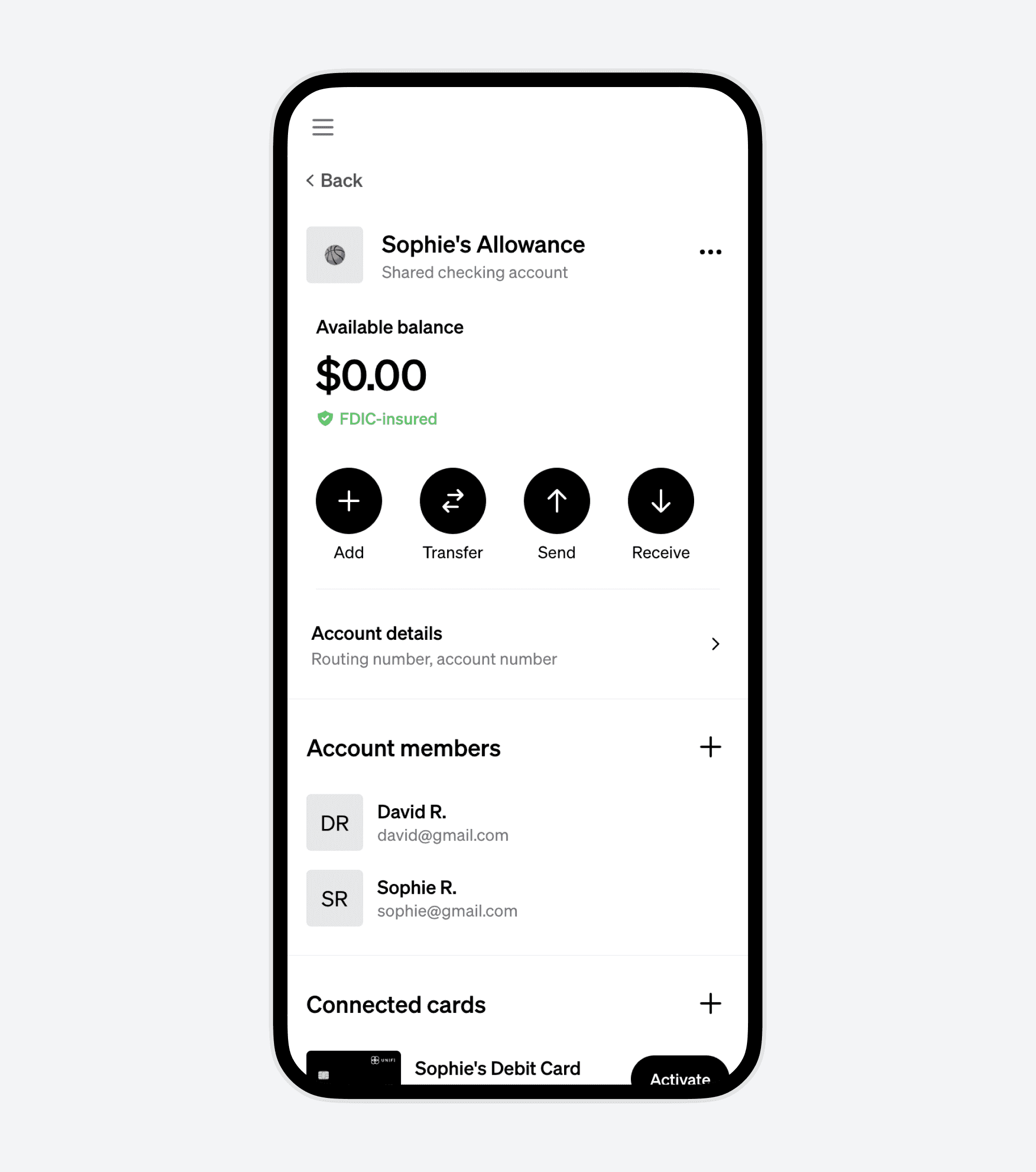
4. Explore Your Checking Account and Debit Card Features
You can now manage your finances with features like:
- Checking your balance.
- Transferring money.
- Viewing spending and transaction history.
- Accessing account and routing numbers.
- Creating new virtual cards.
Conclusion
Setting up an allowance account for your teen is not just about giving them money – it’s about teaching financial responsibility and independence. With UniFi, this process is not only straightforward but also packed with features that make banking a valuable learning experience for young adults. Start your teen’s financial journey with UniFi today and equip them with the tools they need for a sound financial future.