For freelancers and remote workers outside the U.S., one of the biggest headaches is getting paid in U.S. dollars.
Most U.S. clients expect to send payments through standard domestic methods – usually ACH or wire transfers – and traditional banks or payment platforms make that process expensive, slow, or even impossible for people living abroad.
If you’ve ever lost money to hidden conversion fees or waited days for an international transfer to clear, you know the pain.
With UniFi, getting paid in USD is finally simple.
Get paid like a local, wherever you live
UniFi gives you a modern U.S. dollar account you can open from anywhere.
You’ll get your own U.S. account and routing number, just like a local bank account, plus a USDC wallet for crypto payments – all in one app.
That means your clients can pay you exactly as they would any U.S. freelancer or vendor.
You receive the full amount in USD, instantly available in your UniFi balance.
From there, you can:
- Hold your balance in U.S. dollars to protect against currency swings
- Send money home instantly to local bank accounts or wallets in PHP, MXN, or EUR
- Spend globally with your UniFi Card (works with Apple Pay and Google Pay)
- Earn 3% rewards on your balance
Option 1: Get paid via ACH (perfect for U.S. clients)
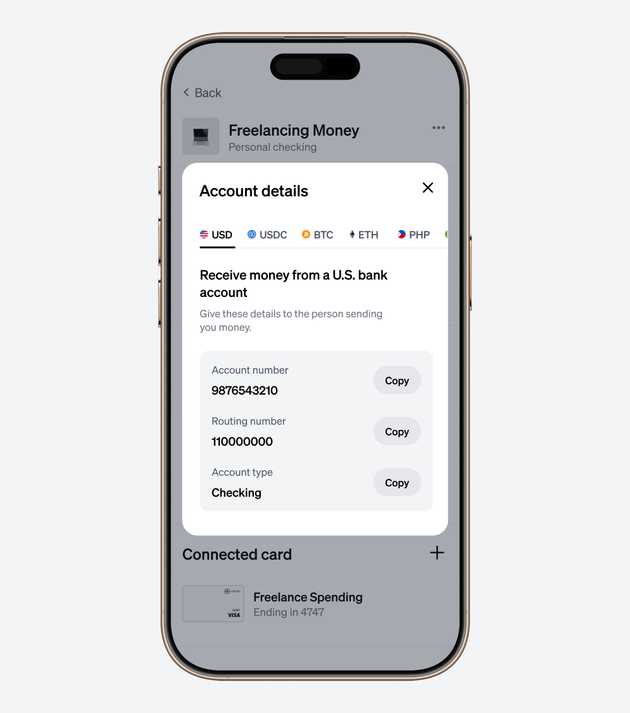
Most American companies, startups, and clients prefer to pay via ACH – a type of domestic bank transfer that’s low-cost and widely supported.
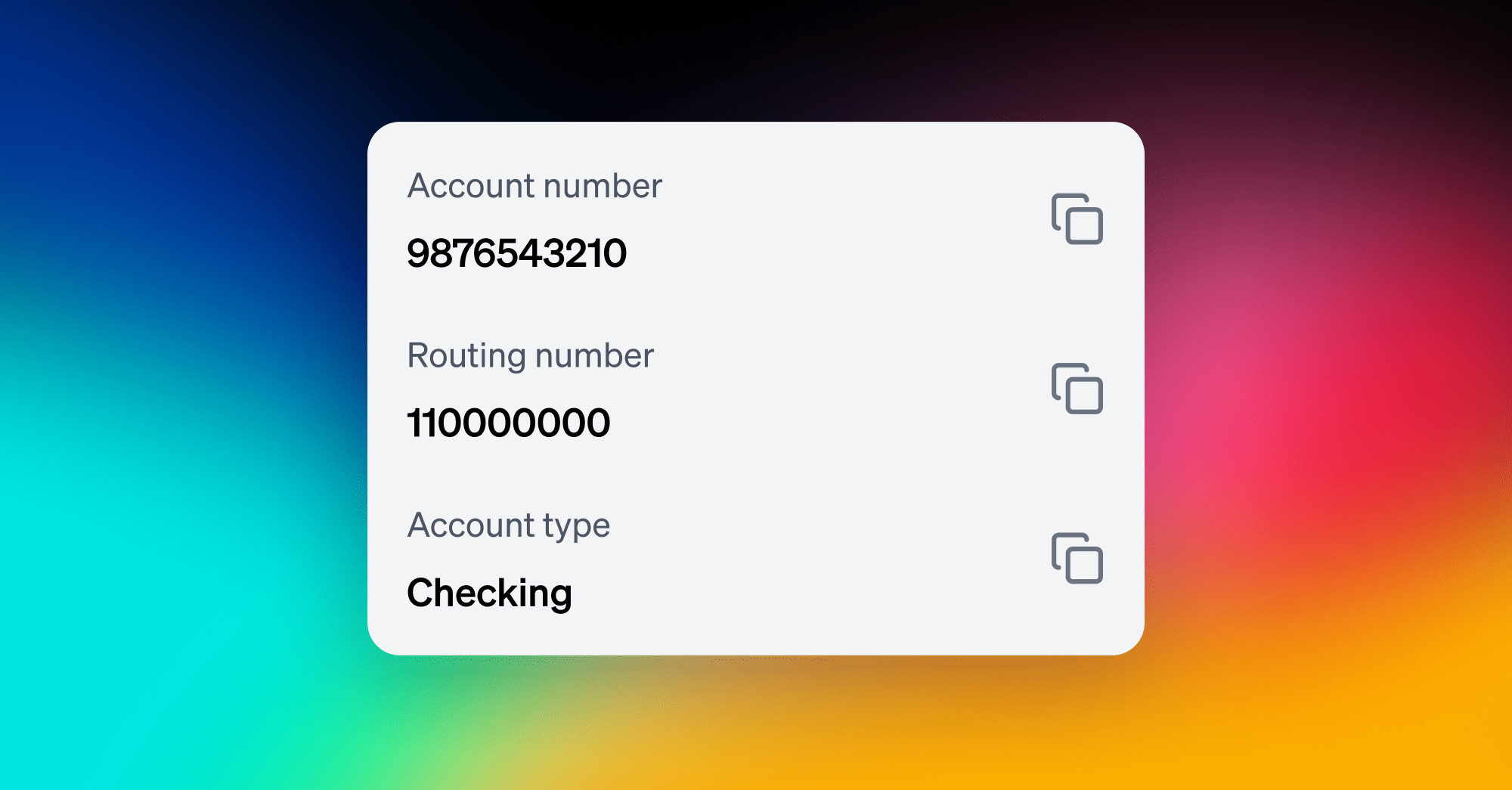
When you create your UniFi account, you’ll receive your own U.S. account and routing number.
You can share these details directly with your clients or link them to popular platforms like Upwork, Deel, Fiverr, or Toptal.
To find your ACH payment details:
- Go to your account and click “Account details.”
- Stay on the default USD tab.
- You’ll see your account and routing number – just copy and share these with your client.
Once a client sends the payment, it arrives straight in your UniFi account – no hidden fees and no conversion until you decide.
Learn more about how to receive U.S. payments via ACH with UniFi.
Option 2: Want to get paid even faster? Try USDC.
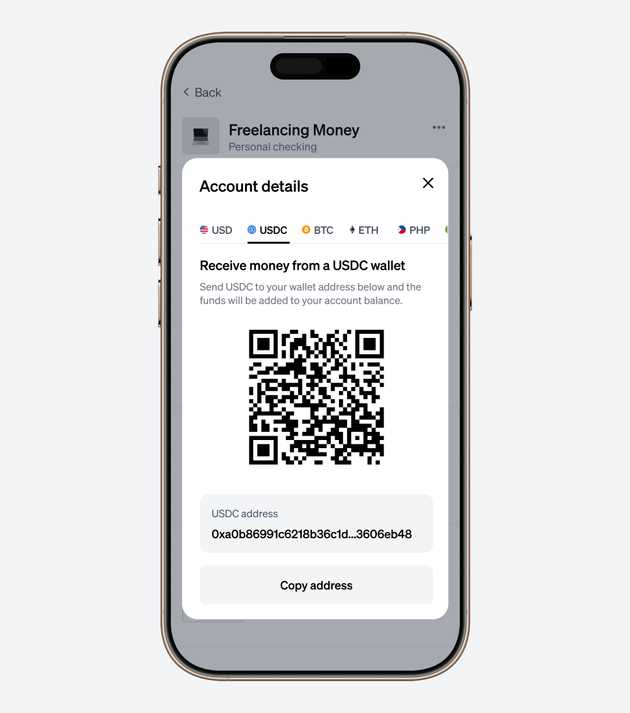
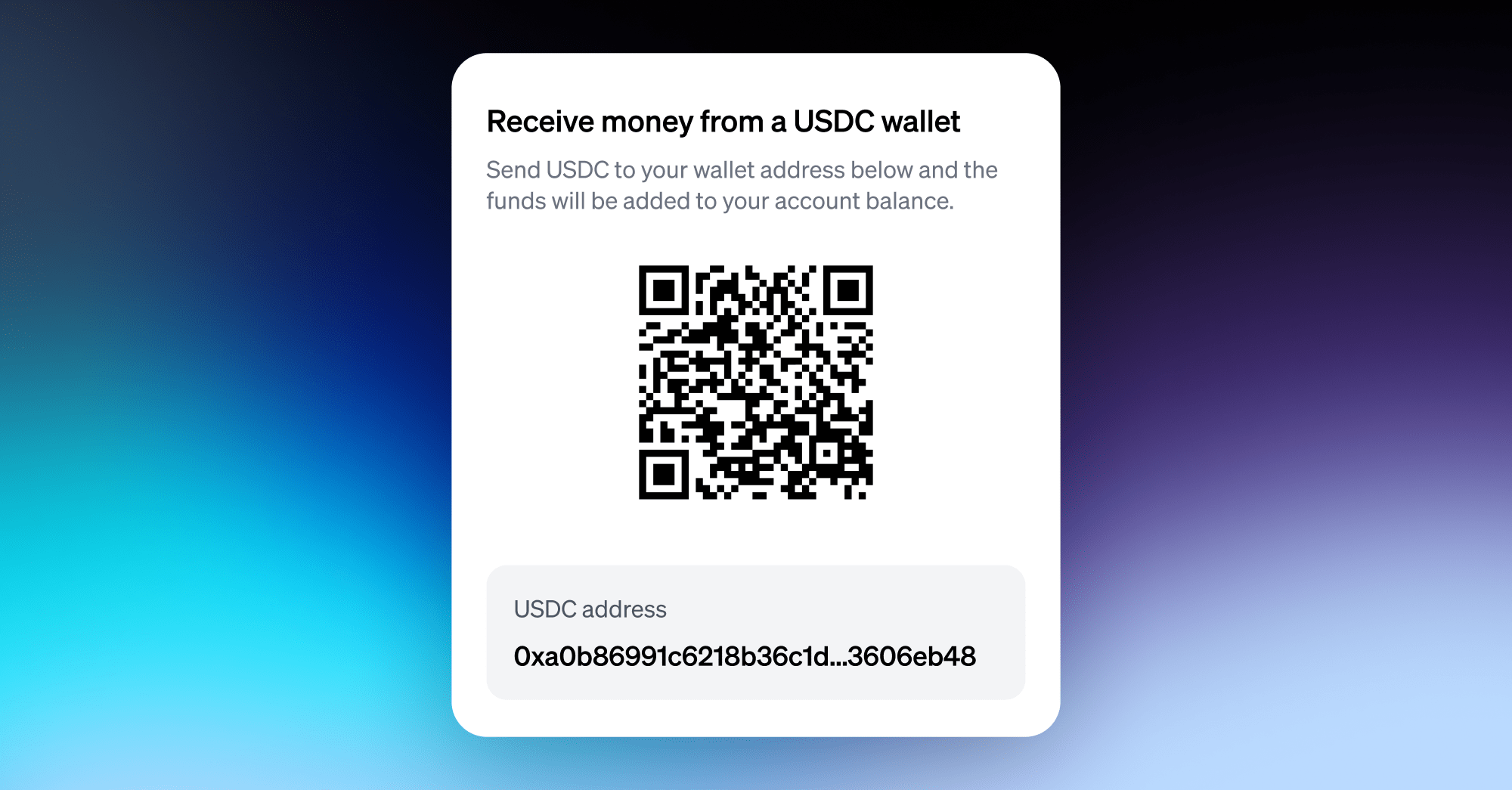
Every UniFi account comes with its own USDC payment address.
When a client sends USDC to that address, the funds are instantly and automatically added to your USD balance – no wallet setup or conversion needed.
To find your USDC address:
- Go to your account and click “Account details.”
- Select the USDC tab.
- You’ll see a QR code and USDC address. Click “Copy address” and share it with your client.
They can pay you from any major crypto exchange or wallet (for example Coinbase, Kraken, or Binance.)
It’s the same dollar value, just faster and globally accessible.
Cash out locally (when you’re ready)
Once you’ve received your USD or USDC, UniFi makes it easy to move that money wherever it needs to go.
You can instantly send local currency to:
- Bank accounts and wallets in the Philippines (PHP)
- Bank accounts in Mexico (MXN)
- European bank accounts via SEPA (EUR)
Transfers are fast, affordable, and transparent. You’ll always see the rate upfront, and there are no hidden fees.
(Off-ramps for additional countries are coming soon.)
Why freelancers love UniFi
✅ Get paid faster and keep more of your money
✅ Hold and earn in strong currency (USD)
✅ Transfer to family or your own local bank in seconds
✅ Avoid international wire delays and surprise fees
✅ All in one simple app – no need for multiple accounts or wallets
Get started today
Whether you're a designer in Mexico, a developer in Argentina, or a copywriter in Spain, you deserve a smoother way to get paid.
With UniFi, you can get paid in USD like a local, protect your earnings, and move money freely across borders.