For many freelancers and remote workers outside the U.S., getting paid by American clients can be a huge headache.
Wire transfers are expensive. PayPal takes big cuts. And traditional banks often add hidden fees and delays.
With UniFi, you can get paid just like a local.
Your own U.S. account and routing number
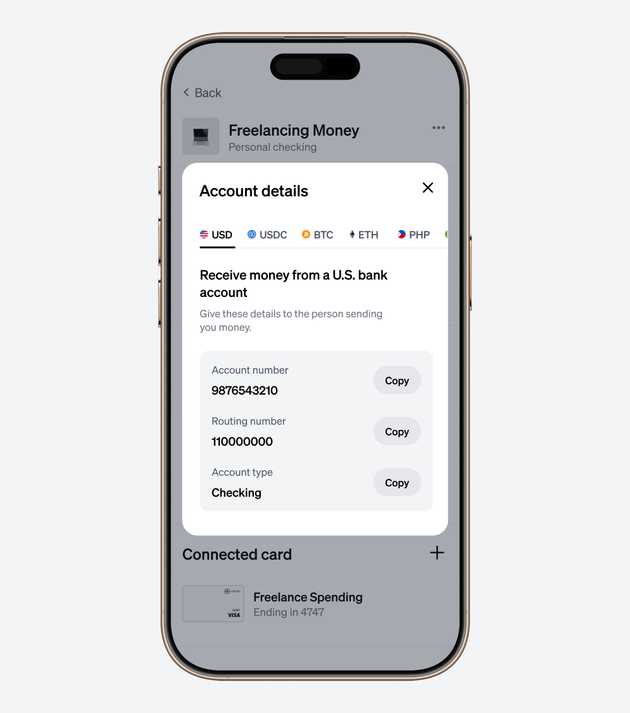
When you open a UniFi account, you get your own U.S. checking details (account and routing number).
This lets you receive payments directly from U.S. companies, clients, or platforms that support ACH transfers.
To find your details:
- Log in to your UniFi app or the UniFi website
- Tap your USD account
- Select Account Details — you’ll see your U.S. account and routing number
You can now share these details directly with your clients or add them to popular platforms like Upwork, Deel, Fiverr, or Stripe to get paid seamlessly.
Once the payment is sent, it lands straight in your UniFi account — no conversion fees, no middlemen, no surprises.
Why use ACH payments?
- Free with UniFi: We never charge fees for ACH transfers — neither you nor your client pays UniFi a fee. What you invoice is exactly what you receive.
- Trusted and reliable: The same system used by American payroll and direct deposits.
- Fast: Payments usually clear in 1–2 business days, sometimes even faster.
ACH transfers make getting paid in USD as simple as getting paid at home.
Hold, send, or spend — all in one account
Once your USD hits your UniFi account, you’re in control:
- Hold it safely to protect against currency swings
- Send it home to family or convert to local currency (like PHP, MXN, or EUR)
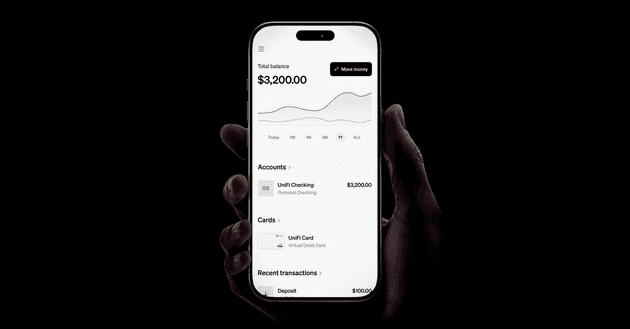
- Spend it instantly with your UniFi Card (works with Apple Pay and Google Pay)
No more juggling multiple platforms or waiting weeks for your funds to clear.
Start getting paid like a local
If you're a freelancer or remote worker outside the U.S., UniFi gives you the simplest, fastest way to receive payments from U.S. clients directly into your own account.