

Sending money instantly and for free has never been easier. With UniFi, you can transfer funds to anyone, anytime, without the usual wait or fees. It’s perfect for splitting bills, paying for services, or just helping out a friend in need. All you need is their email address and phone number.
1. Sign up for UniFi if you haven't already
UniFi is free to use. Signing up is easy, and you'll get access to a range of features beyond just sending money:
- Up to 10 U.S. personal checking accounts.
- Shared accounts.
- Physical and virtual debit cards.
- Compatibility with Apple Pay and Google Pay.
- No maintenance fees or account balance minimums.
- Seamless integration with existing bank accounts for easy and free transfers.
Sign up by clicking here.
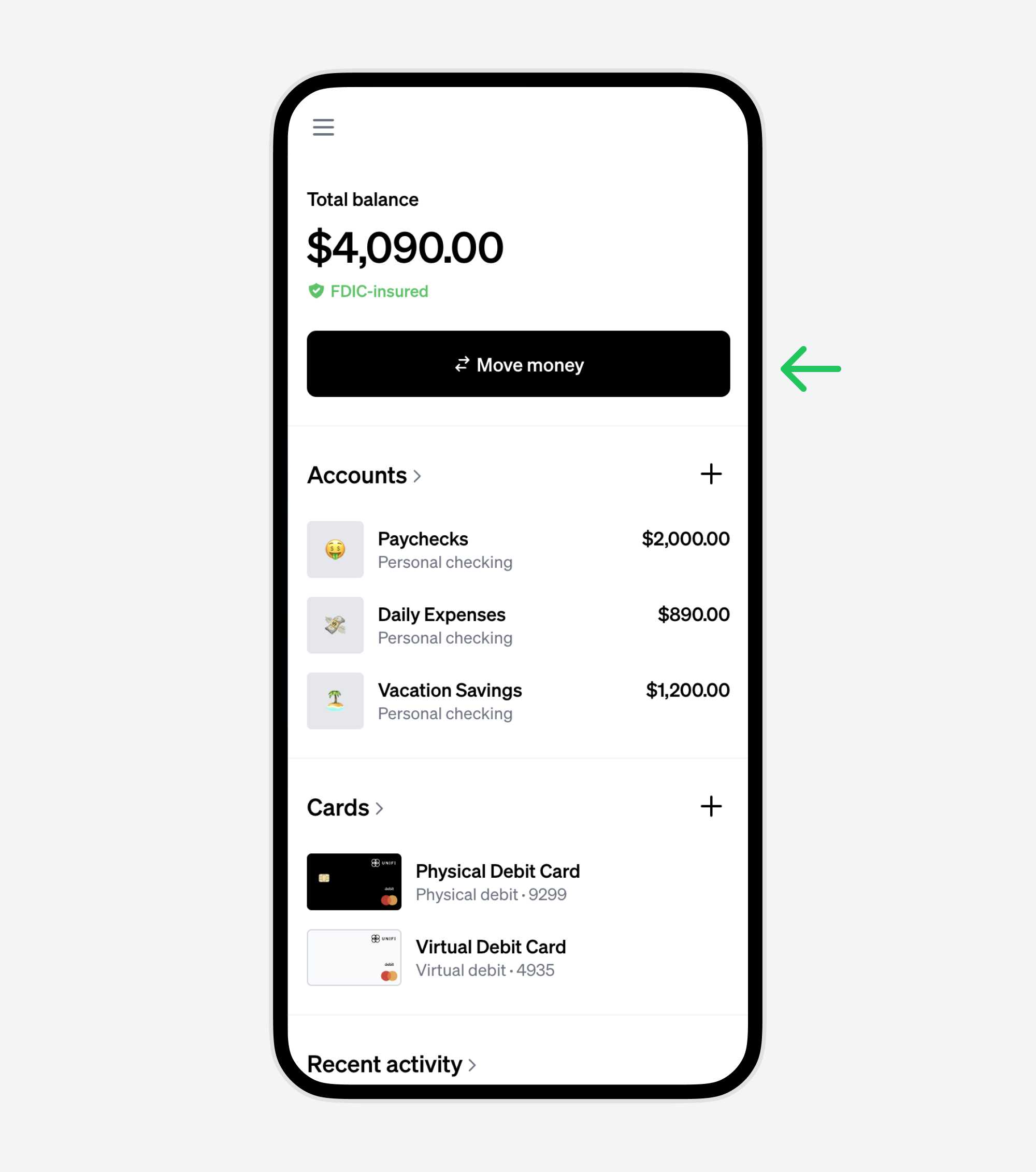
2. Tap or click the "Move money" button
Navigate to the 'Move money' option to initiate a transfer.
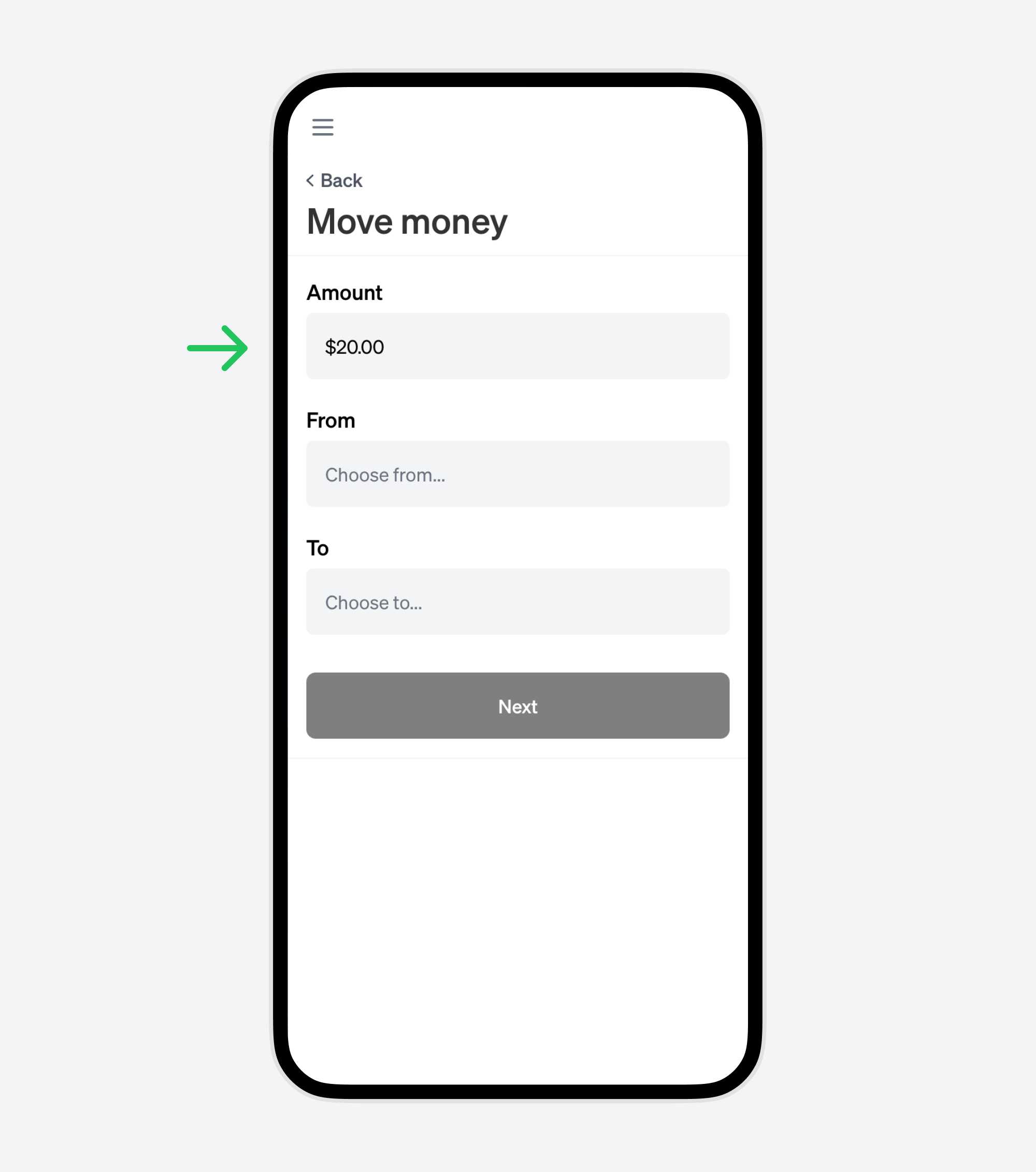
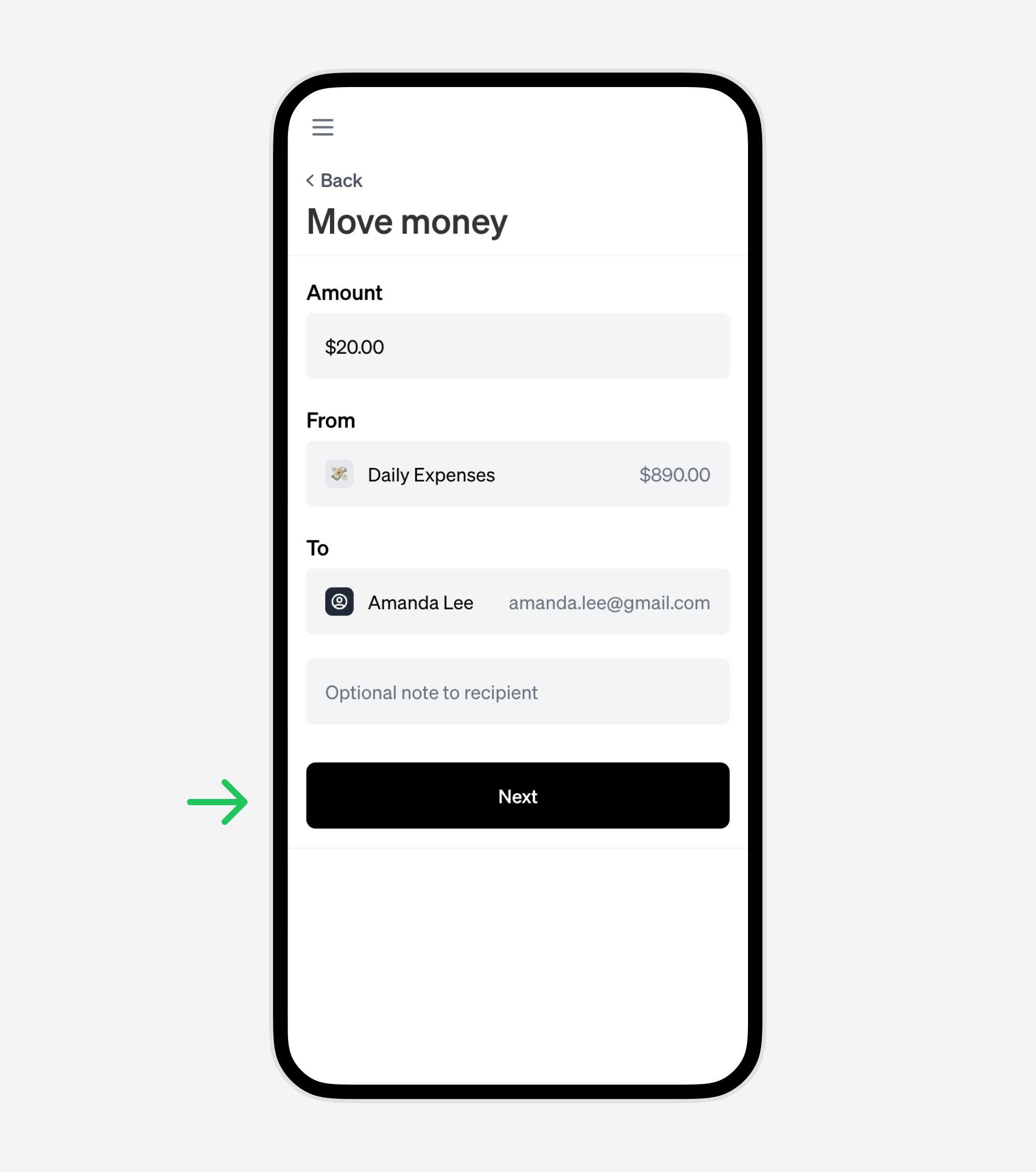
3. Enter the amount
Input the amount you'd like to send.
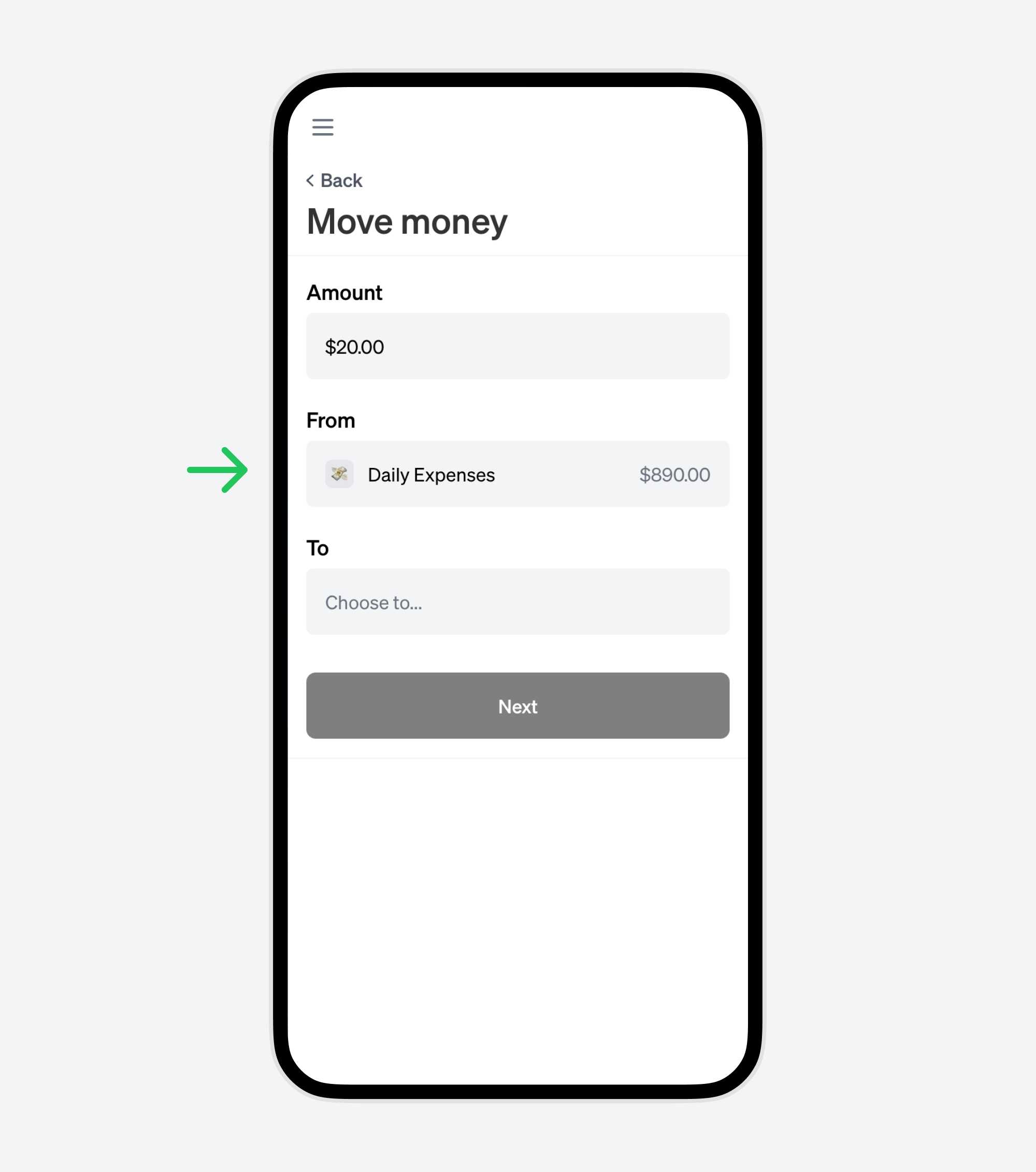
4. Choose the account to pay from
Select your preferred UniFi account for the transfer. The process is instant when you transfer from your UniFi account.
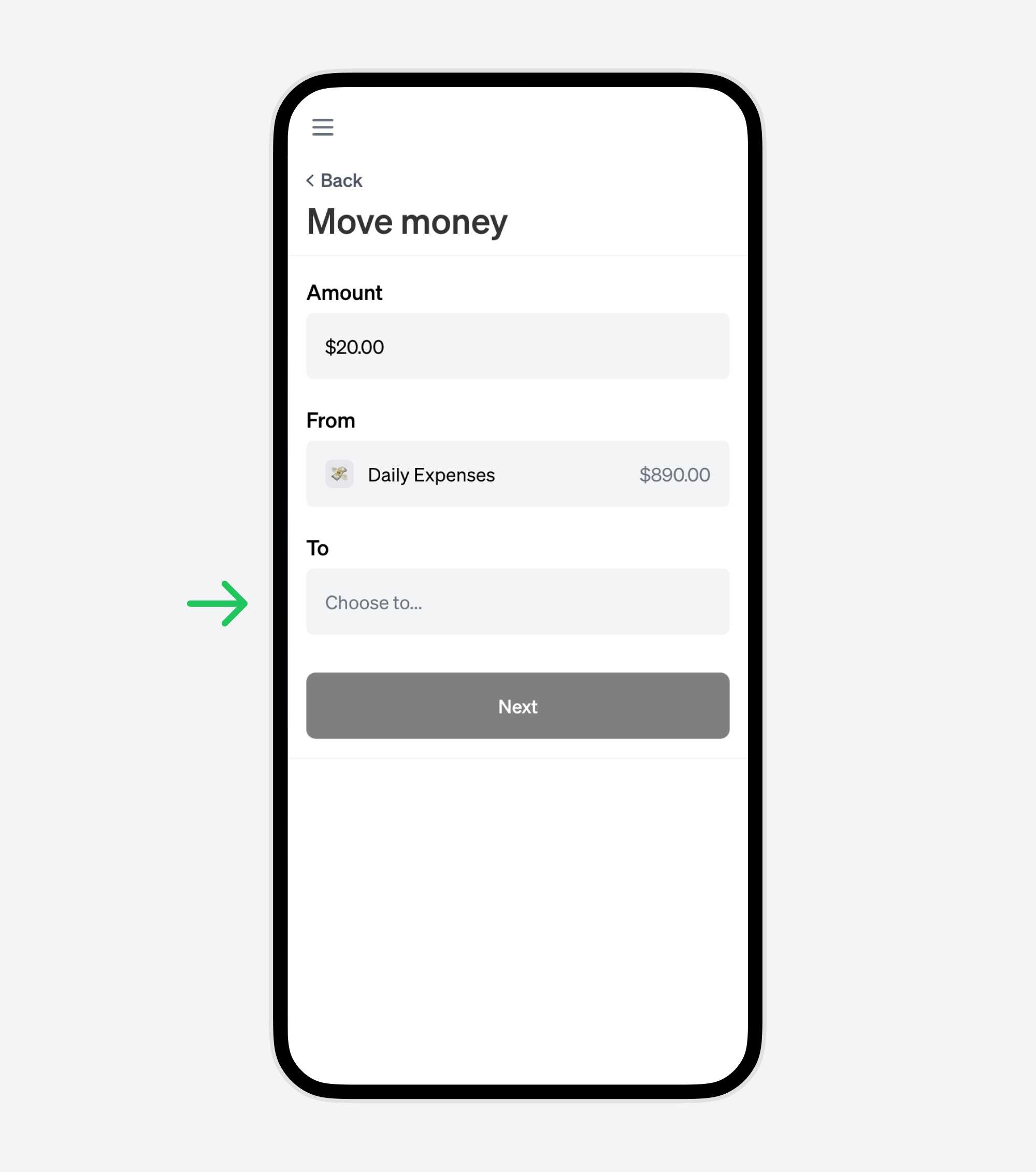
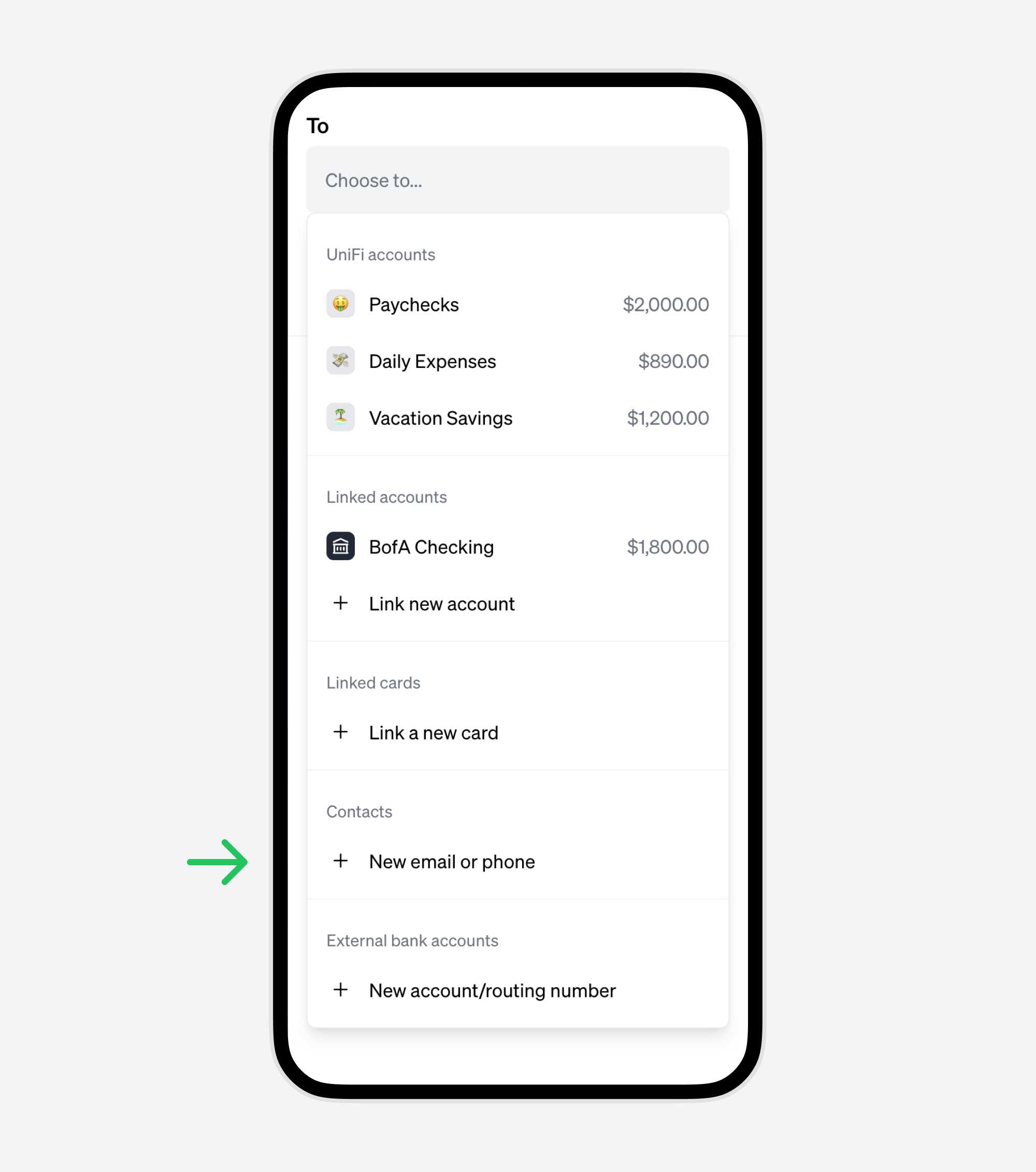
5. Choose the "To" account
Select 'Choose to...' to pick the recipient. Opt for the 'Contact' option for instant and free transfers.
6. Add a new contact using email or phone number
This instant, fee-free method requires just the recipient's email or phone number.
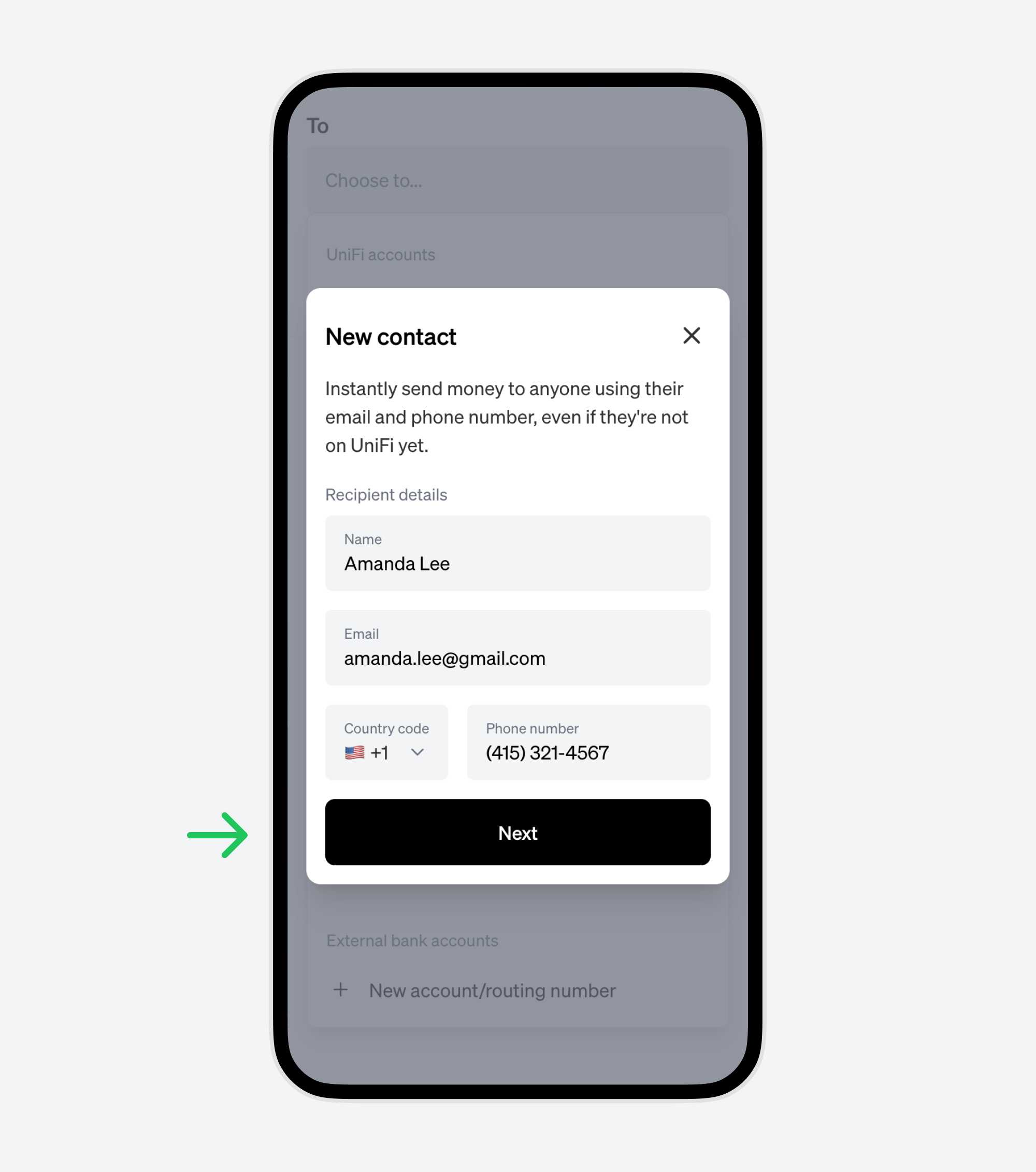
7. Enter the recipient's contact details
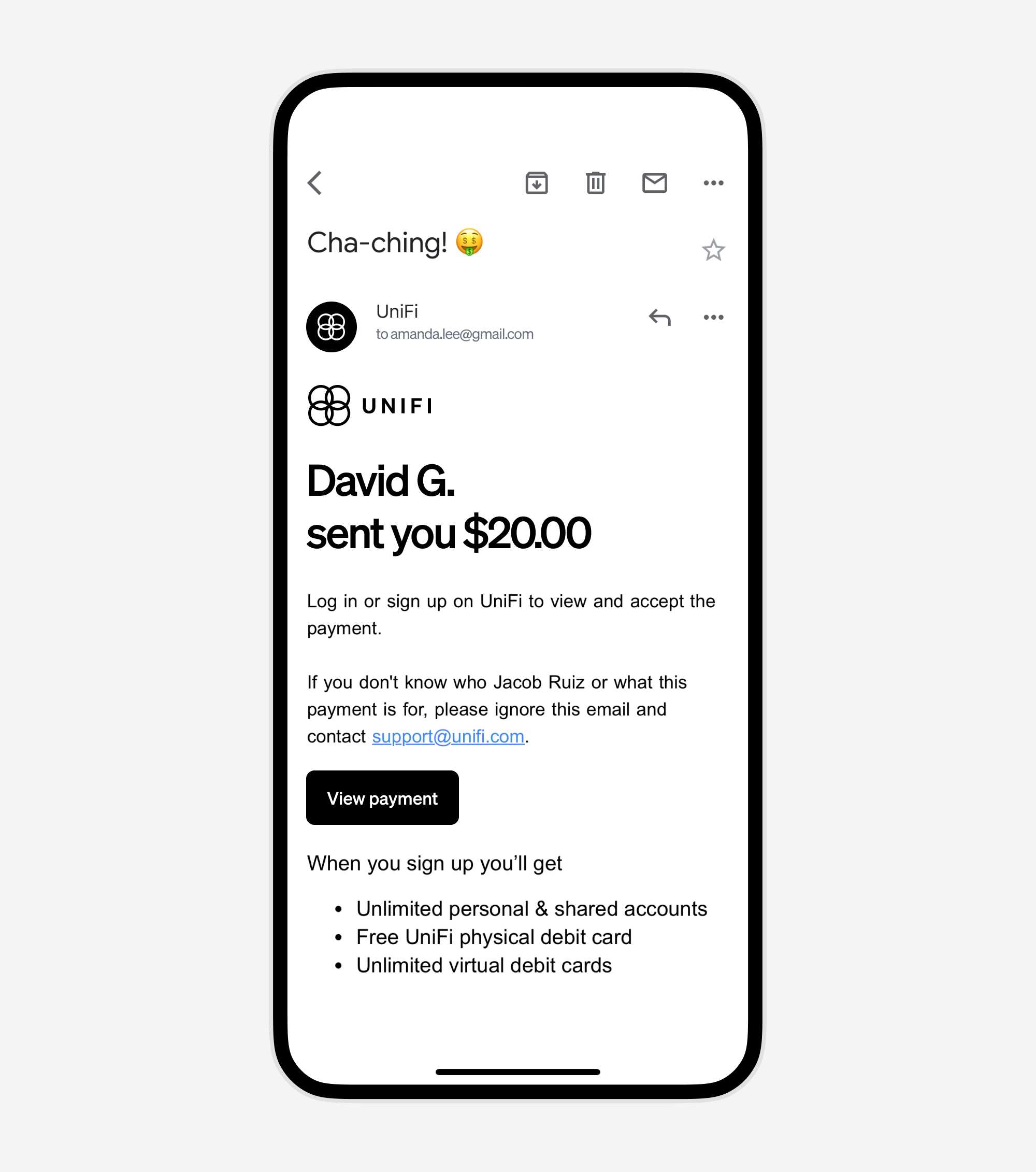
The recipient will receive an email notification about the transfer. They don't need to be a UniFi user – we guide them through accepting the payment.
8. Add an optional note, and click "Next"
Include a note for reference, such as 🏡 Rent.
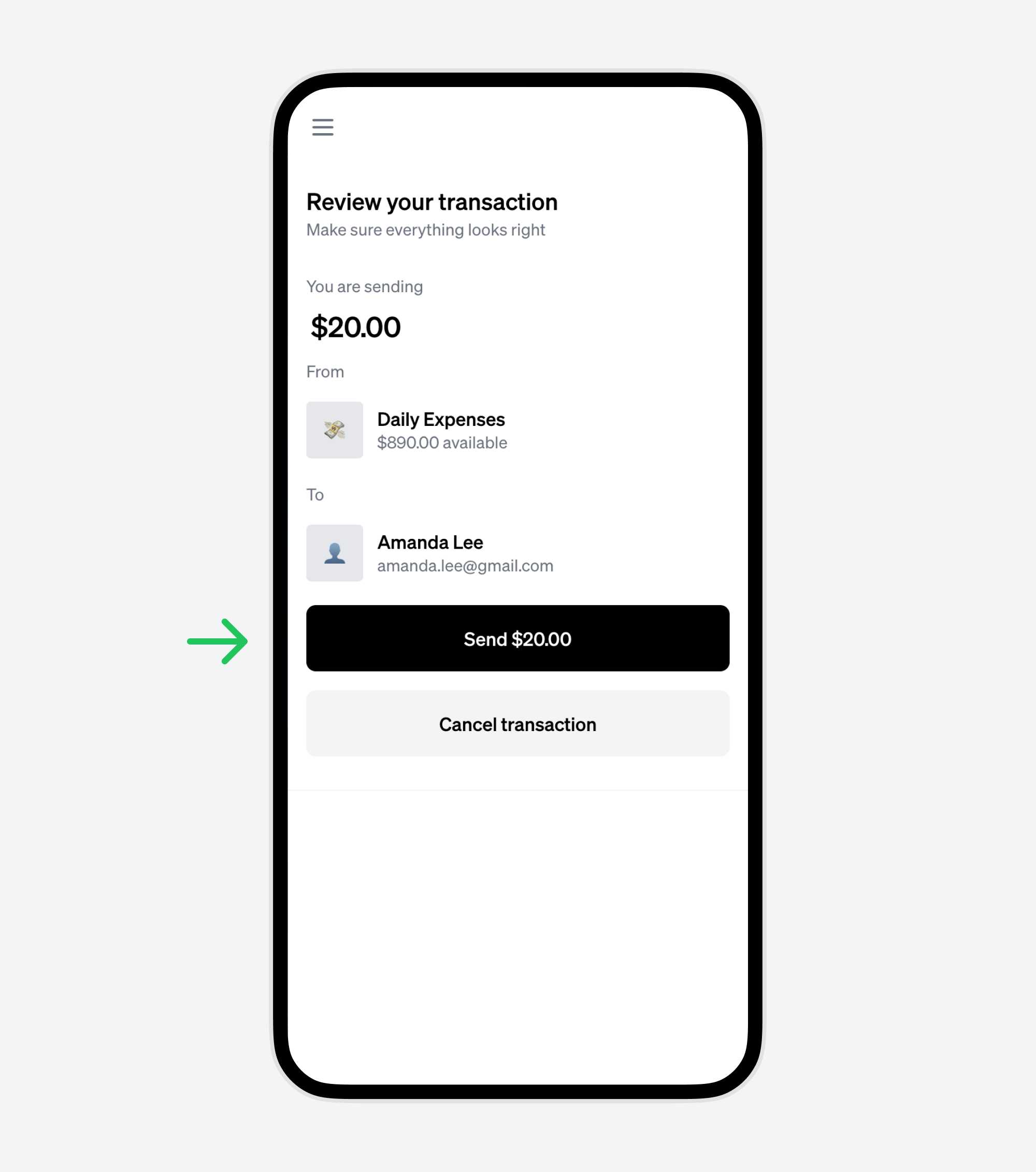
9. Review and confirm the transaction
Double-check the details, then hit 'Send'.
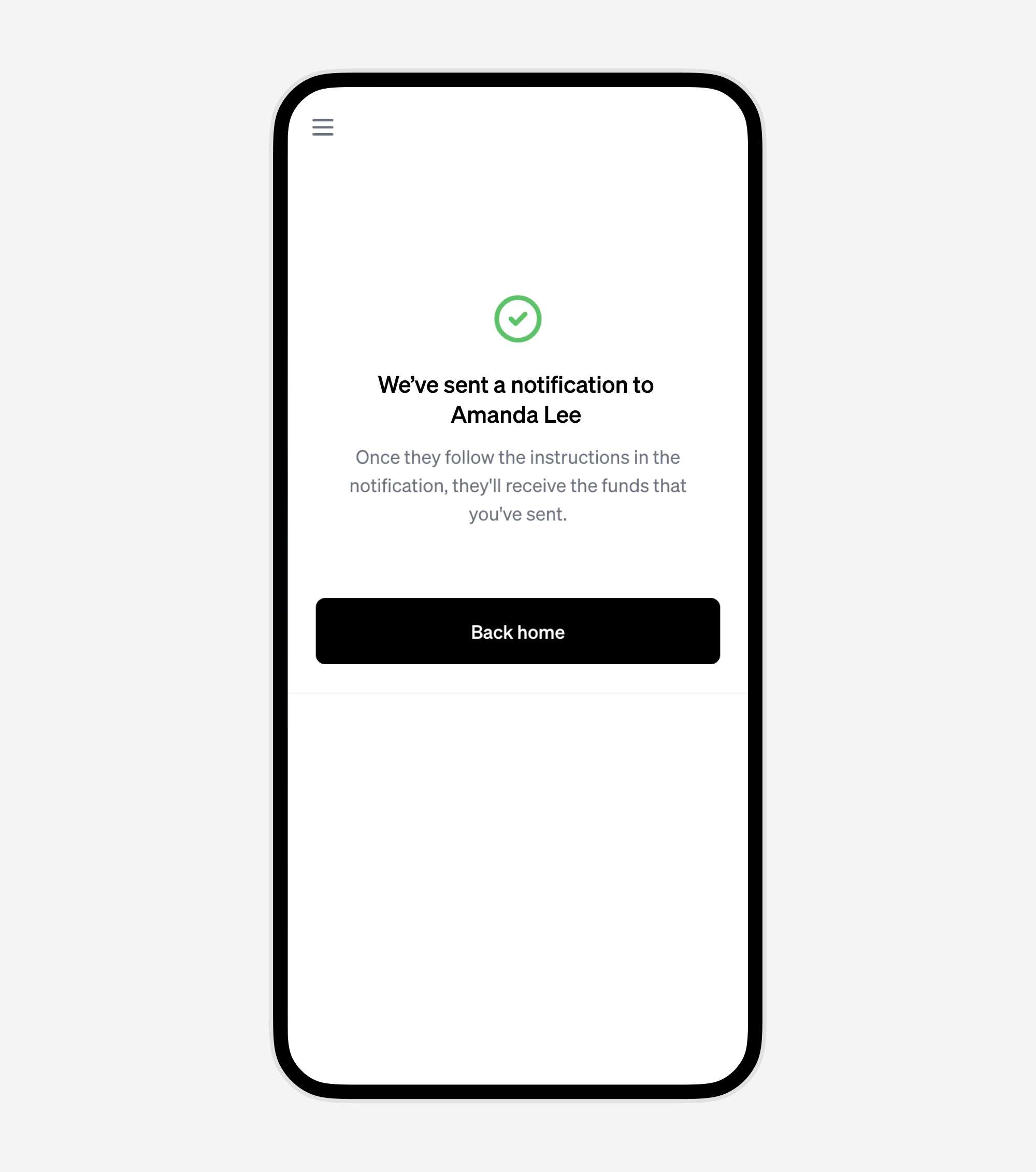
10. Your money has been sent
The recipient will receive an email with instructions. The funds are immediately available upon completing sign-up or instantly if they are already a UniFi user.
11. Notification to the recipient
The recipient will get detailed instructions on accessing their funds, whether they're new to UniFi or an existing user.
With UniFi, transferring money is not just free and instant – it's a gateway to a seamless banking experience for both sender and receiver. Try it today and experience the convenience for yourself.