

In an era where streaming services, software subscriptions, and online memberships are the norm, it's easy to lose track of monthly expenses and continue paying for things you barely use. UniFi offers a smart solution to this modern-day problem: virtual debit cards for each of your subscriptions. Here's how using separate UniFi virtual cards for each service can save you money and hassle.
The Power of Virtual Cards for Subscription Management
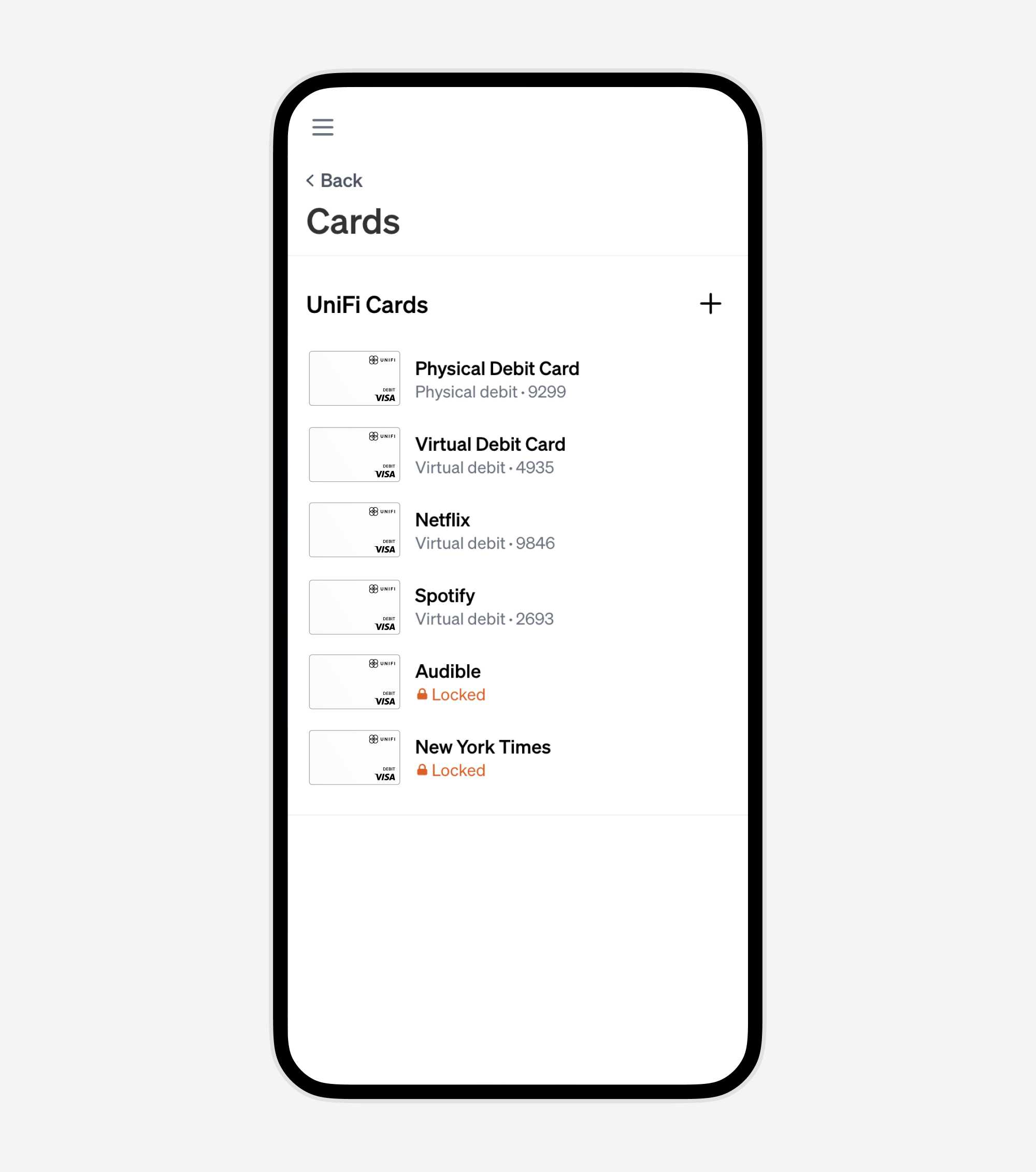
Virtual cards are digital versions of debit cards, each with its own card number. By using a different UniFi virtual card for each subscription (like Netflix, Spotify, or any online service), you gain unparalleled control over your recurring expenses.
Key Benefits
1. Simplify Subscription Cancellation
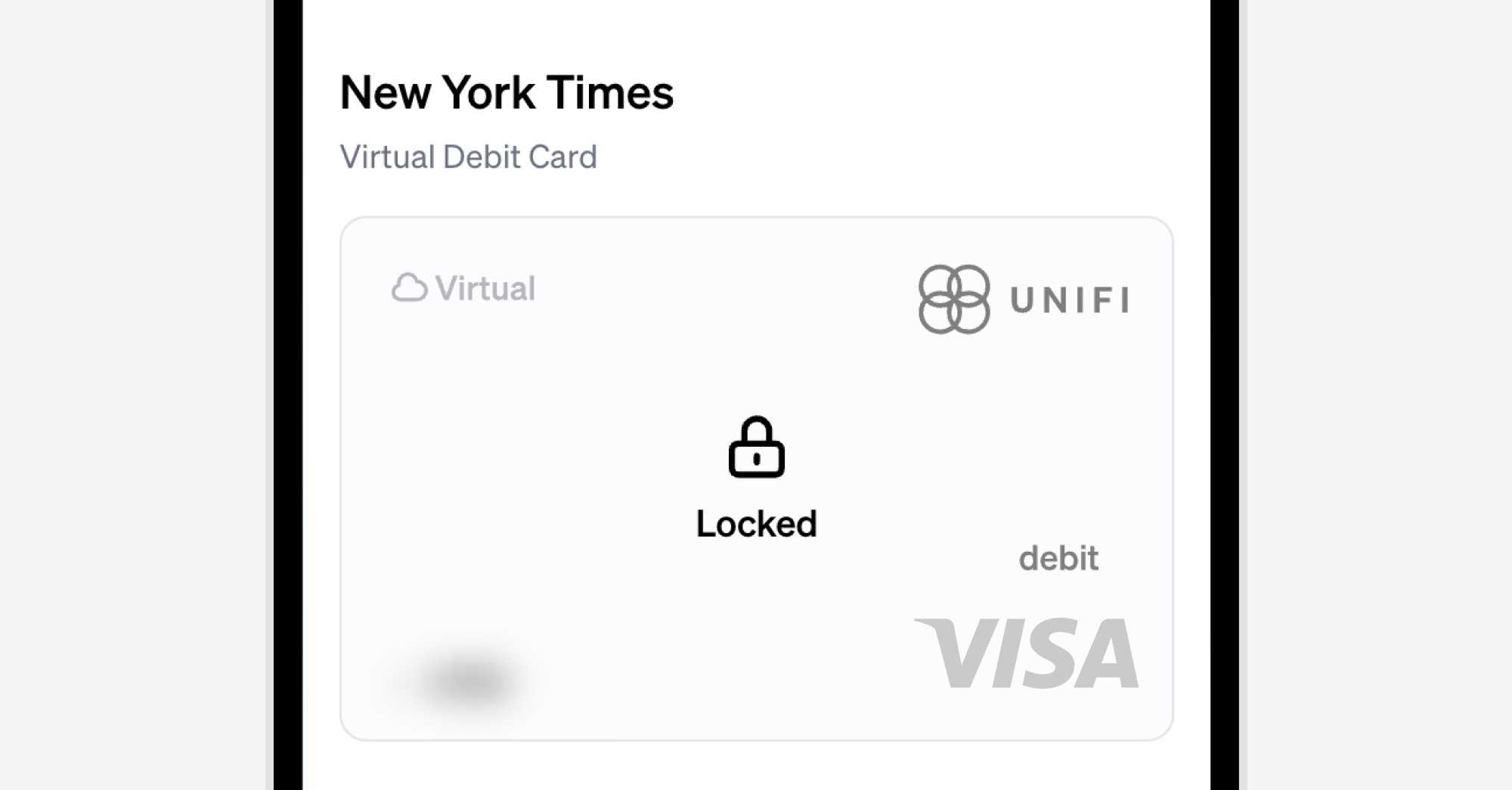
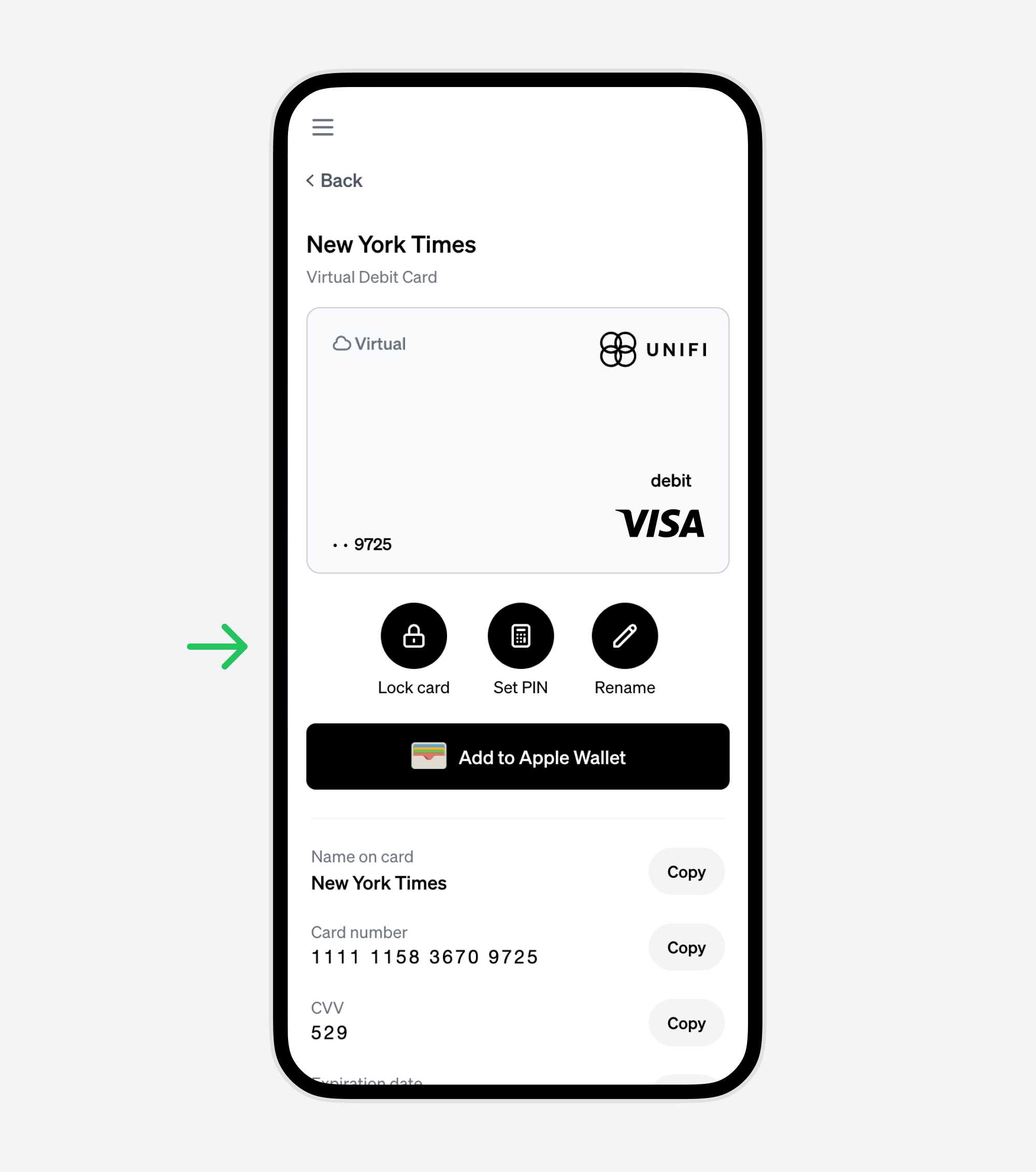
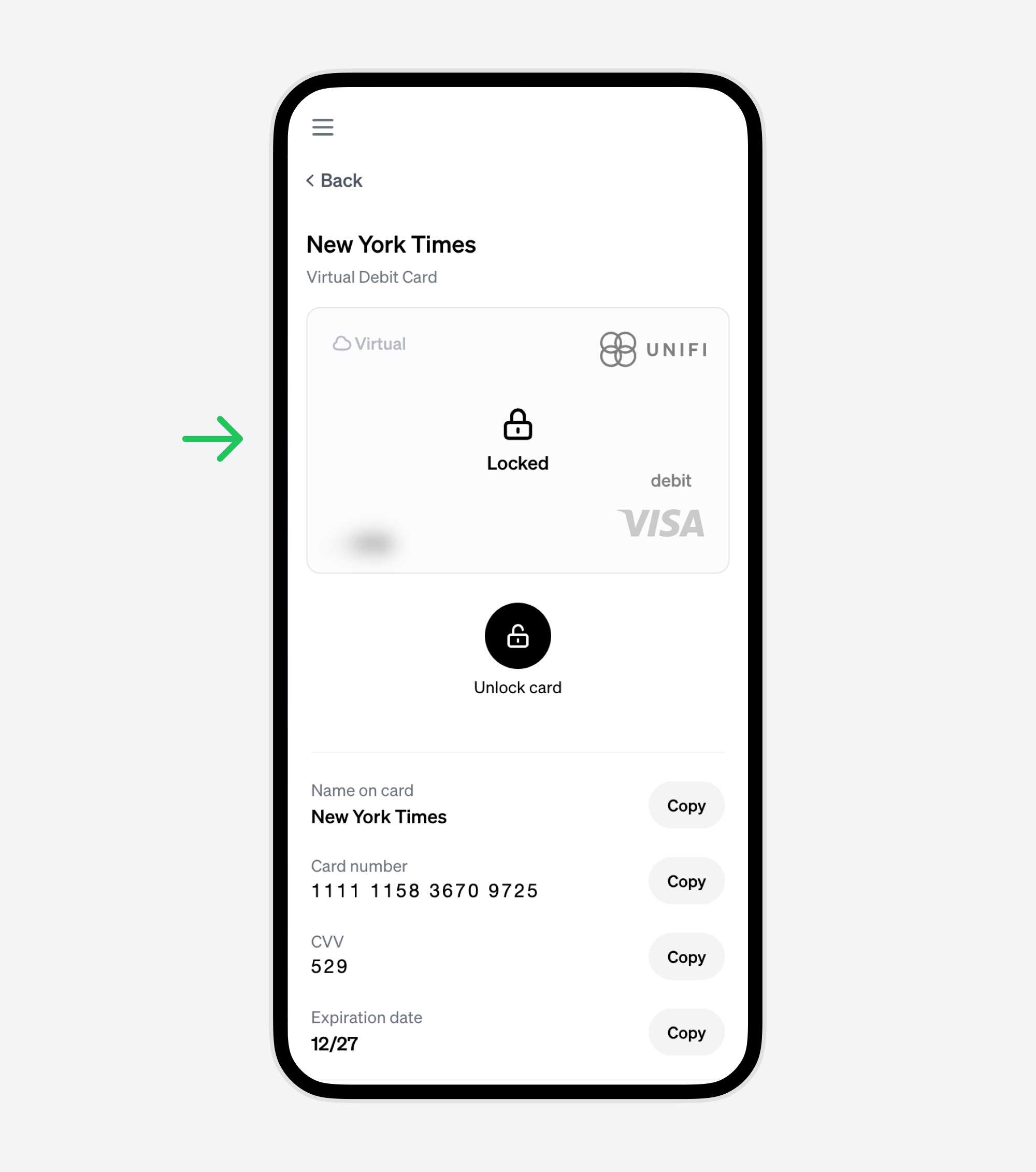
Tired of navigating complex cancellation processes? With UniFi, you can lock the virtual card linked to the service, effectively stopping further charges. This means you can cancel a subscription with a simple click, avoiding the usual hassle of finding and going through the cancellation process on the service provider's website.
2. Track Your Subscriptions Easily
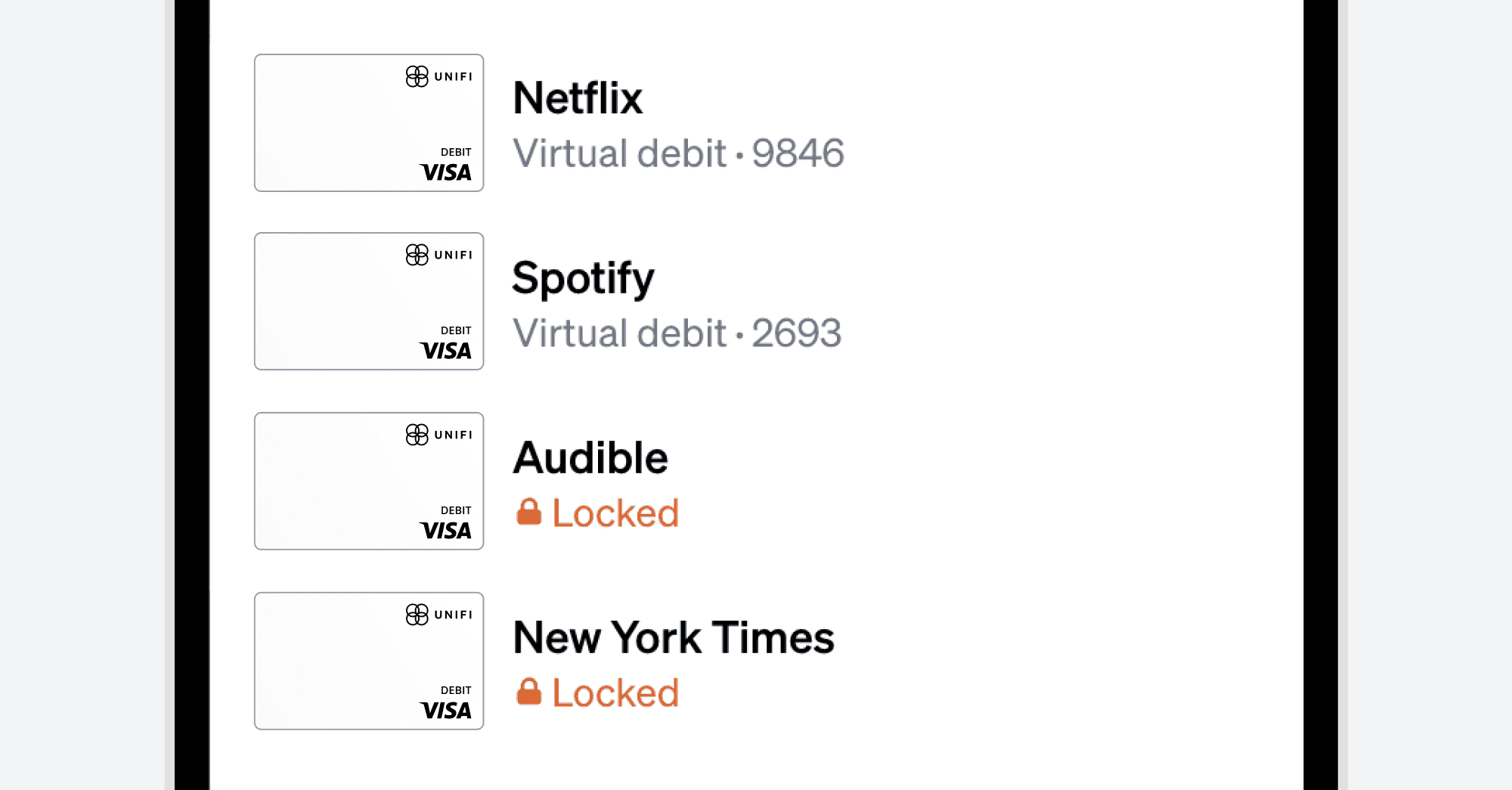
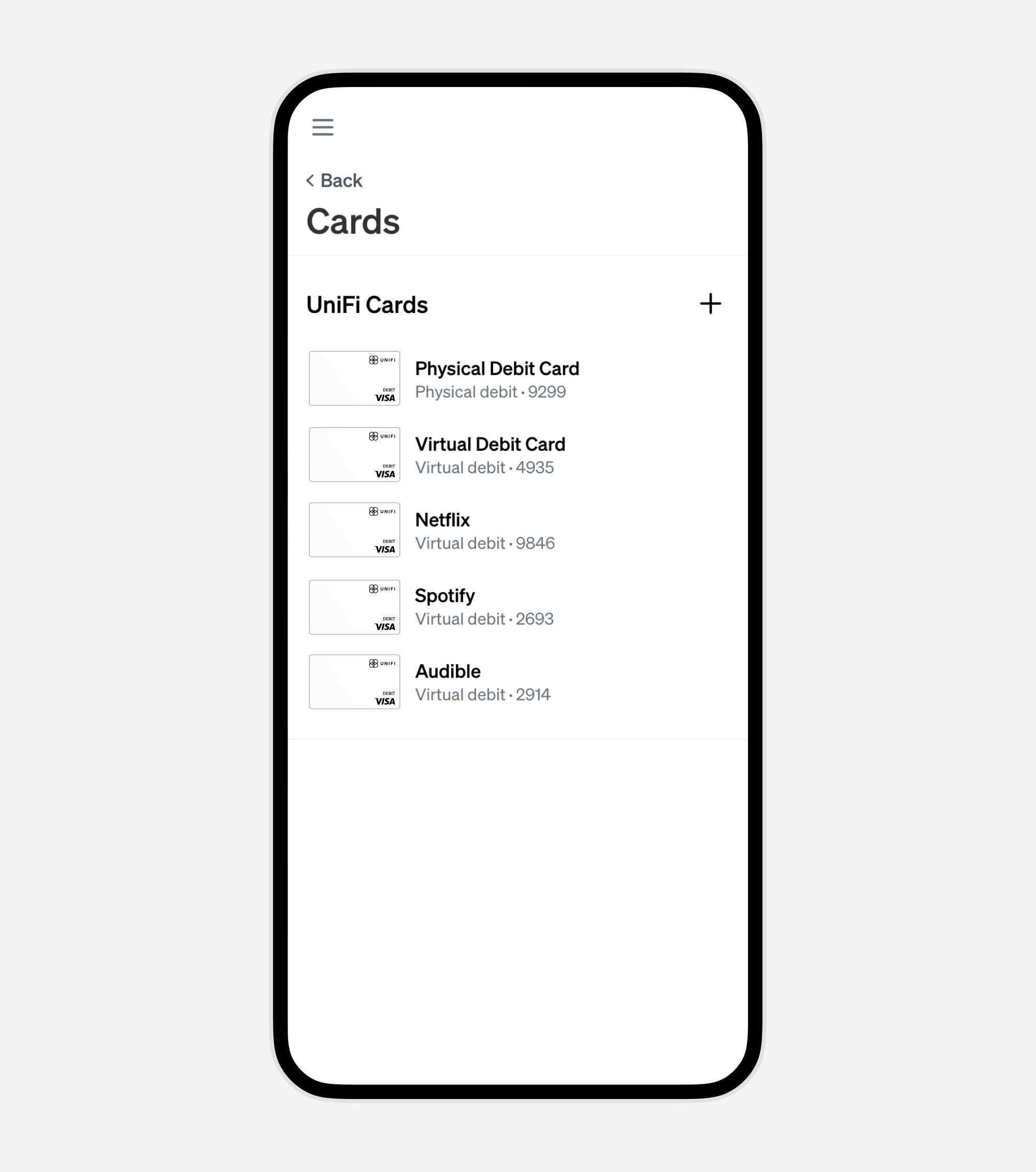
Forget about scrutinizing your bank statements to identify recurring charges. With a dedicated virtual card for each subscription, you can easily see all your subscriptions in one place – your UniFi dashboard. This visibility not only simplifies management but also helps you evaluate the worth of each service.
How to Set It Up
Step 1: Create a Virtual Card for Each Subscription
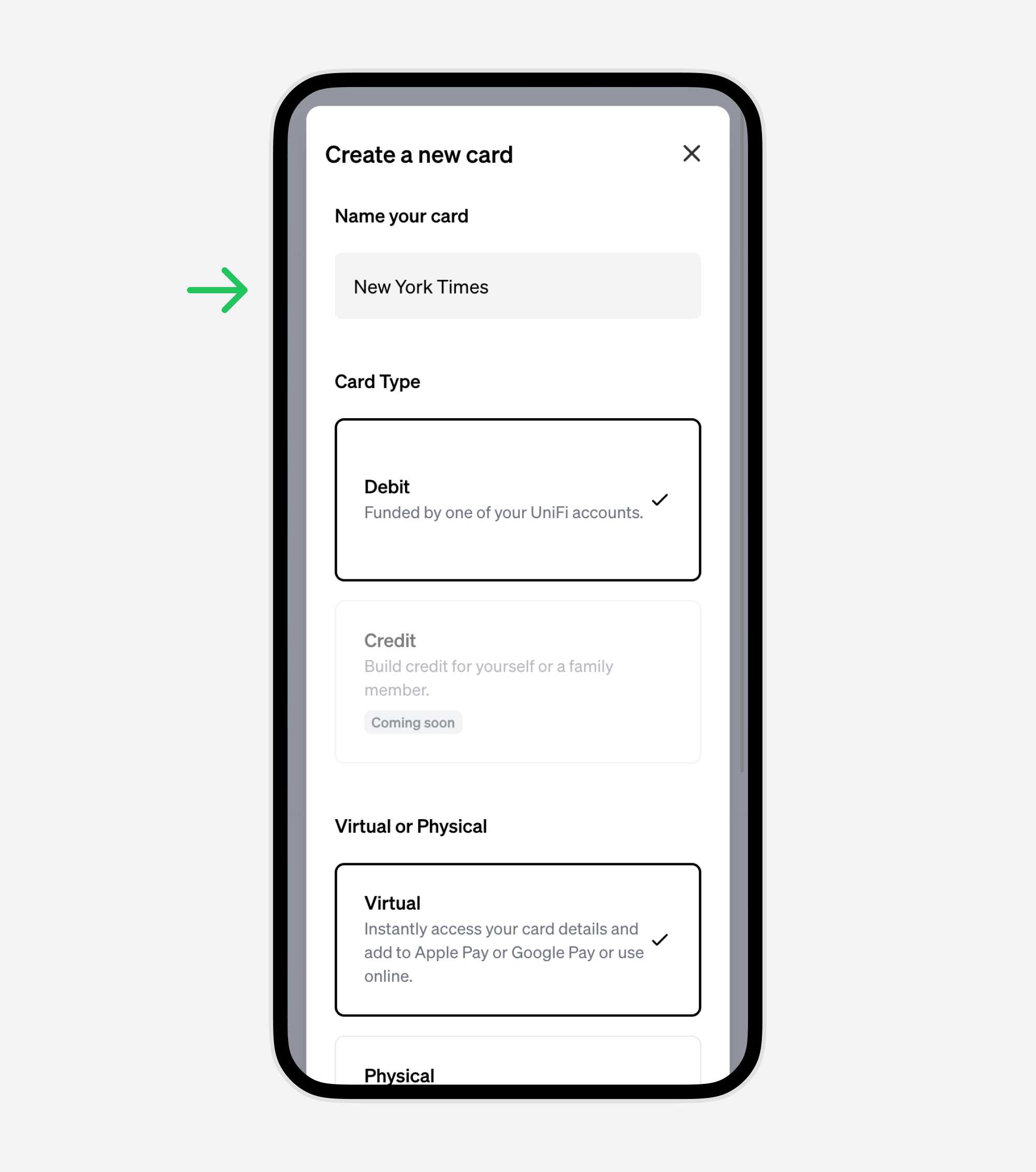
When you subscribe to a new service, create a new virtual card on UniFi specifically for this purpose. Name the card after the service for easy identification.
Step 2: Link Your Subscription to the Virtual Card
Use the virtual card details when signing up for or renewing your subscription. This isolates the subscription's charges to that specific card.
Step 3: Monitor Your Spending
Regularly check your UniFi dashboard. You’ll see each card and its associated charges, giving you a clear picture of your monthly subscription expenses.
Step 4: Control with a Click
If you decide to cancel a service, simply lock the corresponding virtual card on UniFi. This stops future charges, making the cancellation process effortless.
Step 5: Review and Adjust
Periodically review your UniFi dashboard. If you notice virtual cards for services you no longer use, lock the cards to stop the charges, and consider whether you want to cancel those subscriptions.
Conclusion
Subscription management doesn't have to be a source of financial leakage or frustration. With UniFi's virtual cards, you have a straightforward, smart way to control what you spend on recurring online services. This method not only streamlines your finances but also empowers you to make conscious decisions about the services you truly value. Get started with UniFi and experience a new level of control over your subscriptions.