

UniFi makes it easy to create shared accounts for any purpose. Simply create a new checking account, and add the other person using their email address.
You'll both be able to spend from the account using your own debit cards.
Keep reading for step-by-step instructions on how to get set up.
Part 1: Steps for creating the shared account
1. Sign up for UniFi if you haven't already
UniFi is free to use. Signing up is easy, and you'll get access to a range of features:
- Up to 10 U.S. checking accounts.
- Physical and virtual debit cards.
- Compatibility with Apple Pay and Google Pay.
- No maintenance fees or account balance minimums.
- Seamless integration with existing bank accounts for easy and free transfers.
Sign up by clicking here.
2. Create a new account from your UniFi dashboard
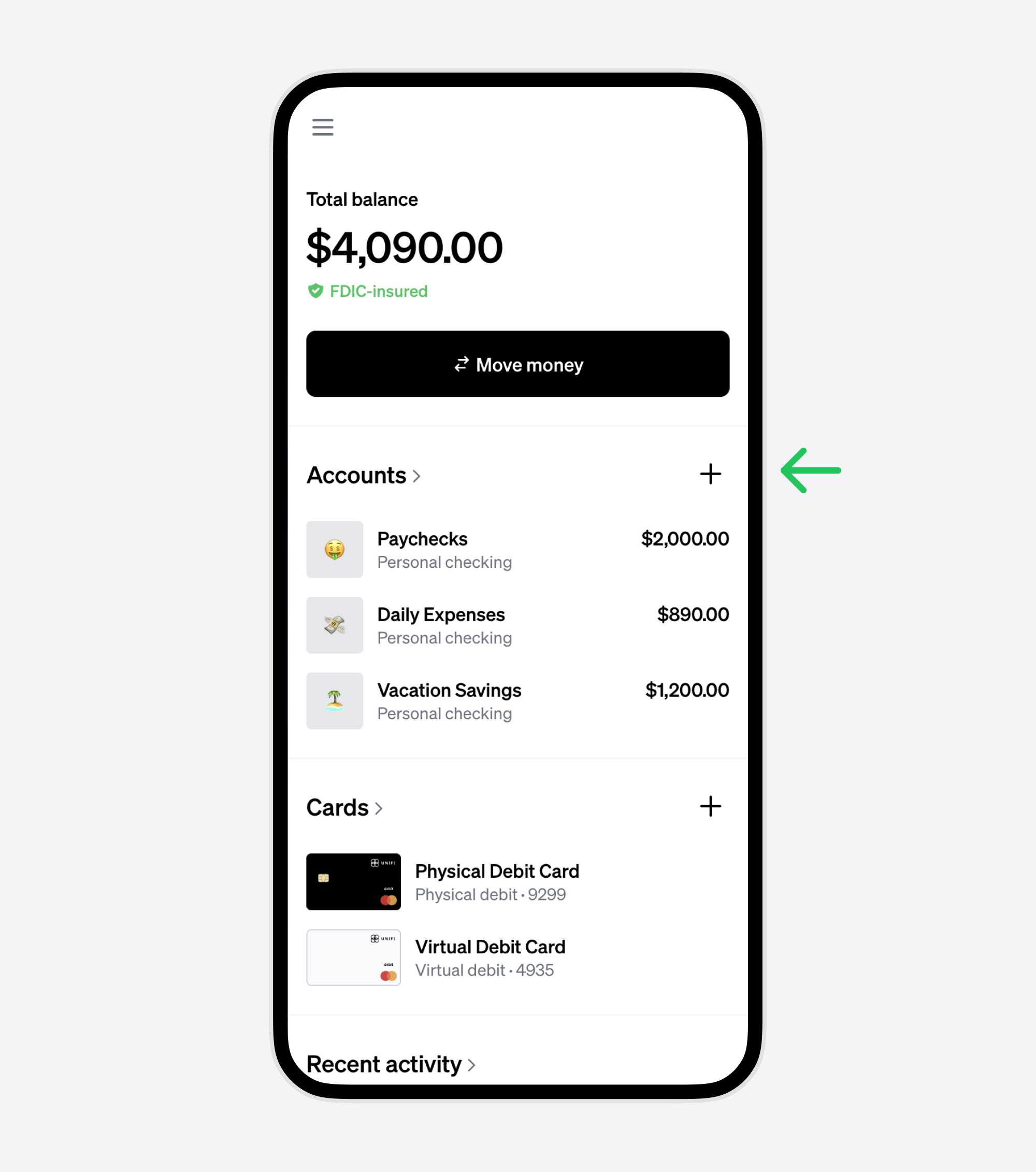
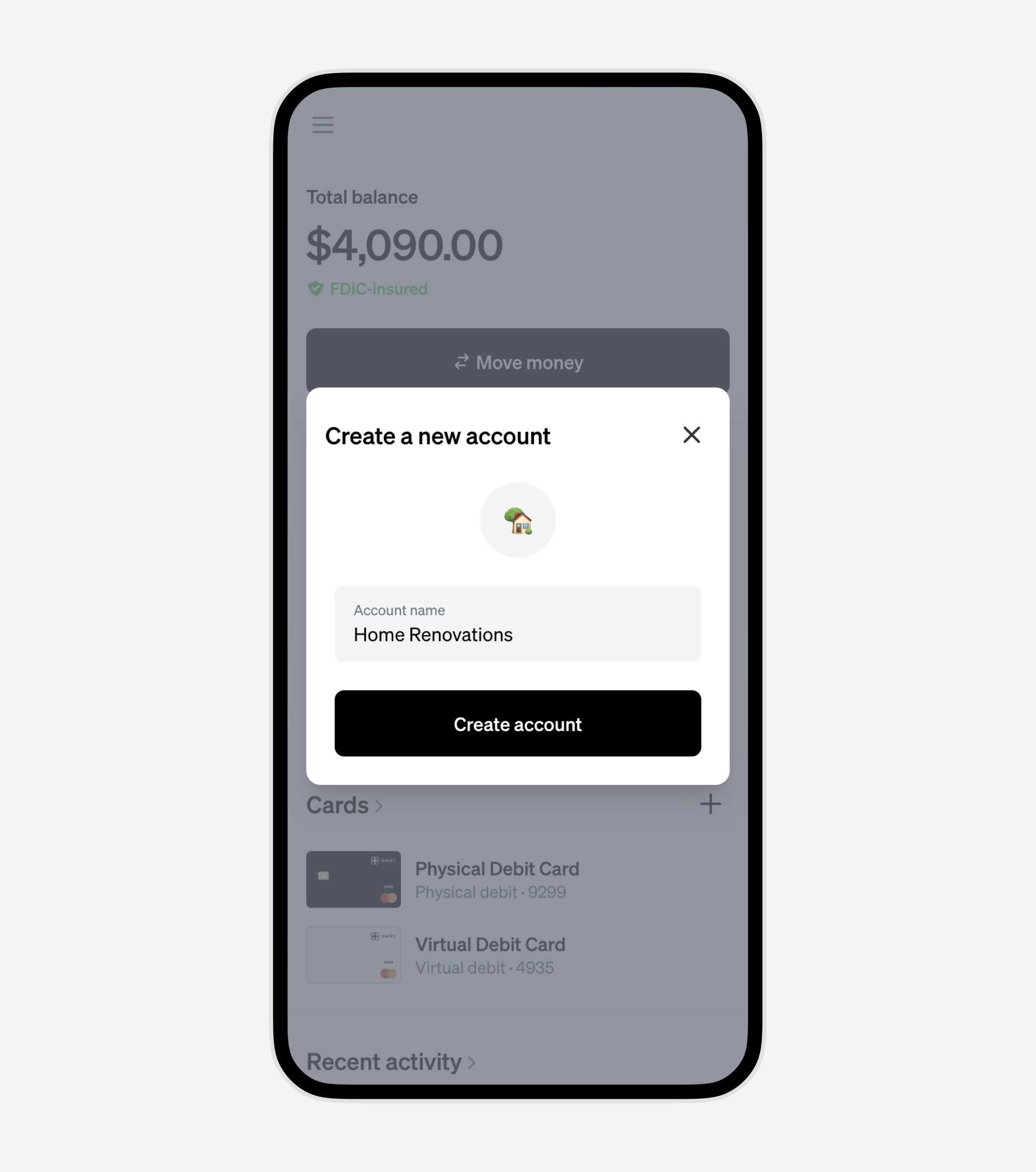
3. Name the account and choose a custom emoji
Personalize the account with a unique name and an emoji that represents its purpose.
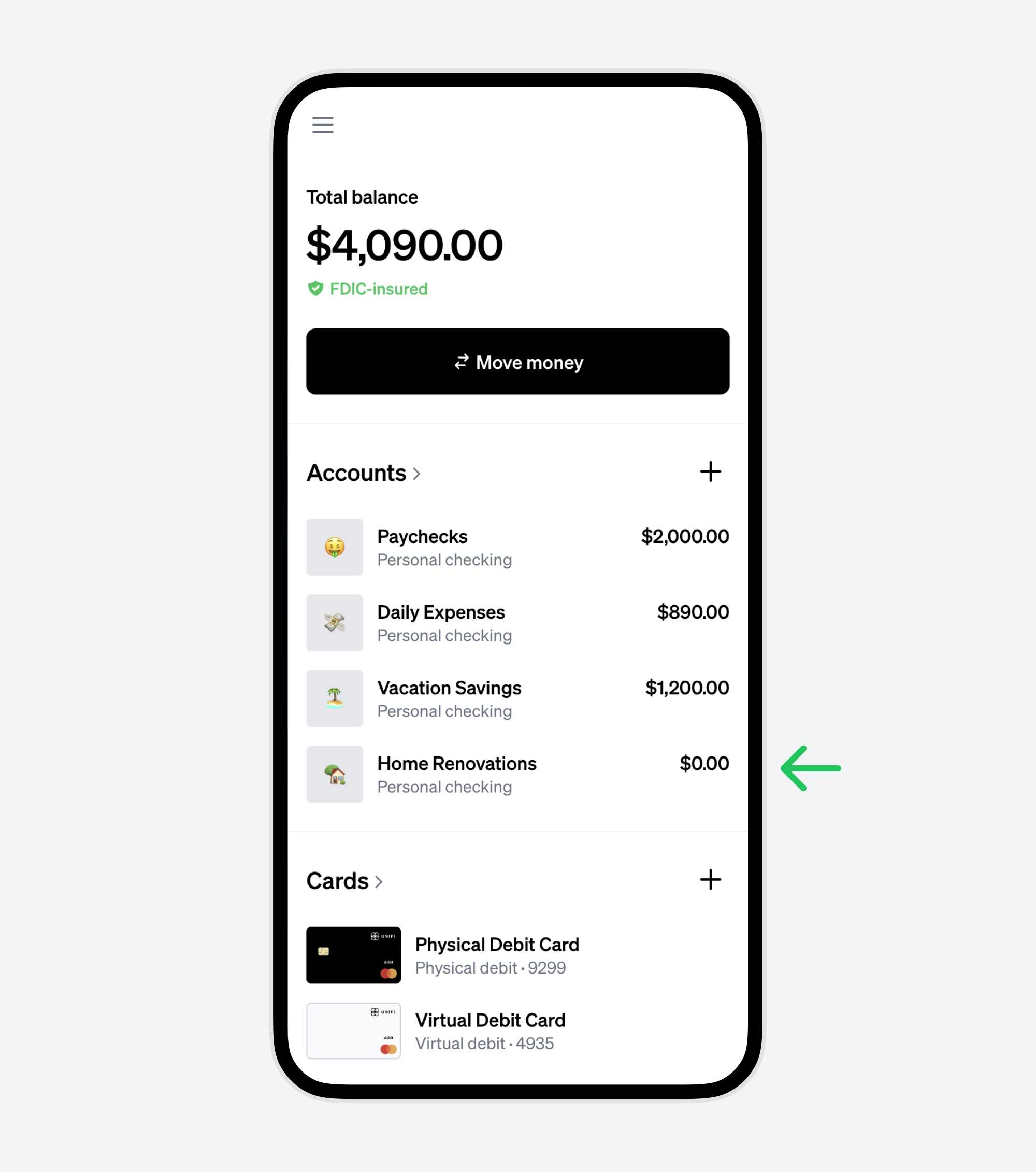
4. Click the account to go to the account detail page
You'll make it a shared account on the next step.
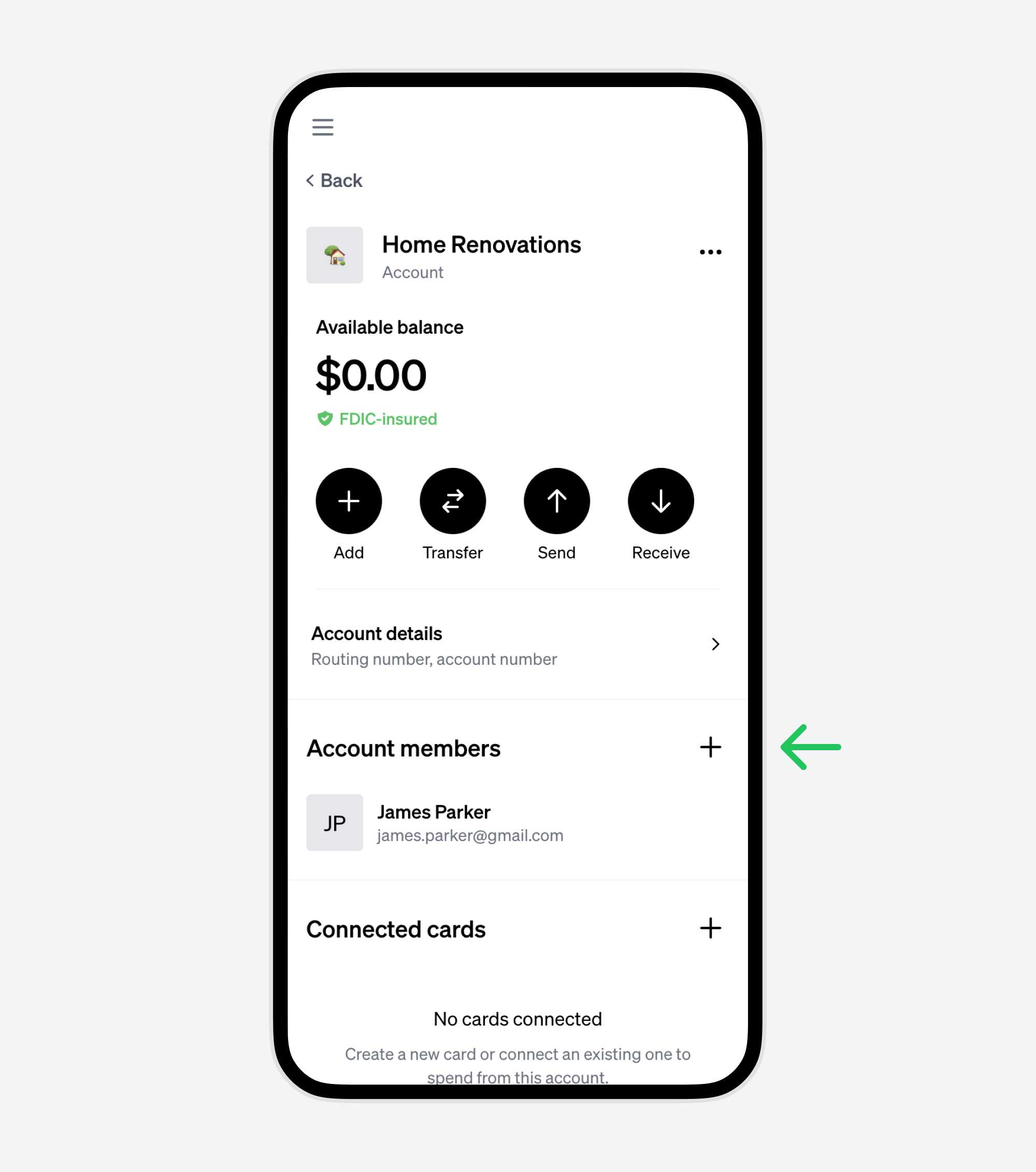
5. Add a new account member
On the account detail page, click the "+" button to add a new account member.
5. Invite the other person using their email address
Choose whether to give them full Admin permissions or add them as an Authorized User. You can also add optional spending limits by transaction, daily, weekly, or monthly amount, as well as by merchant category. Learn more about Limits here.
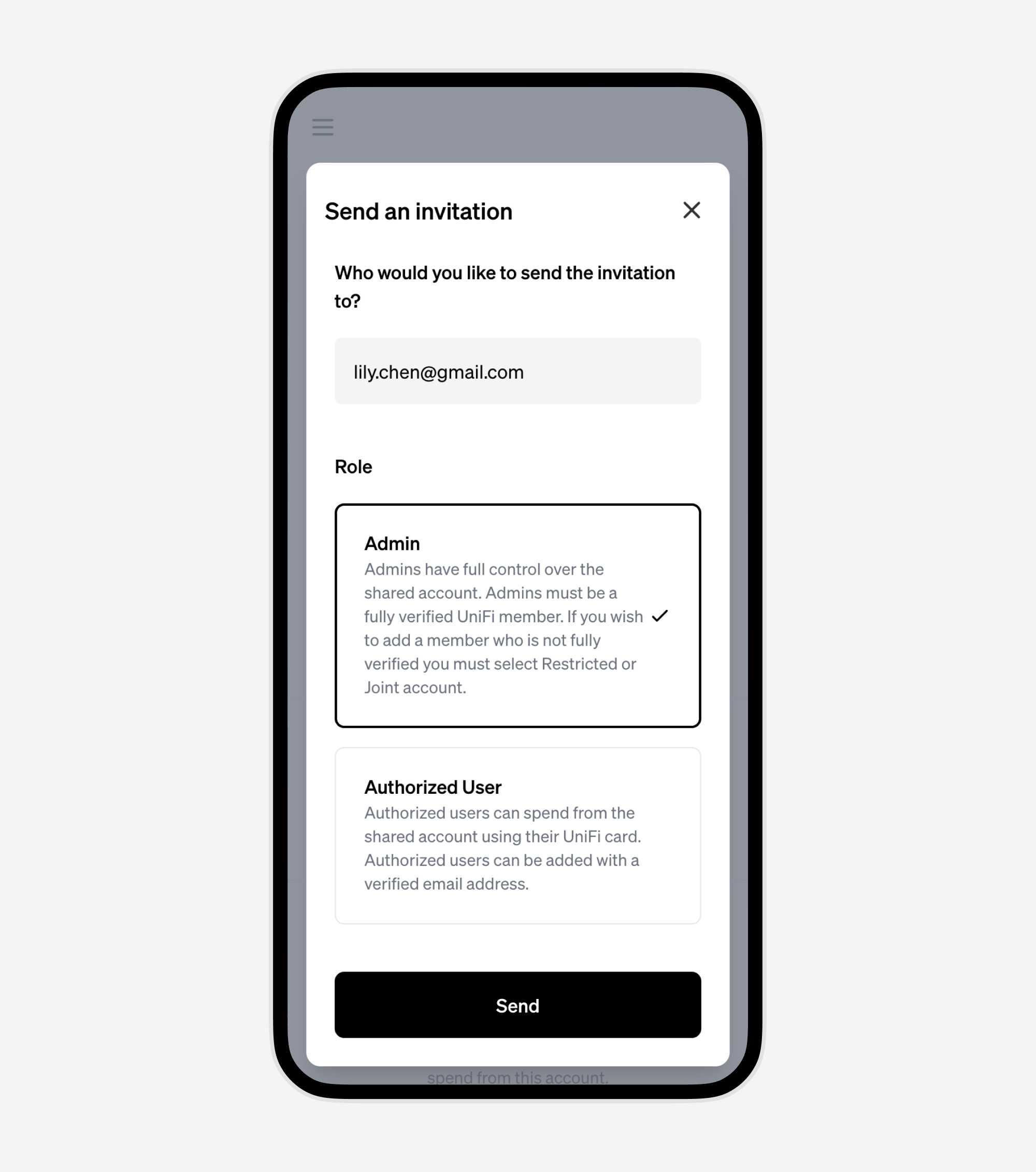
6. An email has been sent with instructions for joining the account
Your job is done. Now the other person just needs to follow the link in the email to finish joining the account.
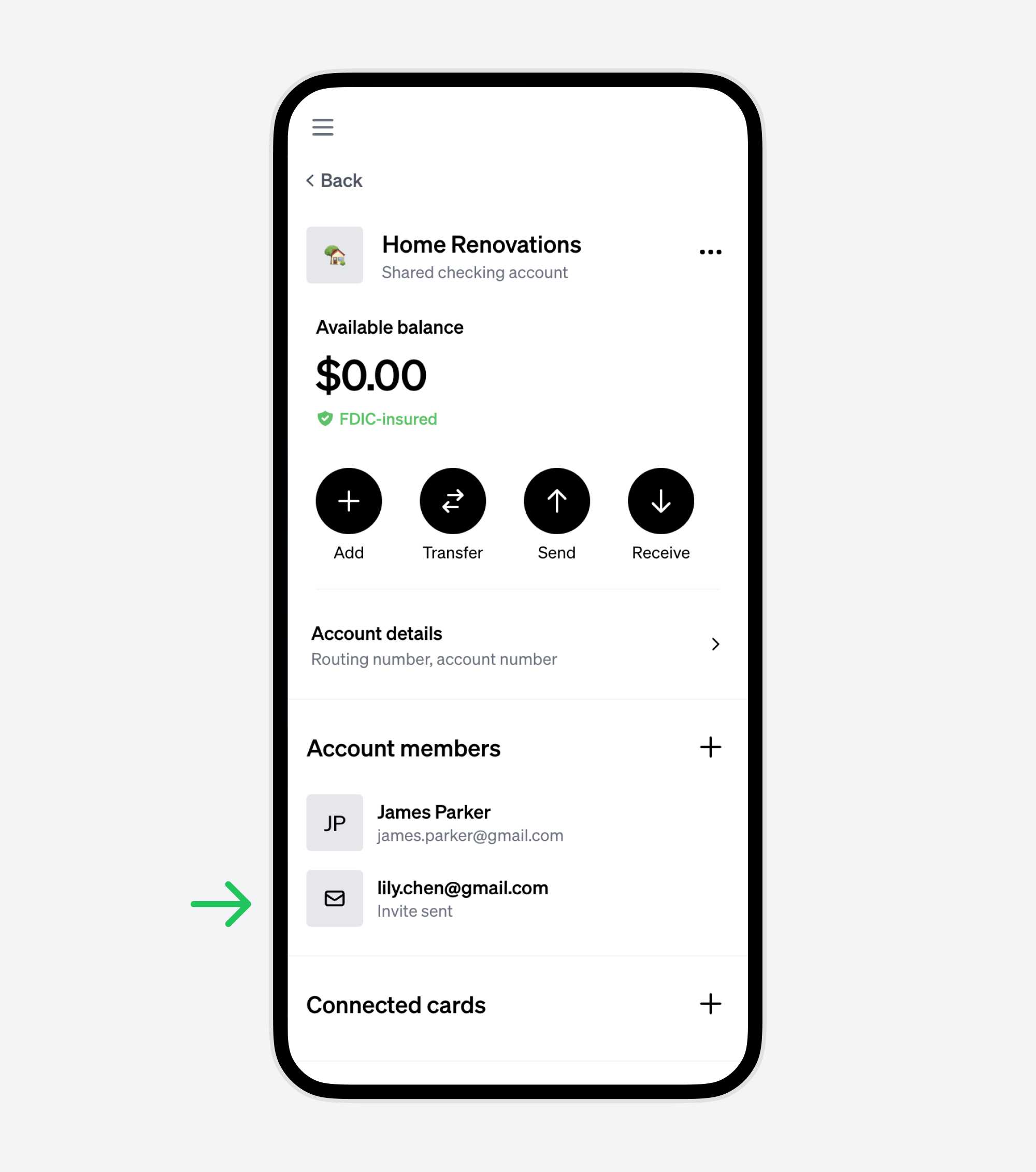
Part 2: Steps for the person joining the account
1. Accept the invitation via email
Open the email invitation and click "Accept invitation".
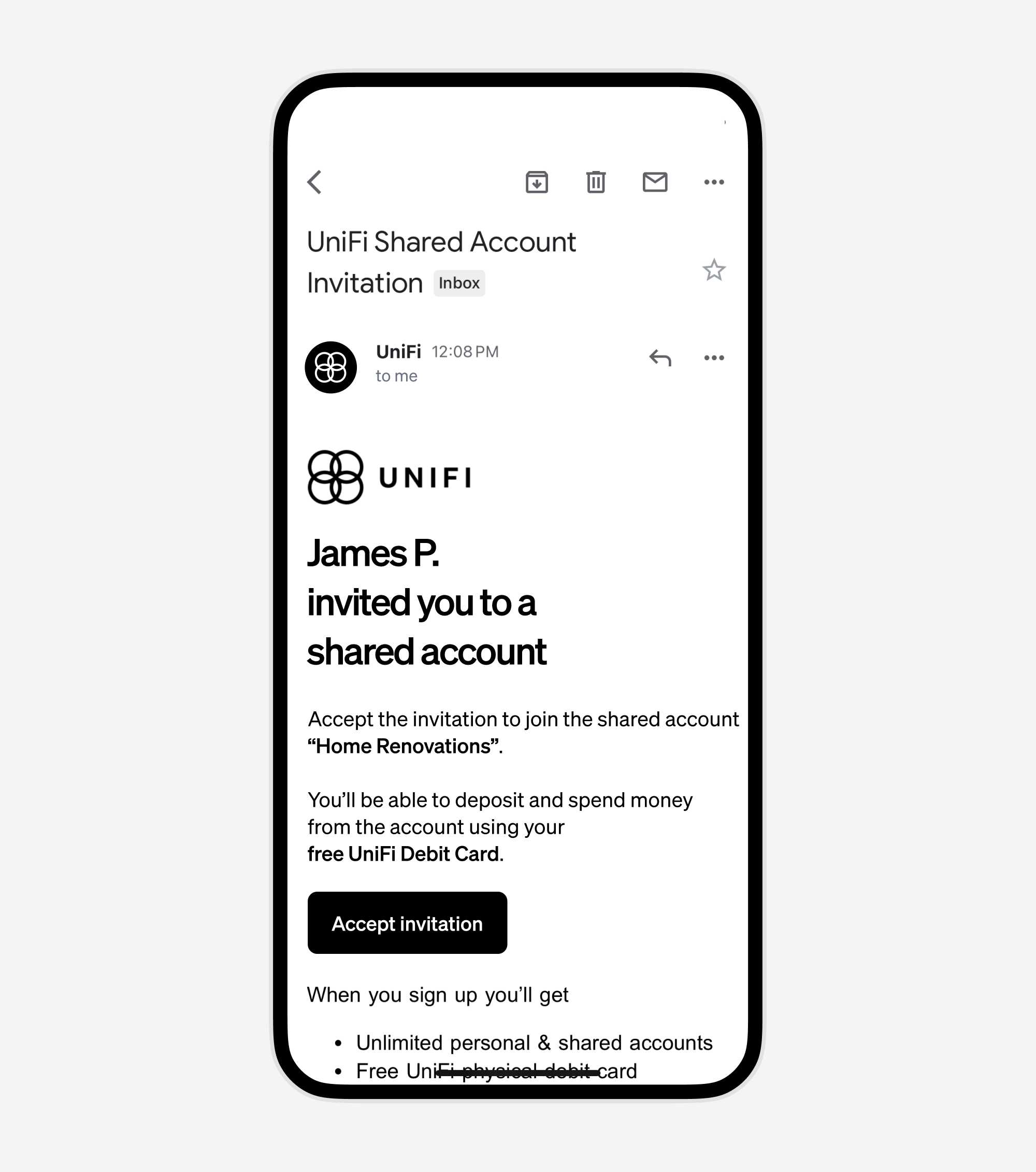
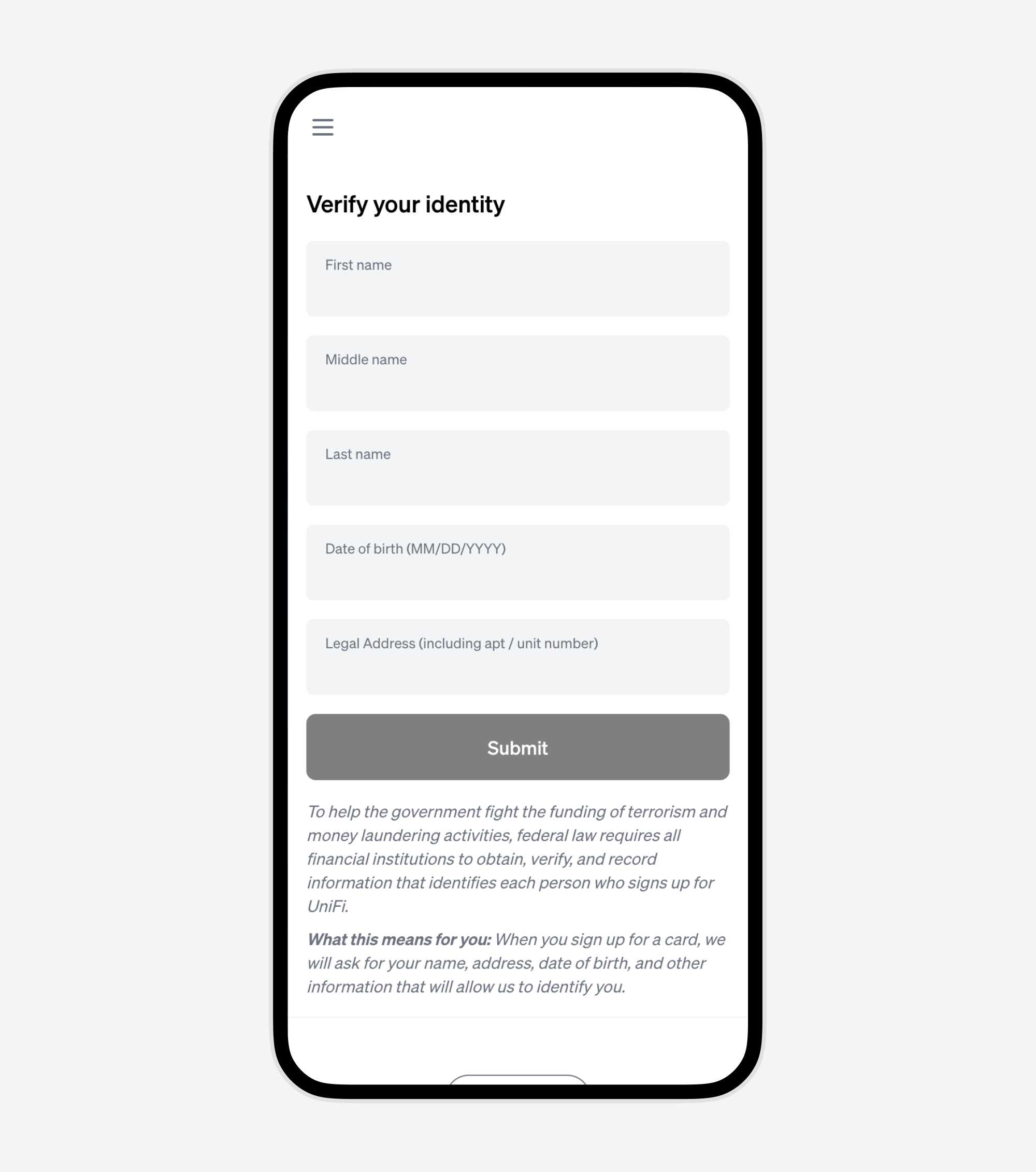
2. Follow the steps to join the shared account
If you don't yet have a UniFi account, ytou'll be guided to sign up and verify your identity. This only takes a few minutes.
If you already have a UniFi account, you'll be logged in and prompted to joing the shared account right away.
3. You're now a member of the shared account
Your shared account can be accessed from your UniFi dashboard at any time.
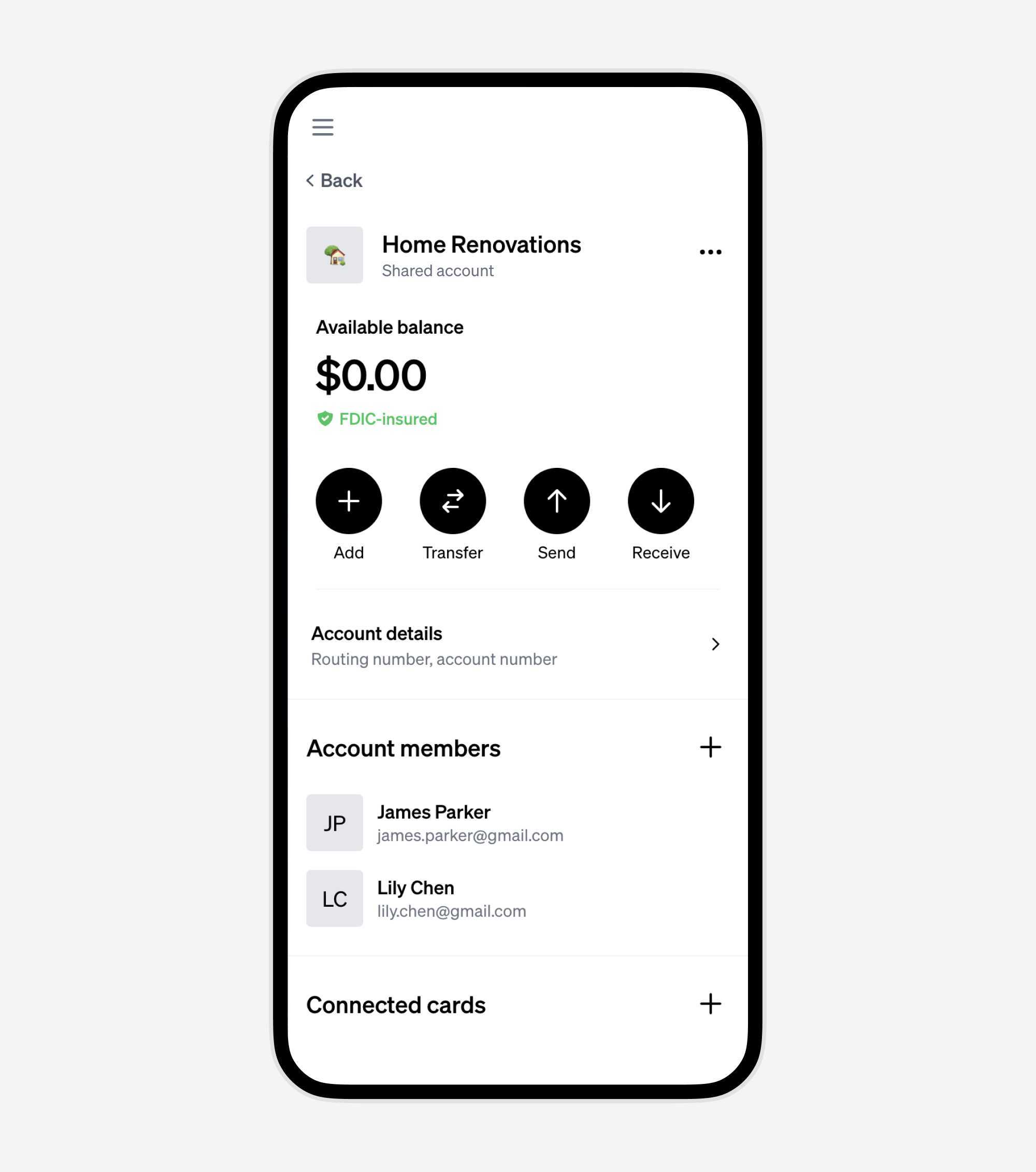
4. Create your own virtual debit card to spend from this account
Both members can spend from the same account, each with their own virtual debit card. Click the "+" button to create your own.
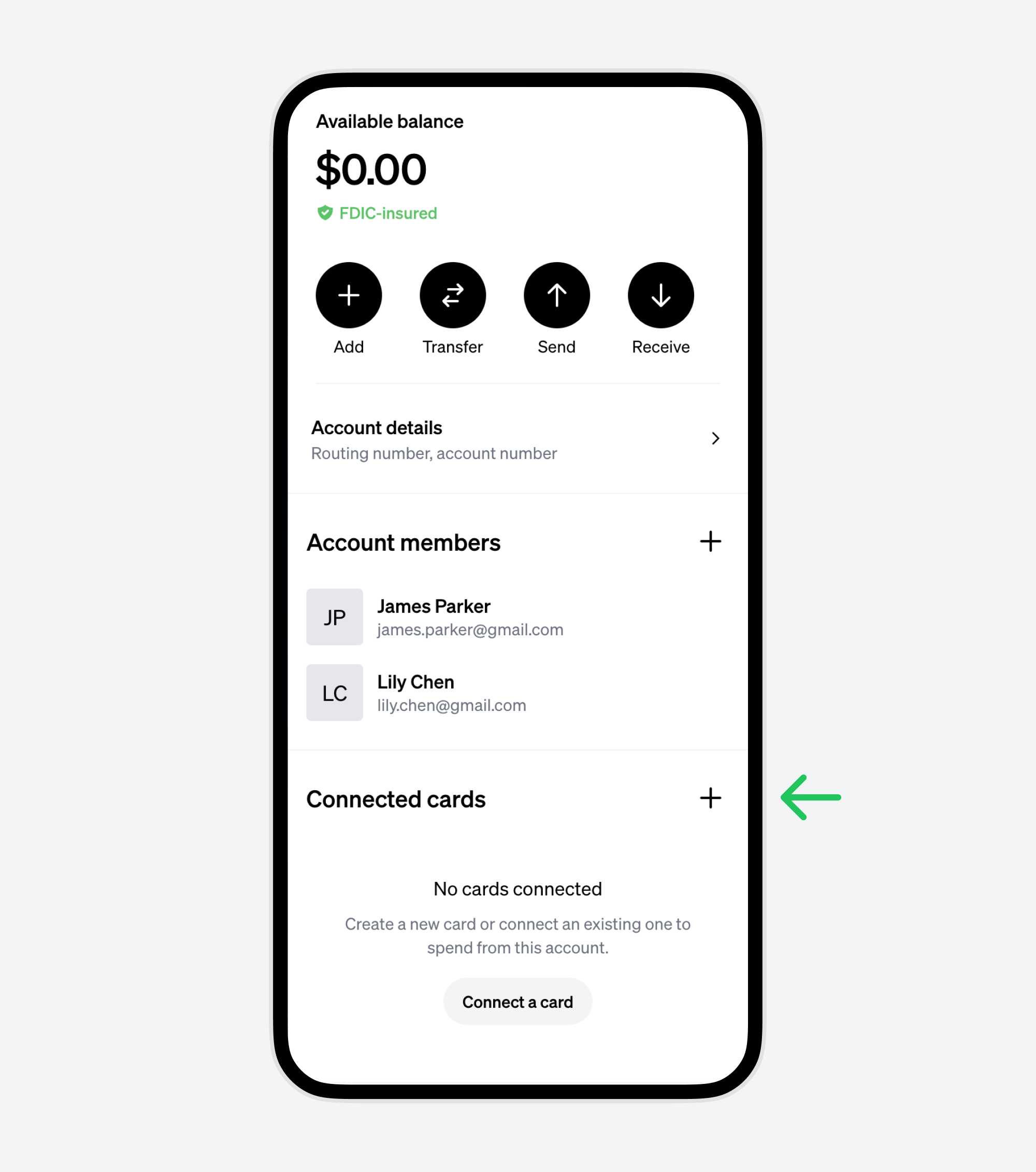
5. Name your virtual debit card
Name your card, and choose the "Virtual" option. Make sure the funding source set to the shared account.
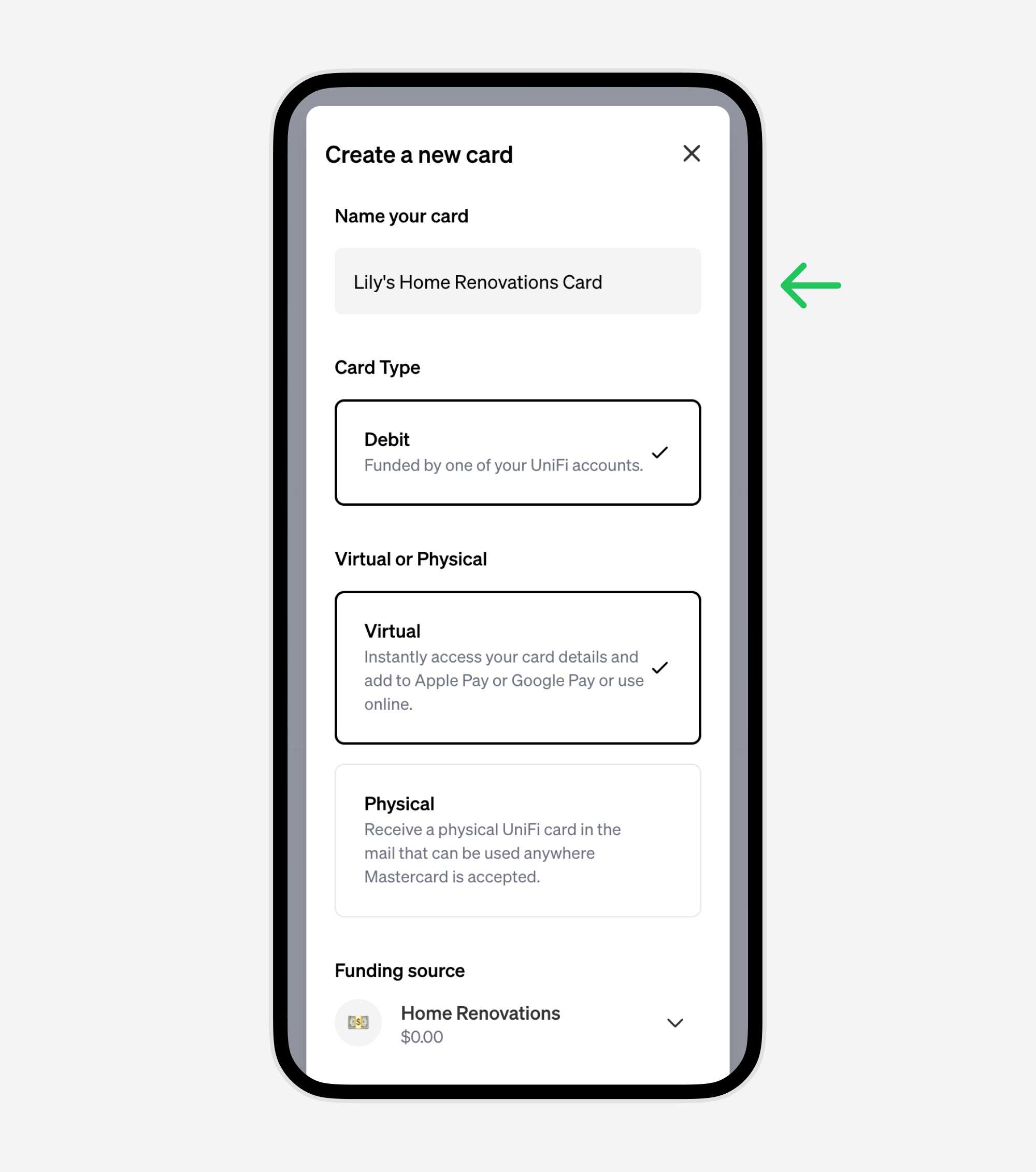
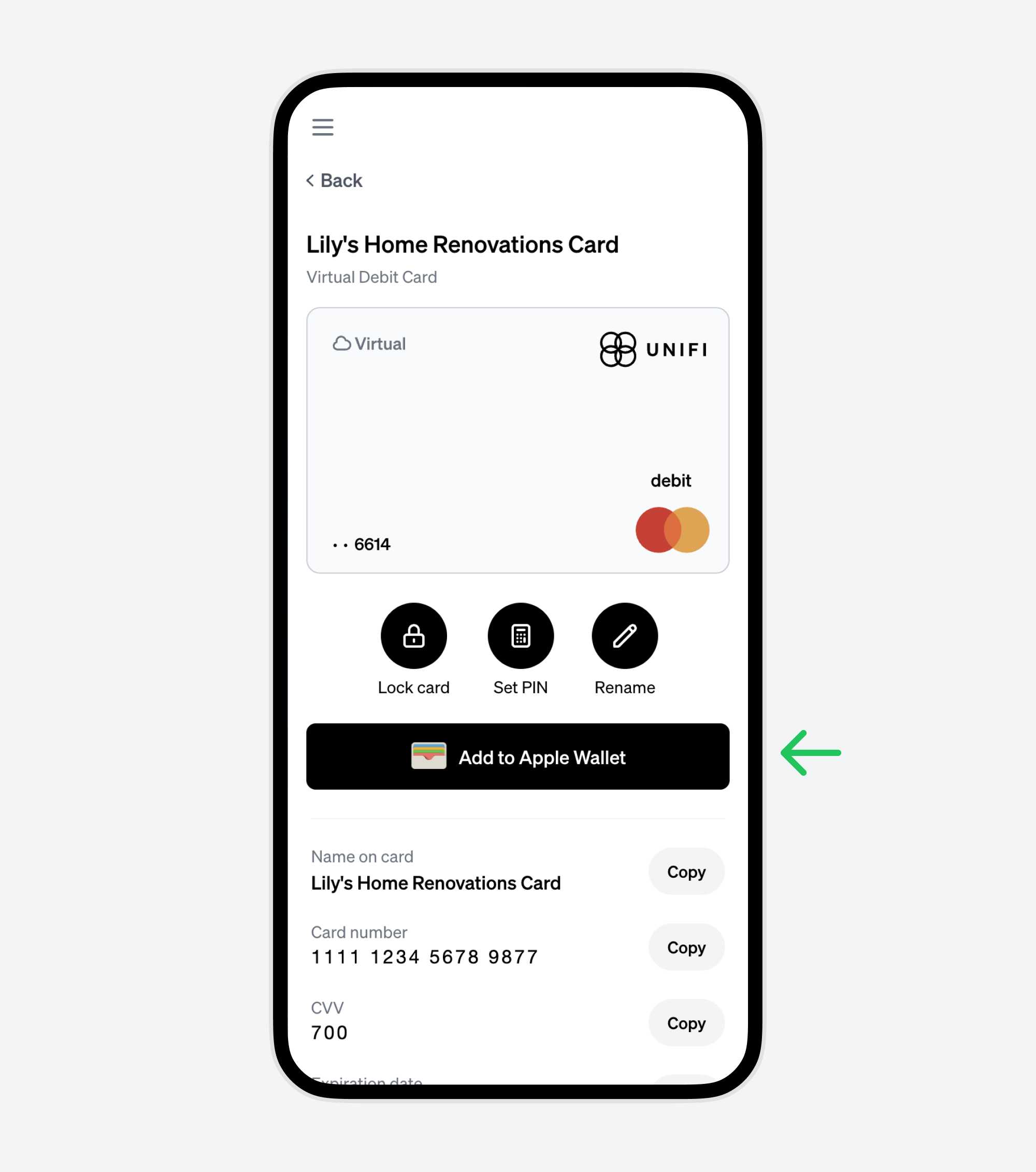
6. Click on the new card to see it's details
You can add your new virtual card to Apple Pay or Google Pay on the next step.
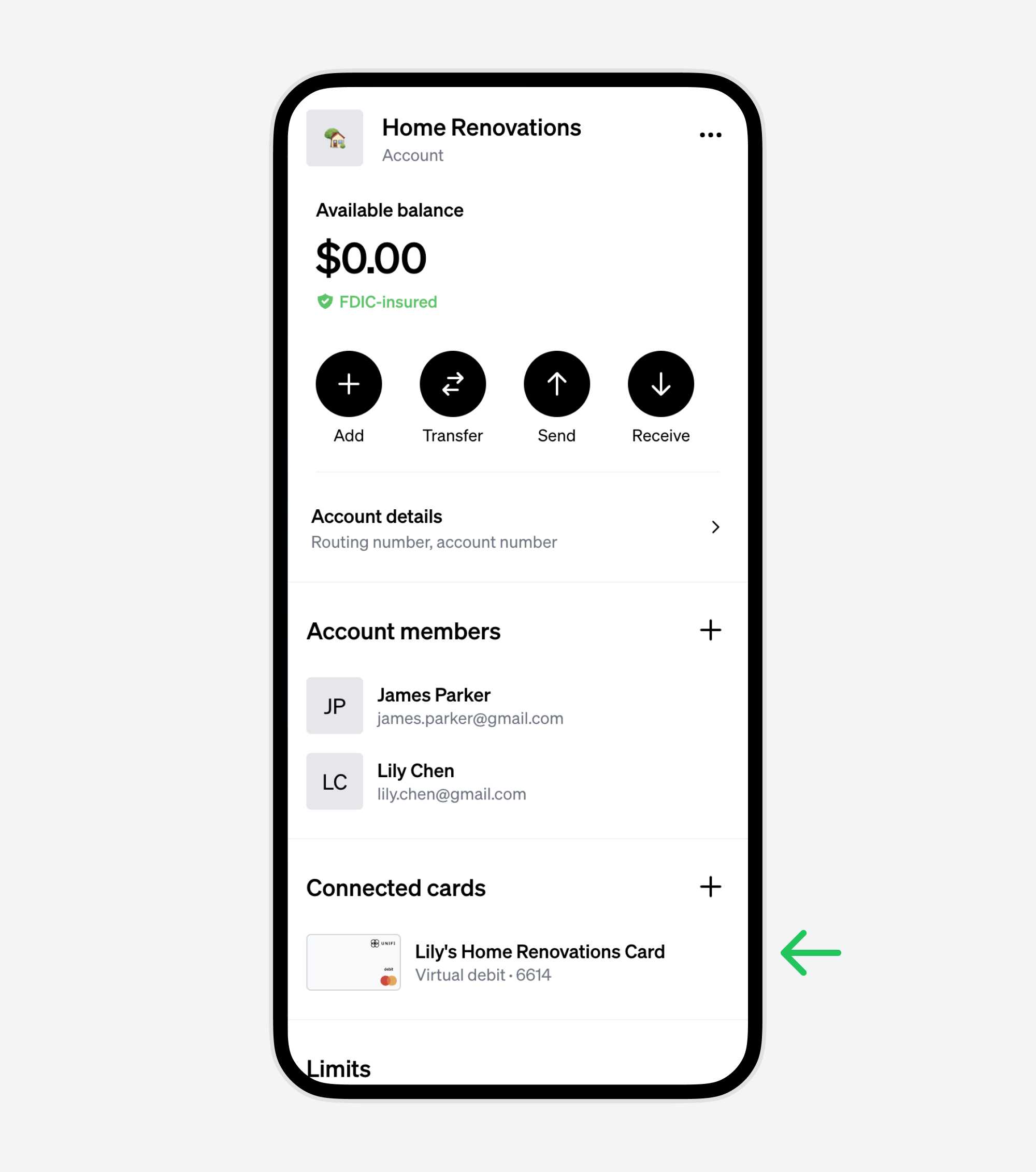
7. Add your virtual card to Apple Pay or Google Pay
Now you can spend from this account anywhere Mastercard is accepted.
You can also copy the card details to enter them manually for online purchases.
Conclusion
UniFi makes it easy to create shared checking accounts with your loved ones. All you need is their email address. You'll both be able to add money to the account, and spend from the account using your own debit cards.